
The order has no reliable owner or status
A phone call becomes a commitment, then the project team has to reconstruct whether it was drafted, sent, accepted or completed.
Create project-linked purchase orders, keep supplier terms and compliance details together, and maintain the buy prices behind the materials you use. Your commercial and delivery teams work from the same purchasing record instead of chasing email, spreadsheets and supplier memory.
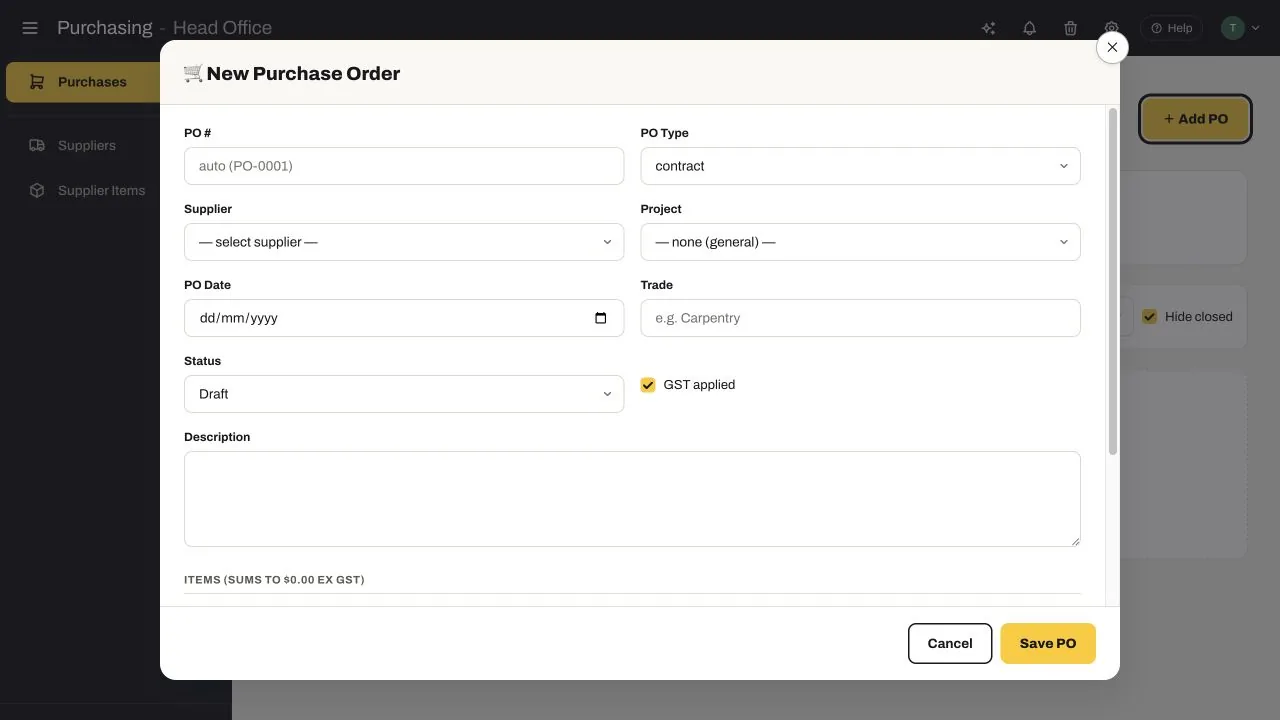
SubbieTRAC brings the purchase-order lifecycle, supplier master data and item-level pricing into one practical workflow built for commercial subcontractors.
A phone call becomes a commitment, then the project team has to reconstruct whether it was drafted, sent, accepted or completed.
Payment terms, credit limits, accounts contacts, banking, compliance and internal notes are difficult to check when the next order is urgent.
Supplier codes, units, alternate brands, long-lead flags and price history fall out of date across tender and delivery spreadsheets.
The live Purchasing workspace connects three jobs your team repeats every week: issuing and following purchase orders, maintaining supplier commercial records, and keeping item-level buy prices usable.
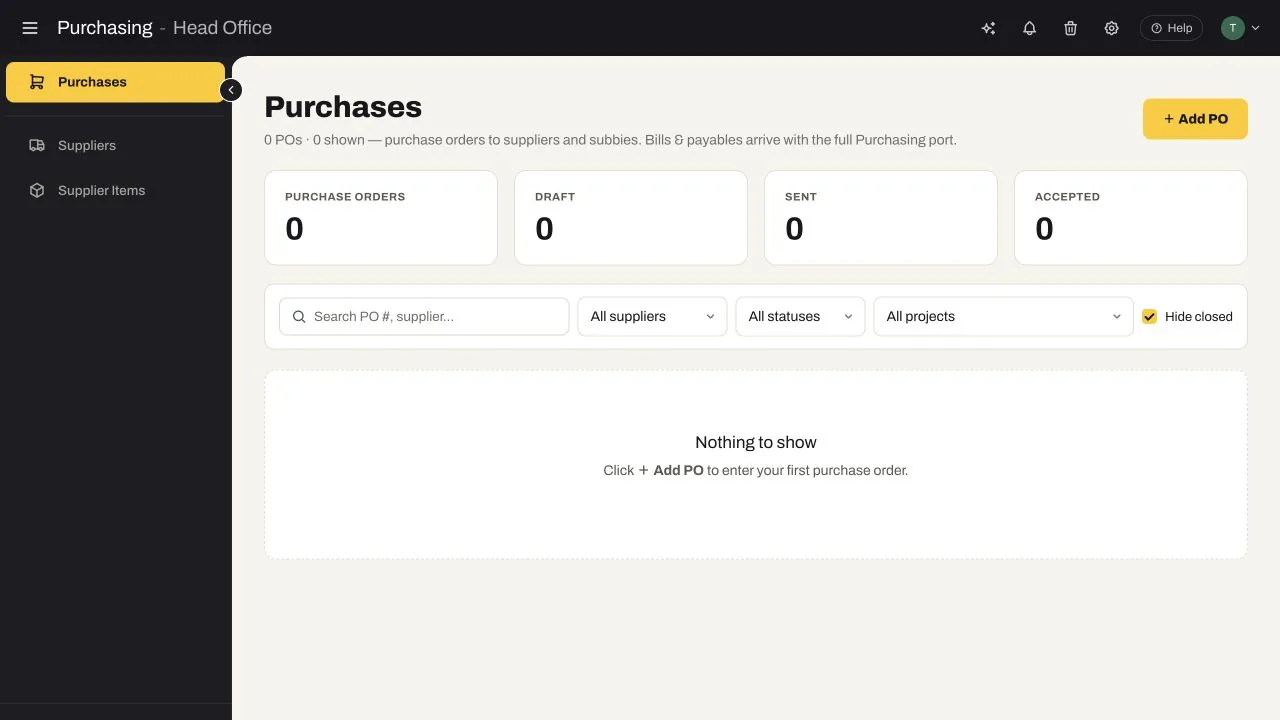
Every PO moves through a clear status set: Draft, Sent, Accepted, Rejected, Cancelled or Completed. The register surfaces draft, sent and accepted totals for fast follow-up.
Search by PO number or supplier, then narrow the register by project and status instead of hunting through sent email and project folders.
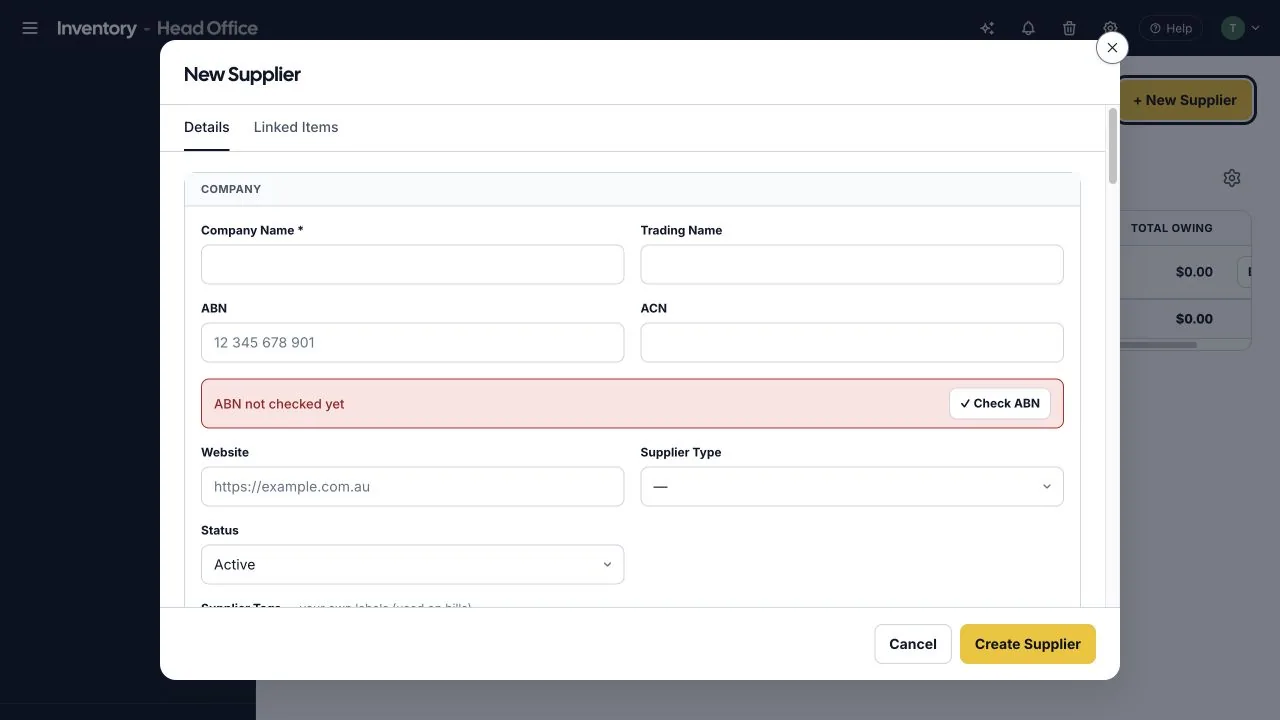
Capture company and trading names, ABN and ACN, supplier type, status, account details, payment terms, pay-on-schedule settings, credit limits, GST and currency alongside the people your team contacts.
The supplier record also supports banking details, compliance, addresses, accounts contacts, team responsibilities, retention settings and internal notes, with linked items available from the same record.
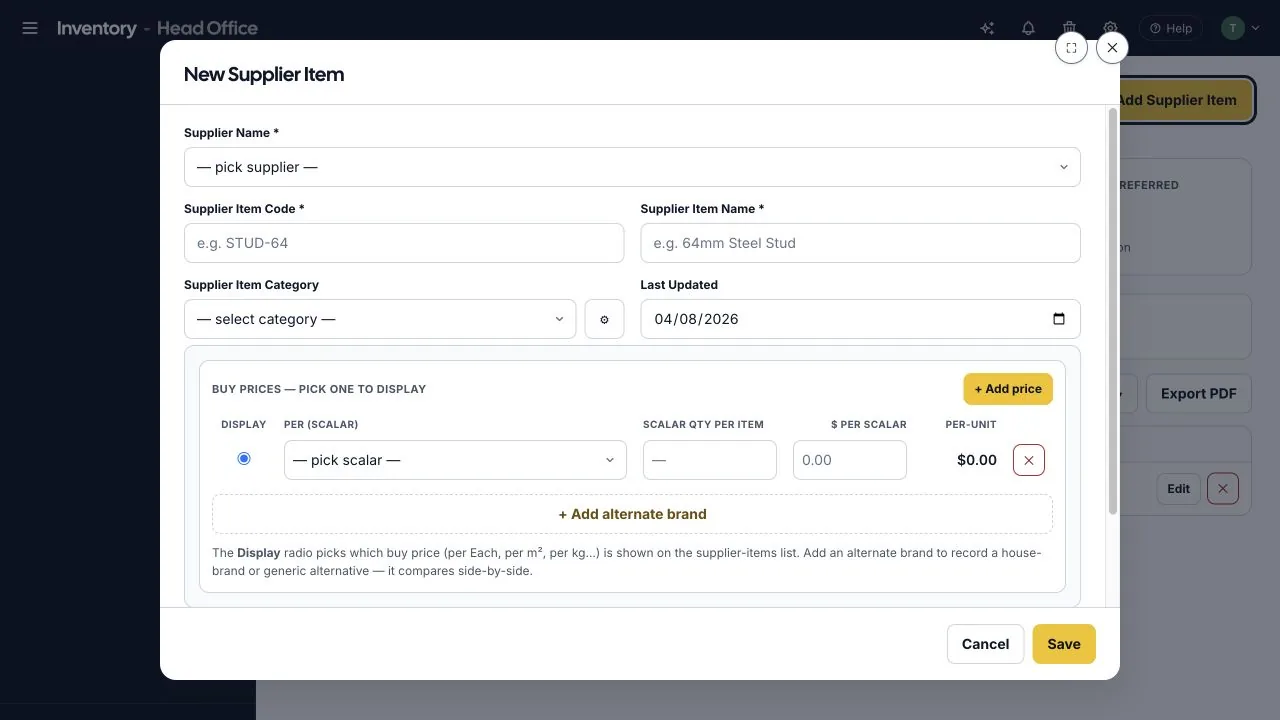
A supplier item can carry its supplier-specific name and code, category, last-updated date and multiple scalar prices. Choose the displayed buy price and compare an alternate or house brand side by side.
The supplier-item workspace highlights items without a preferred supplier and provides company or supplier views, search and filters, bulk pricing adjustments, price history and PDF export. Long-lead items can be flagged at item level.
Each capability was verified in the live Purchasing workspace and supports the day-to-day work of commercial subcontractors.
Use an auto-generated or custom PO number and choose whether the commitment belongs to a contract or general purchasing.
Attach supplier, project, trade, PO date, GST treatment, description, line items and internal notes to the order.
Track each order as Draft, Sent, Accepted, Rejected, Cancelled or Completed and filter the register by status.
Keep identity, ABN checks, contacts, payment terms, credit limits, banking, GST, compliance and internal notes together.
Store supplier-specific item names, codes, categories, updated dates and linked suppliers for repeat buying.
Record multiple buy prices per each, square metre, kilogram or another scalar and see the calculated per-unit cost.
Review price history, apply bulk pricing adjustments and keep the last-updated date visible.
Surface items without a preferred supplier and flag products that need earlier procurement attention.
Use a consistent sequence across projects while keeping the order and the buying data behind it searchable.
Record the company, contacts, commercial terms and checks.
Keep supplier codes, categories, scalars and buy prices current.
Select the supplier and project, then add trade, GST and order detail.
Move the order from Draft to Sent, Accepted or an exception state.
Mark the commitment Completed or Cancelled and hide closed POs from the working view.
Find the project’s supplier commitments and see which orders are still Draft, Sent or awaiting completion.
Reuse supplier item codes and scalar prices, review price history and identify preferred or long-lead items.
Check supplier payment terms, credit limits, GST, compliance and the order status before the record moves downstream.
Keep the buying record understandable to the teams that price, deliver and administer the work.
Walk through your tender, project and commercial process with us and identify where disconnected information is exposing time, cost or margin.