
Measured quantities stop at the PDF
Traditional markups still need to be copied into a pricing sheet. Here, each layer can carry its unit, measured total and sell-rate link into the quote workflow.
Calibrate PDF drawings, capture area, linear and count quantities, and organise them as traceable markup layers. Link measurements to sell rates, resolve drawing RFIs and build the live scope and quote without re-keying the measure.
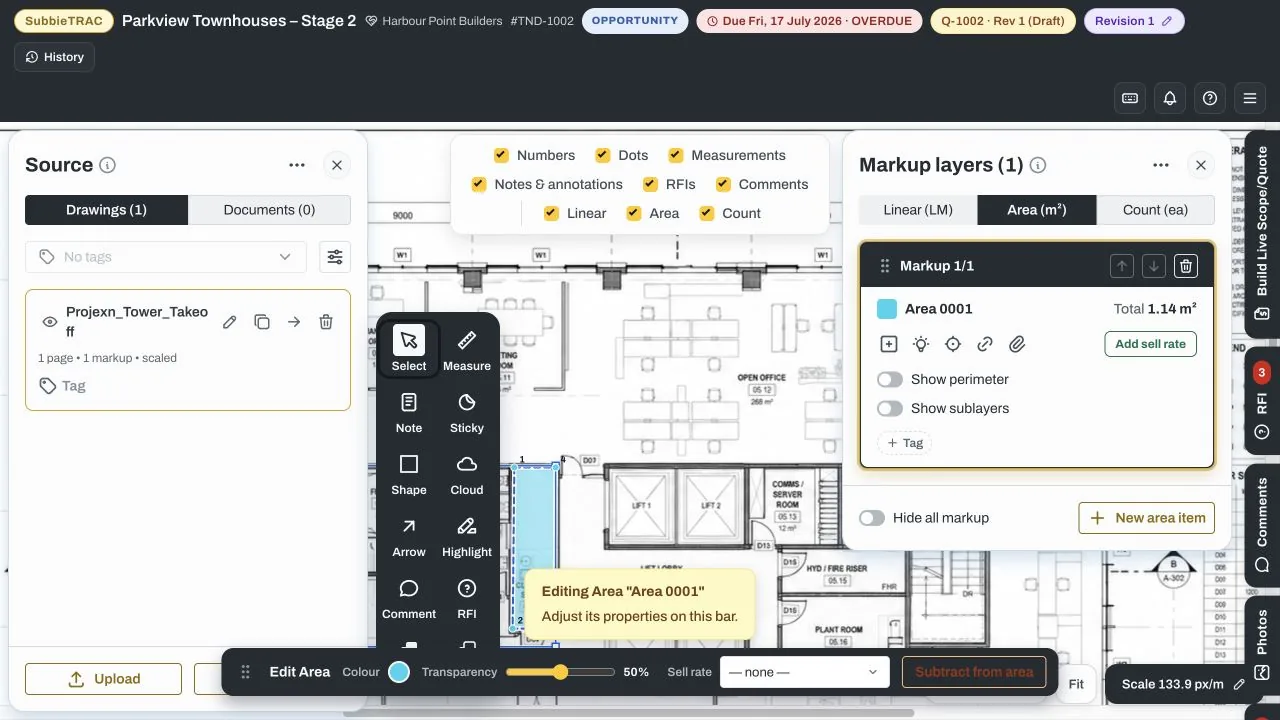
SubbieTRAC keeps the tender, source drawing, calibrated measurement, commercial rate and review history in one working record—so estimators can explain the quantity without reconstructing it later.
Traditional markups still need to be copied into a pricing sheet. Here, each layer can carry its unit, measured total and sell-rate link into the quote workflow.
RFIs, comments, photos and screenshots can sit beside the plan and stay pinned to the issue they explain.
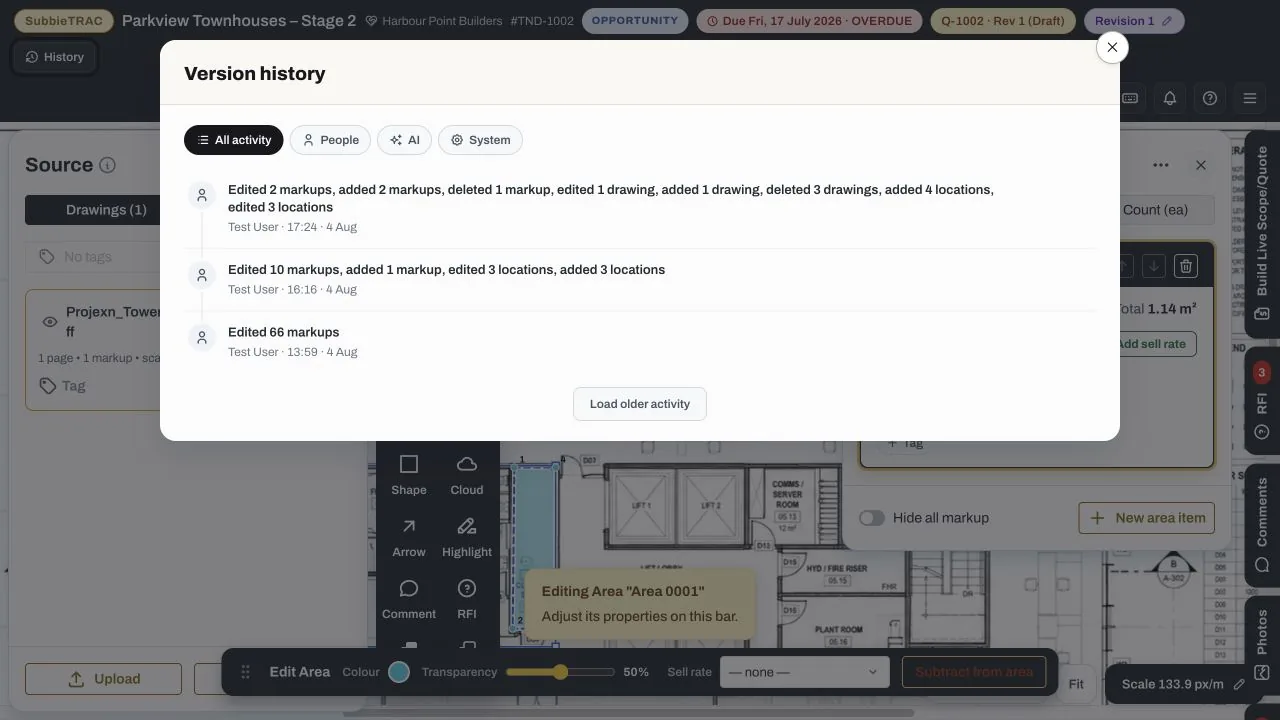
Activity history records drawing, markup and location edits, with restore controls when the team needs to recover an earlier state.
The live Demolition Plan shows the job, builder, tender number, stage, due date and quote revision above the drawing—keeping the measure anchored to the bid it supports.
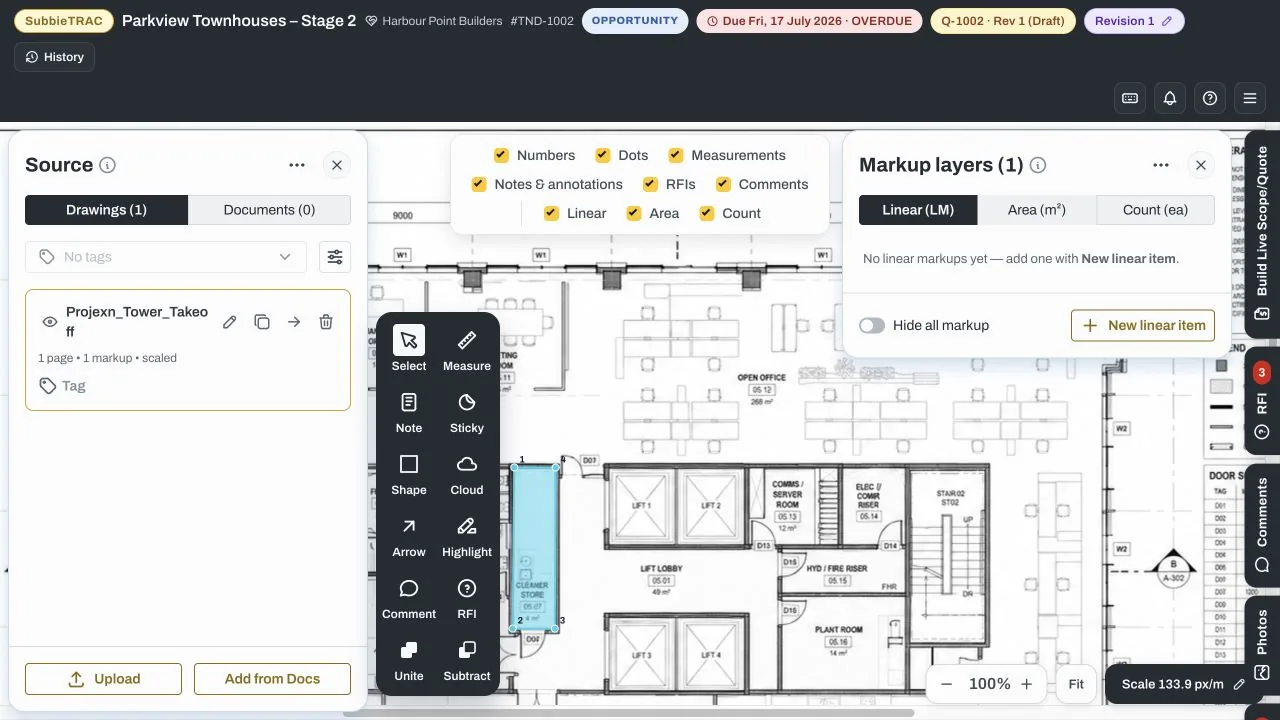
Work directly over the PDF, use calibrated scale, and organise quantities into named layers. Filters let the reviewer isolate measurements, notes, RFIs, comments and measurement types.
Choose a sell rate from the shared catalogue so the measured quantity can become a priced scope line rather than a number copied into another system.
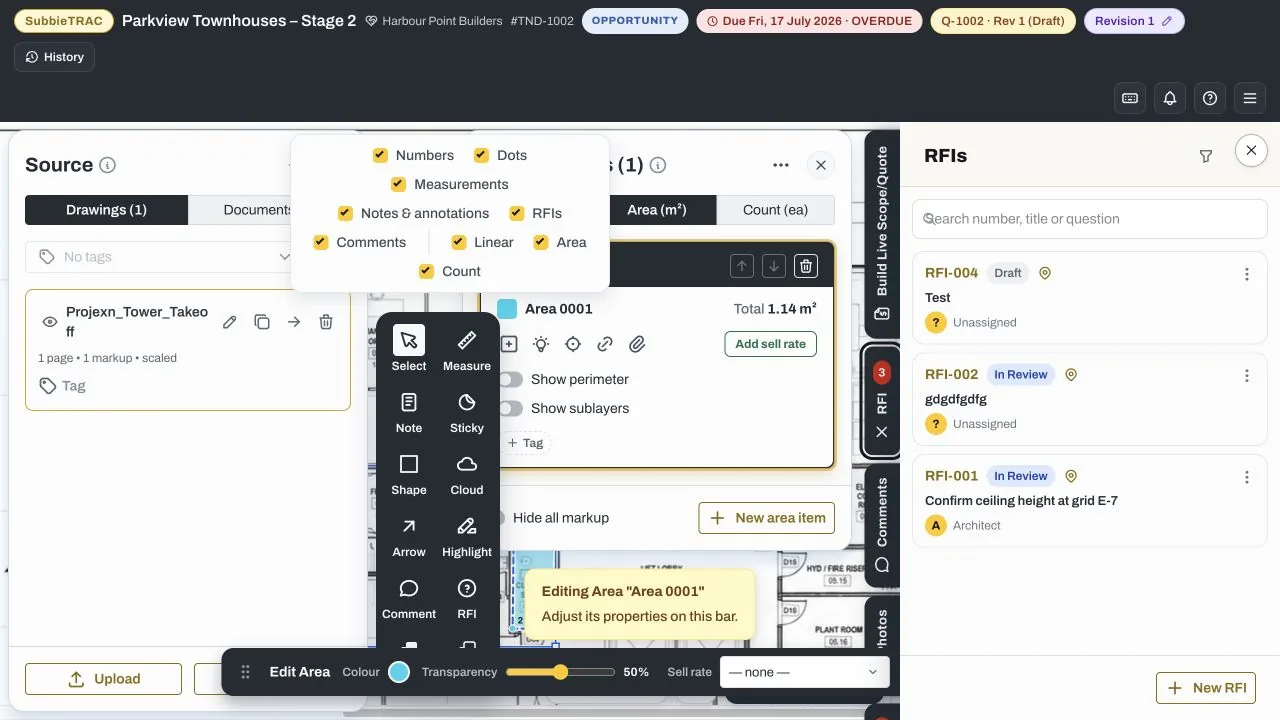
Create and track RFIs from the takeoff workspace, including their status, drawing pin and assigned party. Comments, photos, screenshots and locations remain one click away beside the plan.
The team does not need a separate RFI list or markup pack to understand the risk behind the quantity.
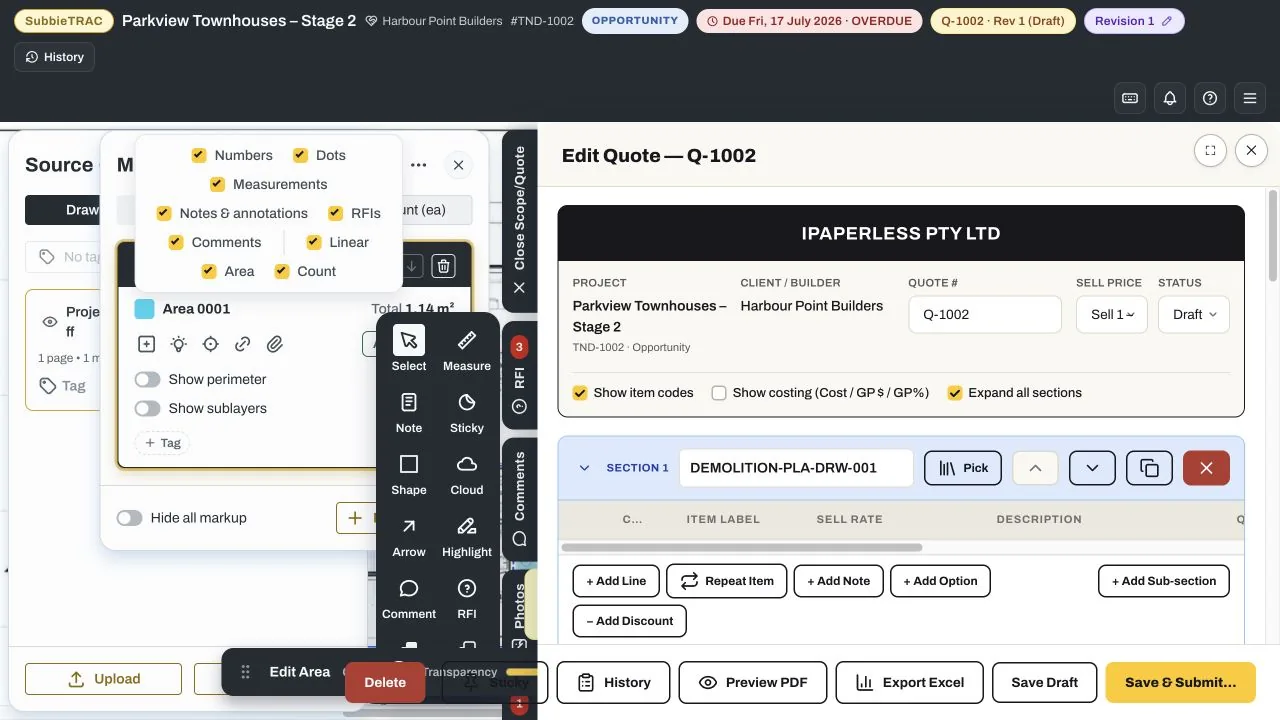
The live quote builder carries the project and quote context forward, including measured quantity and unit. Add sell rates, descriptions, notes, options, exclusions and long-lead items, then preview PDF or export to Excel.
Each capability was verified in the live Takeoff workspace and keeps drawing work connected to tender decisions.
Measure the core quantities used across fitout, finishing and trade packages on a calibrated PDF.
Group quantities by named layer, reorder them, show sublayers or perimeter, and unite or subtract areas.
Keep the active drawing scale visible beside zoom and fit controls before relying on measured totals.
Attach catalogue sell rates to measured layers so quantity and commercial basis move forward together.
Review recorded drawing, markup and location activity and restore an earlier point when required.
Keep the source sheet, visible markup, measured total, annotations, comments and screenshots together.
Raise, search and track RFIs with their status, responsible party and drawing pin visible in the workspace.
Build quote sections from measured layers, add notes and options, then preview PDF or export to Excel.
The module guides the work through a repeatable sequence while keeping its tender, project and commercial context attached.
Open the drawing set and organise sheets.
Confirm scale and measurement settings.
Capture areas, lengths, counts and assemblies.
Check omissions, revisions and measurement logic.
Carry quantities into estimate, delivery and claim.
Build a traceable quantity basis for the price and scope.
Reuse tender quantities for procurement, progress and change assessment.
See where claimed and varied quantities came from.
Move information forward instead of rebuilding it at every stage.
Walk through your tender, project and commercial process with us and identify where disconnected information is exposing time, cost or margin.