
Contracts Admin
Control every commitment. Collect every dollar.
Every project’s contract, variations, claims, payments and retention in one place — issued from the system, chased by the system, and reported the way the bank and the builder want to see it.
Everything in Contracts Admin
01 / Project details
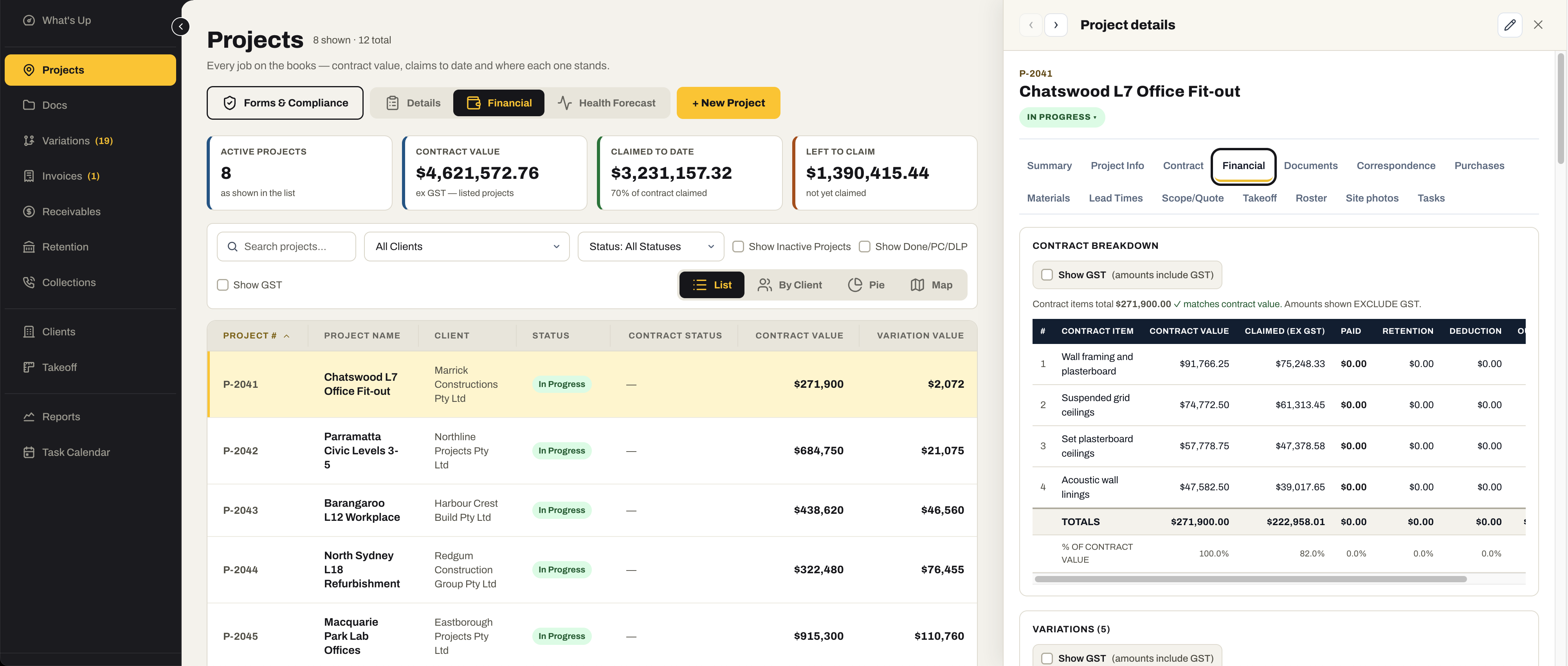
The whole contract, on one record.
Each project carries its summary, its contract documents, its financial position and its profit and loss — plus the forms, correspondence and lead times that keep it moving.
- Summary, contract status, client and the key dates in one view
- Contract documents filed against the project — the signed contract, the drawings, the programme
- Financial position: contract value, variations, claimed, paid, retention held and left to claim
- Profit and loss per project, with opening-balance claims counted as revenue
- Automated company forms — SWMS and compliance documents — generated for the job
- Correspondence — RFIs, EOTs, site instructions, submittals — and lead times managed against the project
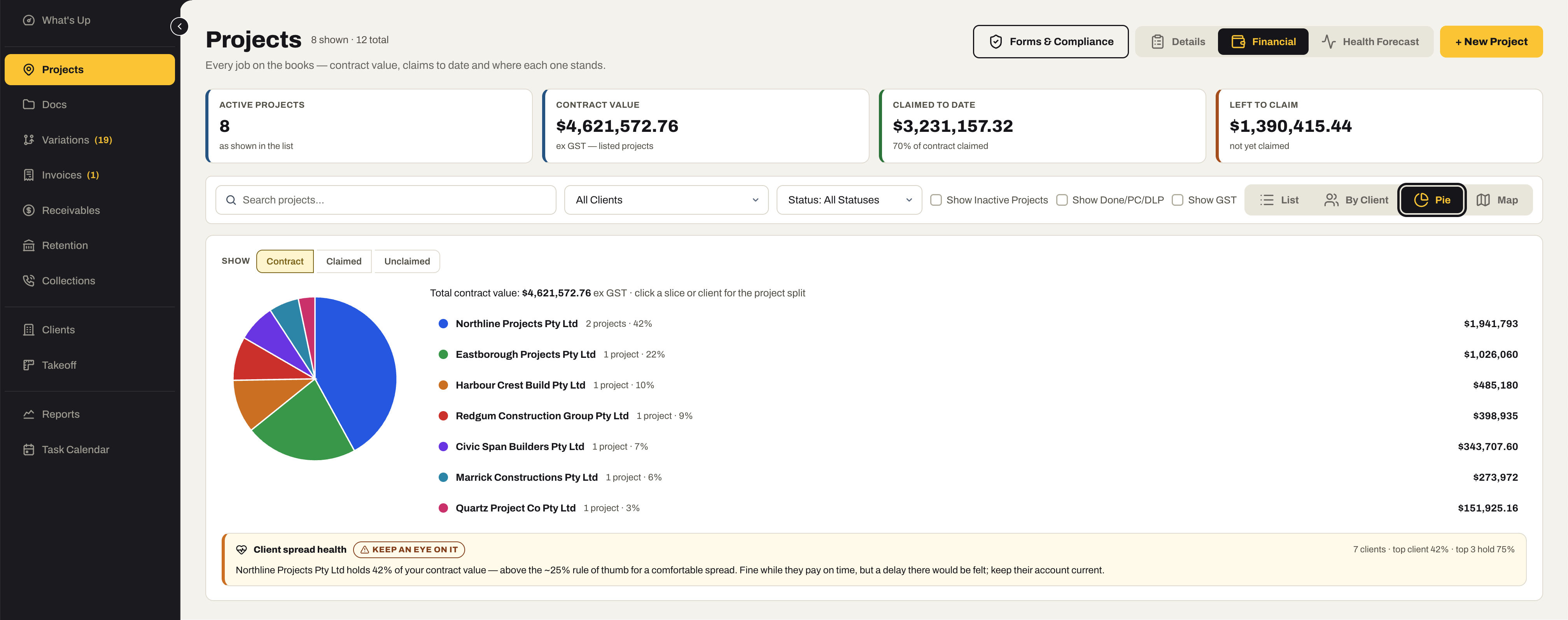
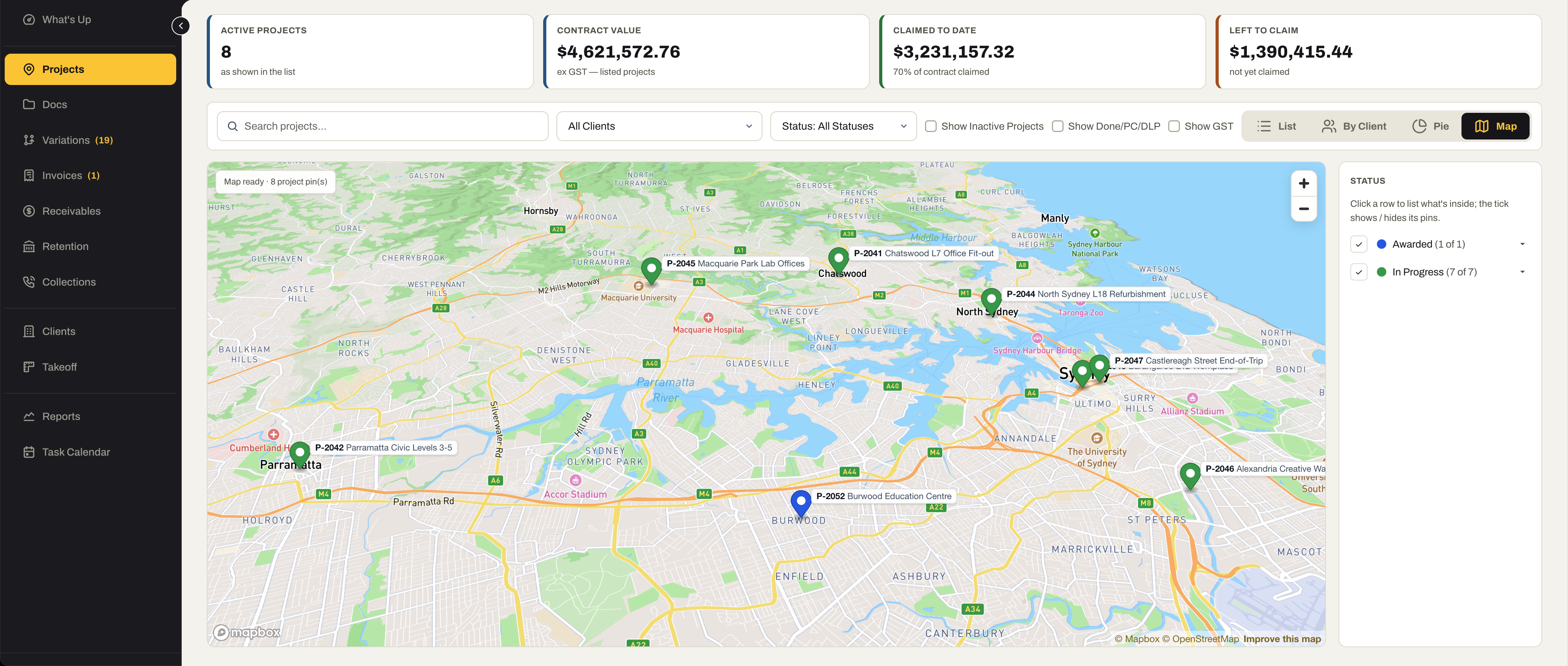
- The register as a list, by client, as a pie or on a map — with a client-spread health check, so one builder holding too much of your book is flagged
02 / Document management
Every project document in the one system.
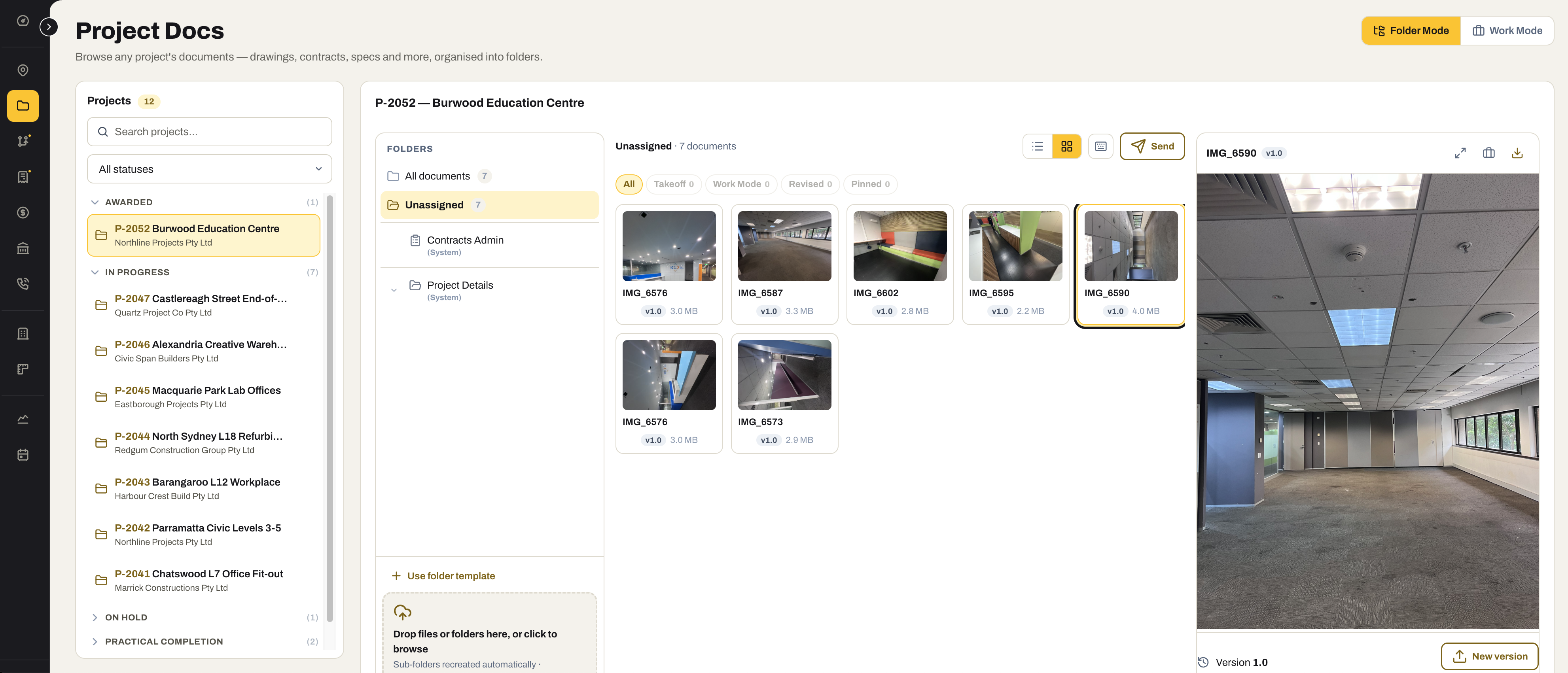
The same document library Tenders runs on, filed by project: contract, drawings, certificates, site photos and correspondence, with versions and a place for everything.
- All project documents inside SubbieTRAC — no separate drive to keep in step
- A default folder structure every new project starts with
- Share a set with the client, the builder or the site team without exporting it
- Site photos and uploads from the Site app land against the right project
- Compliance certificates on file, attached to the claim when it goes out
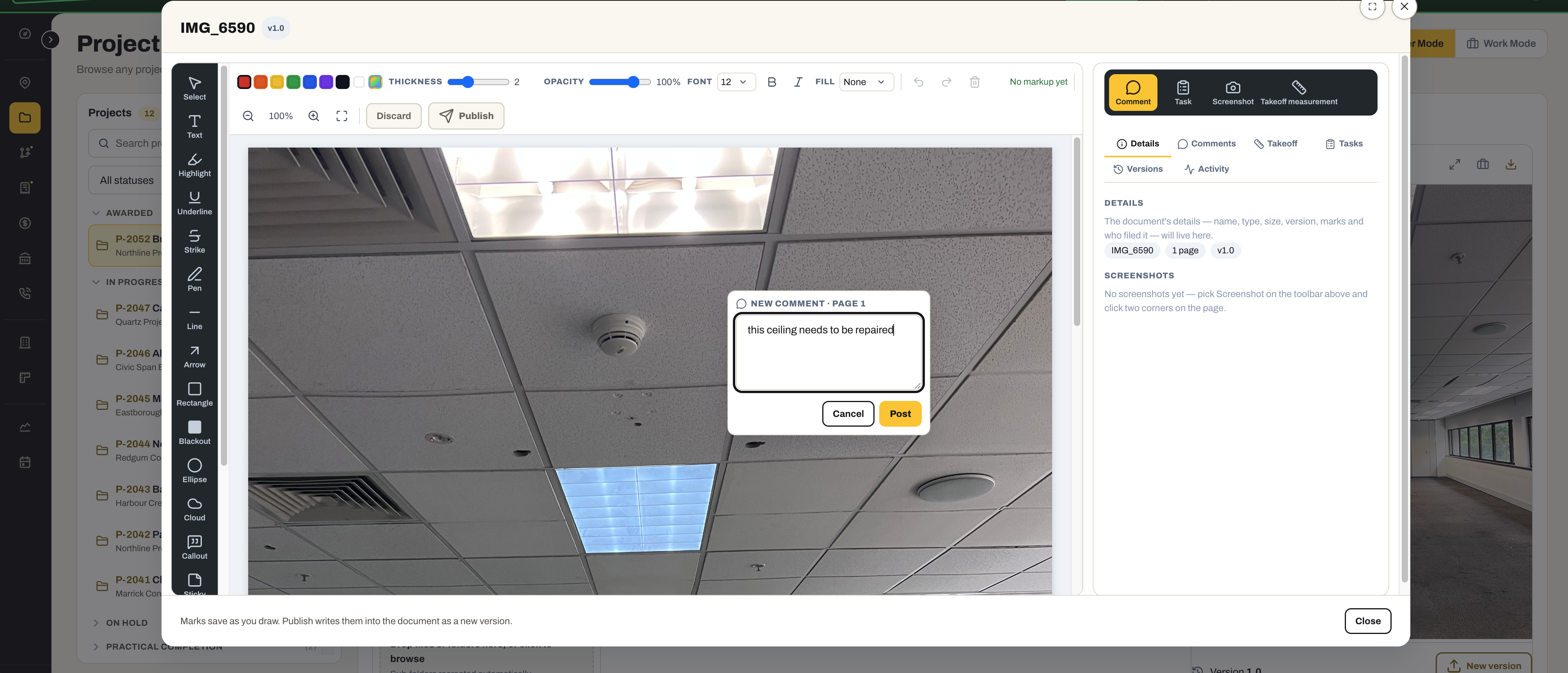
- Mark up a photo or a drawing — comment, cloud, highlight, arrow — and publish it as a new version, with the history kept
03 / Variations
Price the change. Chase the approval. Claim it.
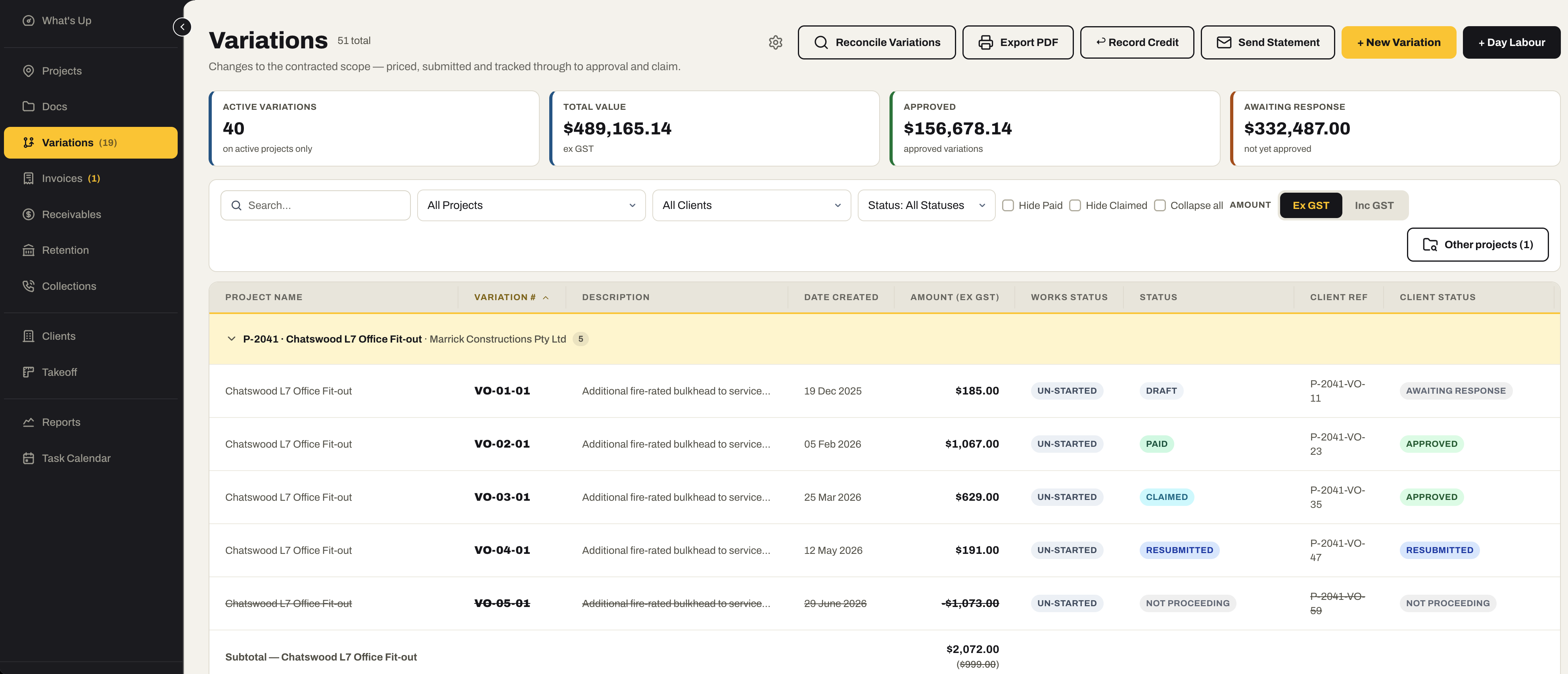
Variations managed per project and tracked by status from priced to approved to claimed — submitted by email from the system, lodged from site by the people who found the change.
- Variations per project with works status, client status, approved value and the difference
- Status changes tracked — submitted, approved, rejected, on hold, claimed
- Submit a variation by email from inside the system, with the documents attached
- Site team access — view the project’s variations and lodge new ones from the phone
- Variation statements sent to the client — every variation, its status and its value on one document
- Day labour sheets recorded on the phone and turned into priced variations; credits recorded against the job
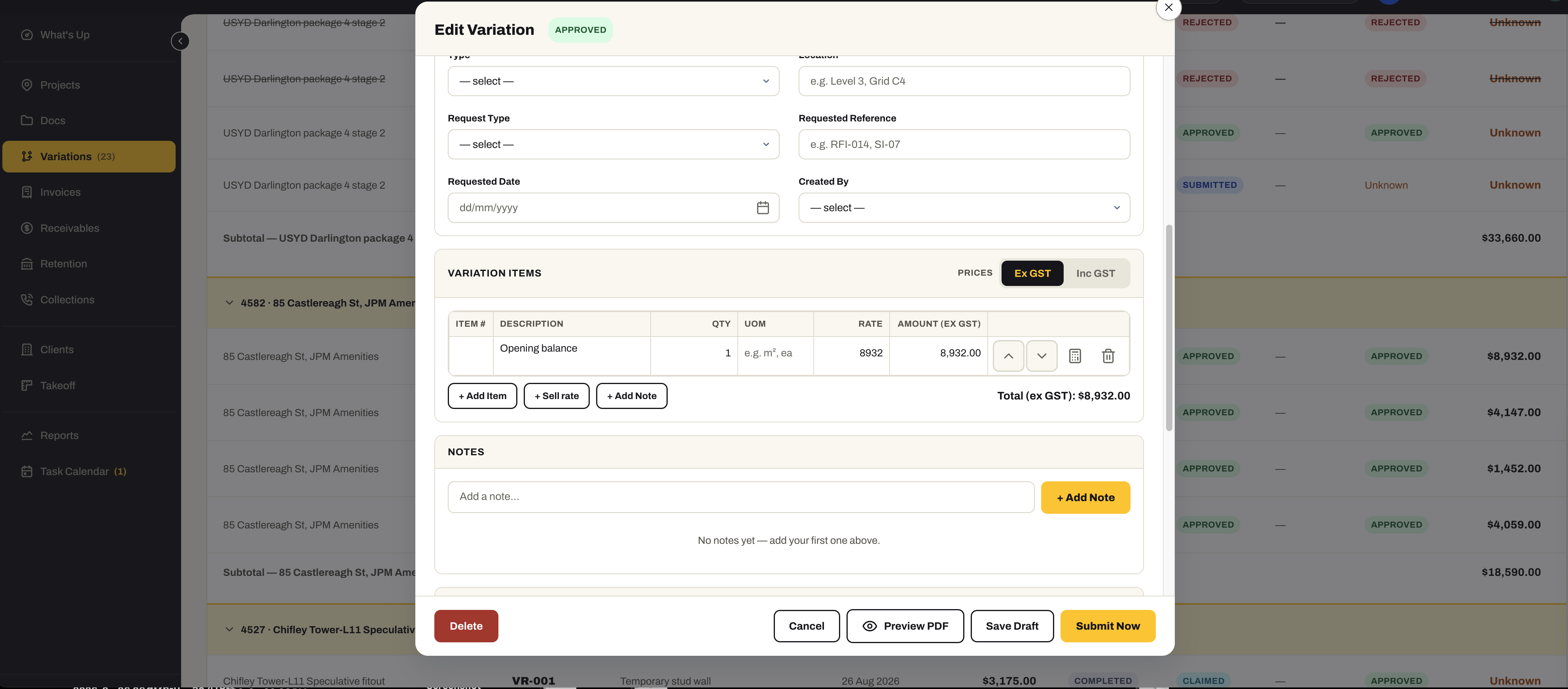
- Variation items priced from your Sell Rates or typed in, with the request type, reference and location the client will ask for
04 / Invoicing
Claims raised, sent and chased from one register.
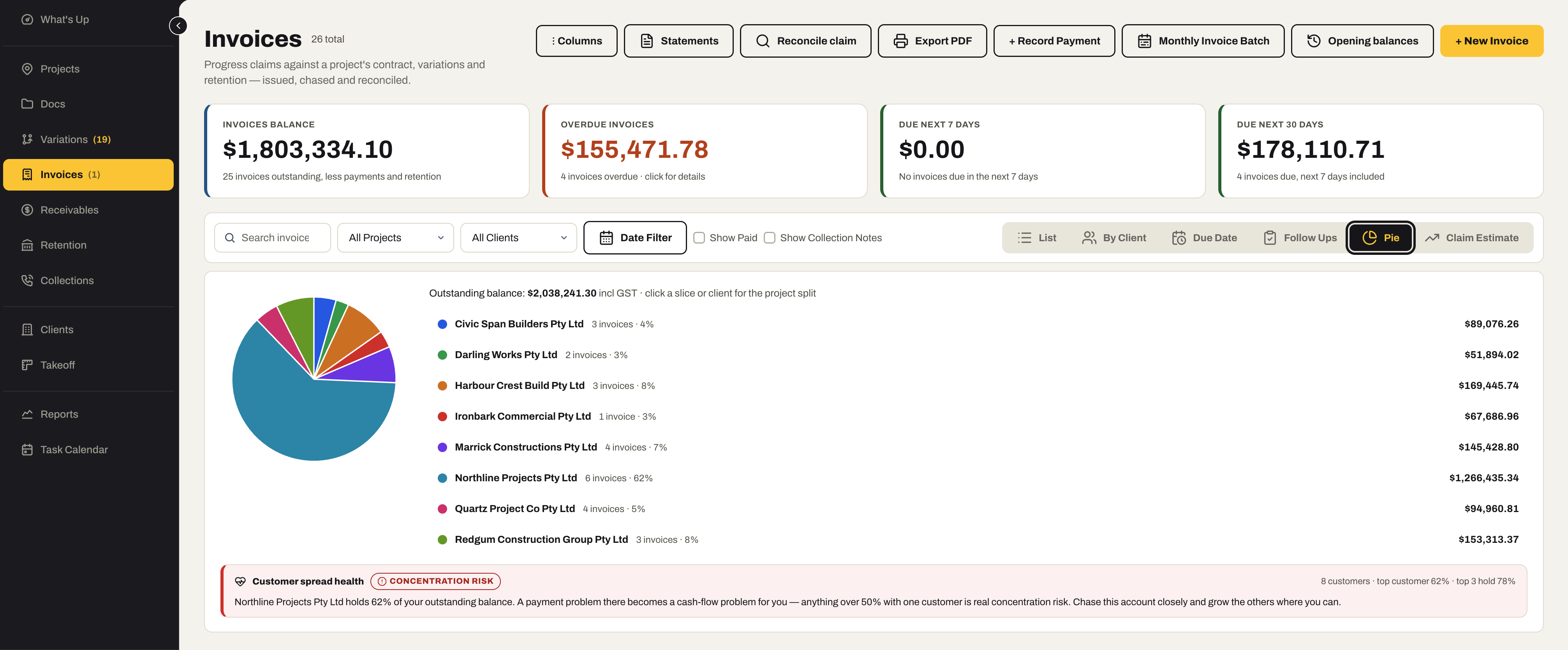
Progress claims against the contract, variations and retention — issued from the system, sent from the system, and followed by the statements and reminders that get them paid.
- Invoices and progress claims raised against the project, its variations and its retention
- Send the invoice by email from the app, with your logo and the compliance documents attached
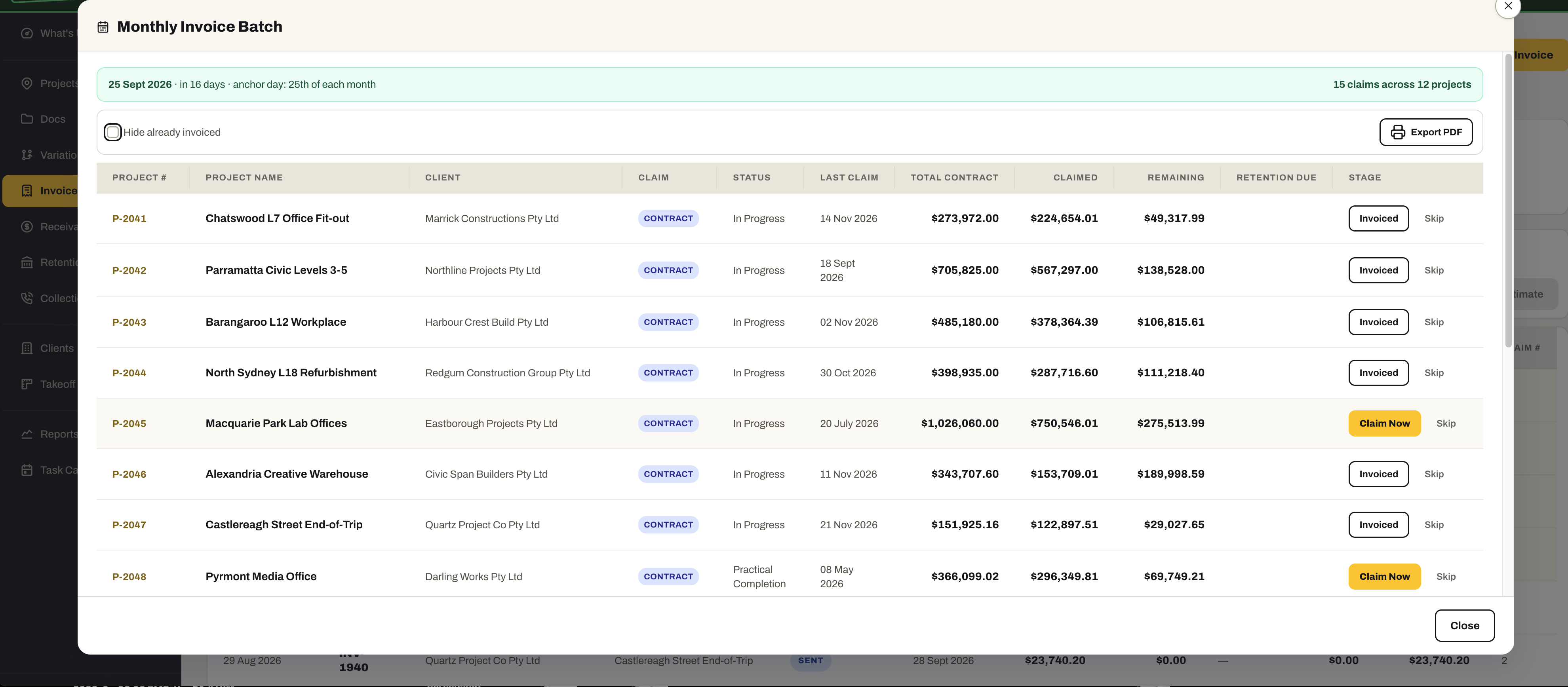
- Monthly Invoice Batch — every project due this month with what is left to claim, so nobody has to work out what to invoice
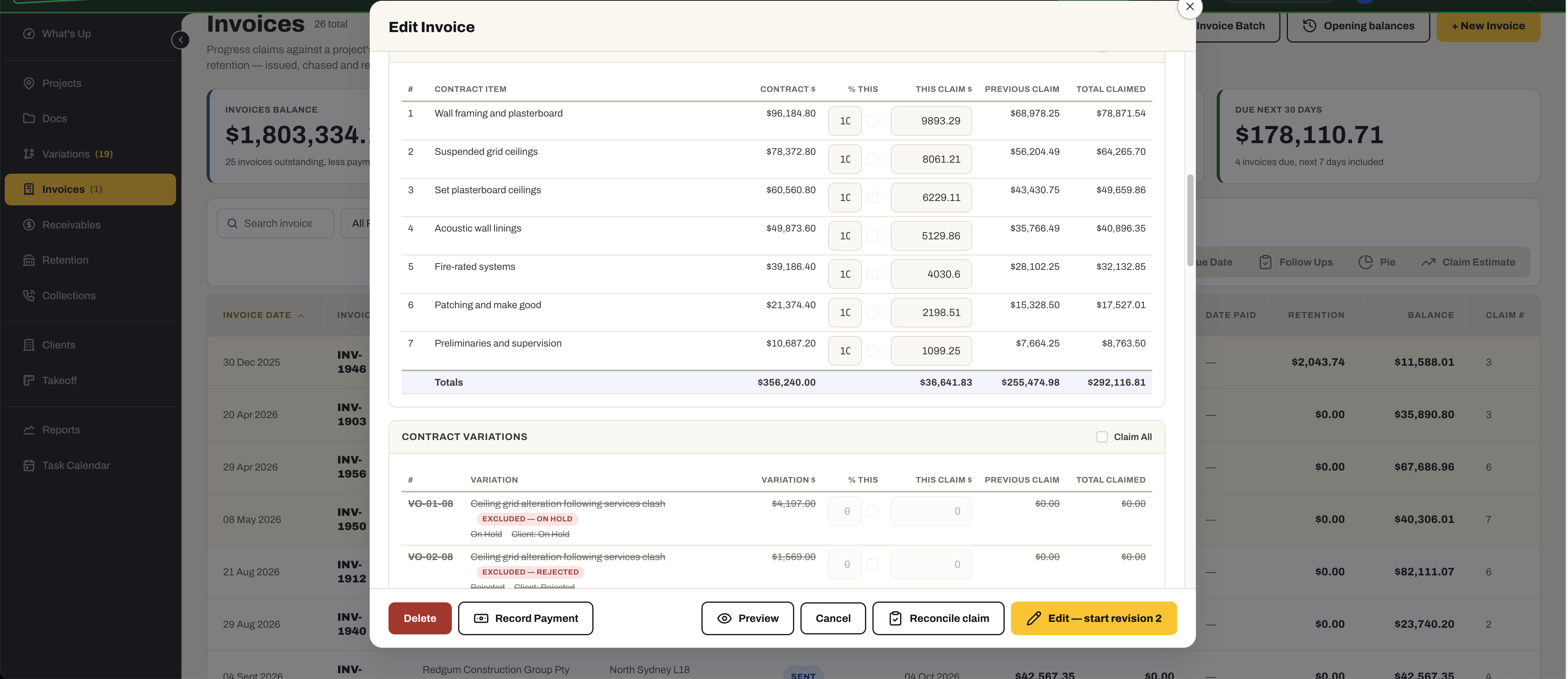
- Each claim by contract item — this claim, previous claims and total claimed — with the variations claimed alongside
- List, by client, by due date, follow-ups, pie or claim estimate — with a customer-spread health check on the outstanding balance
- Statements and reminders to clients, from the same screen
- Claim Estimate — what should be claimed next, ranked
- Site team invoices lodged from the phone, processed by the office into bills
05 / Invoice payments
Record it once. Everything updates.
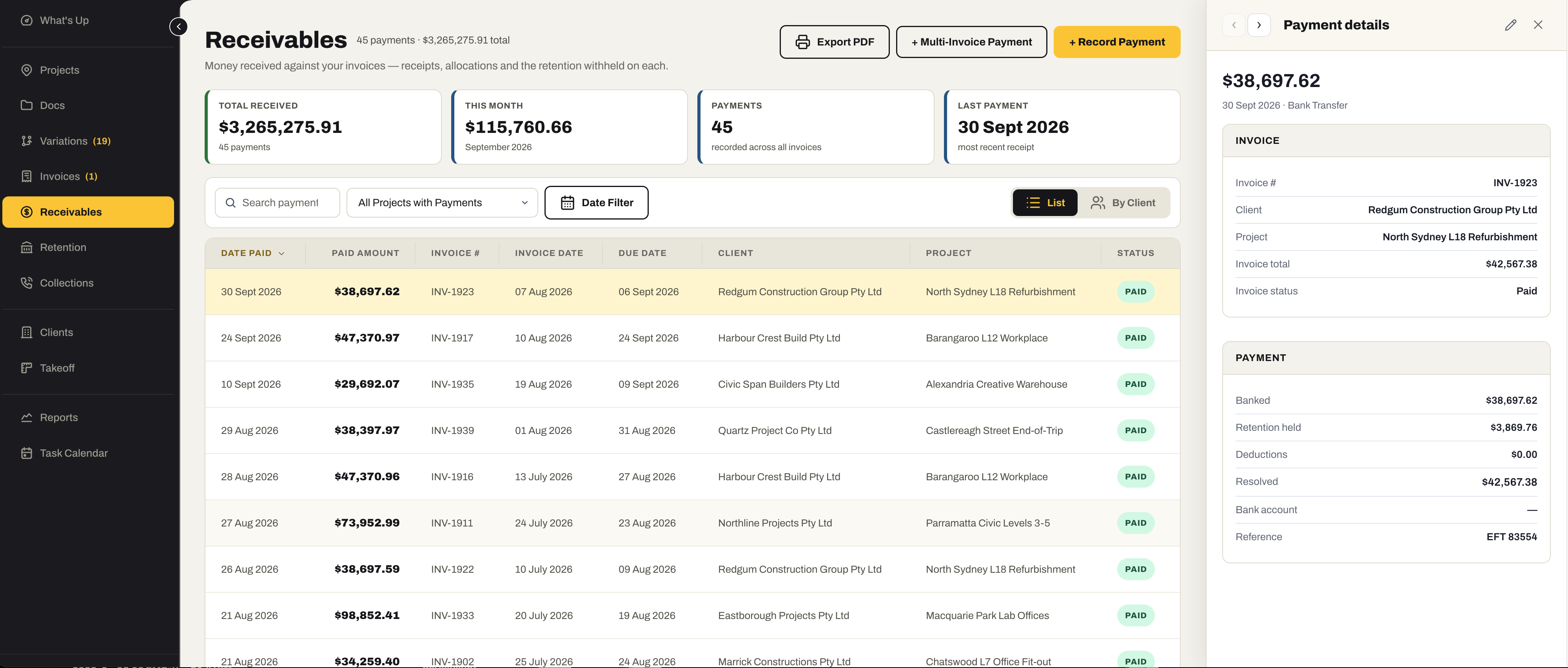
Payments recorded against one invoice or across several at once, with the retention withheld on each — and reminders that go out on their own when a client runs late.
- Single payments, and multi-invoice payments allocated across several claims in one entry
- Retention withheld recorded on each payment, so the retention register is always right
- Overdue reminders to clients sent automatically on their due day
- Invoice status kept in step — paid, partially paid, overdue — the moment a payment lands
- By client, by project and by date, with export to PDF
06 / Retention
Never lose track of the money they are holding.
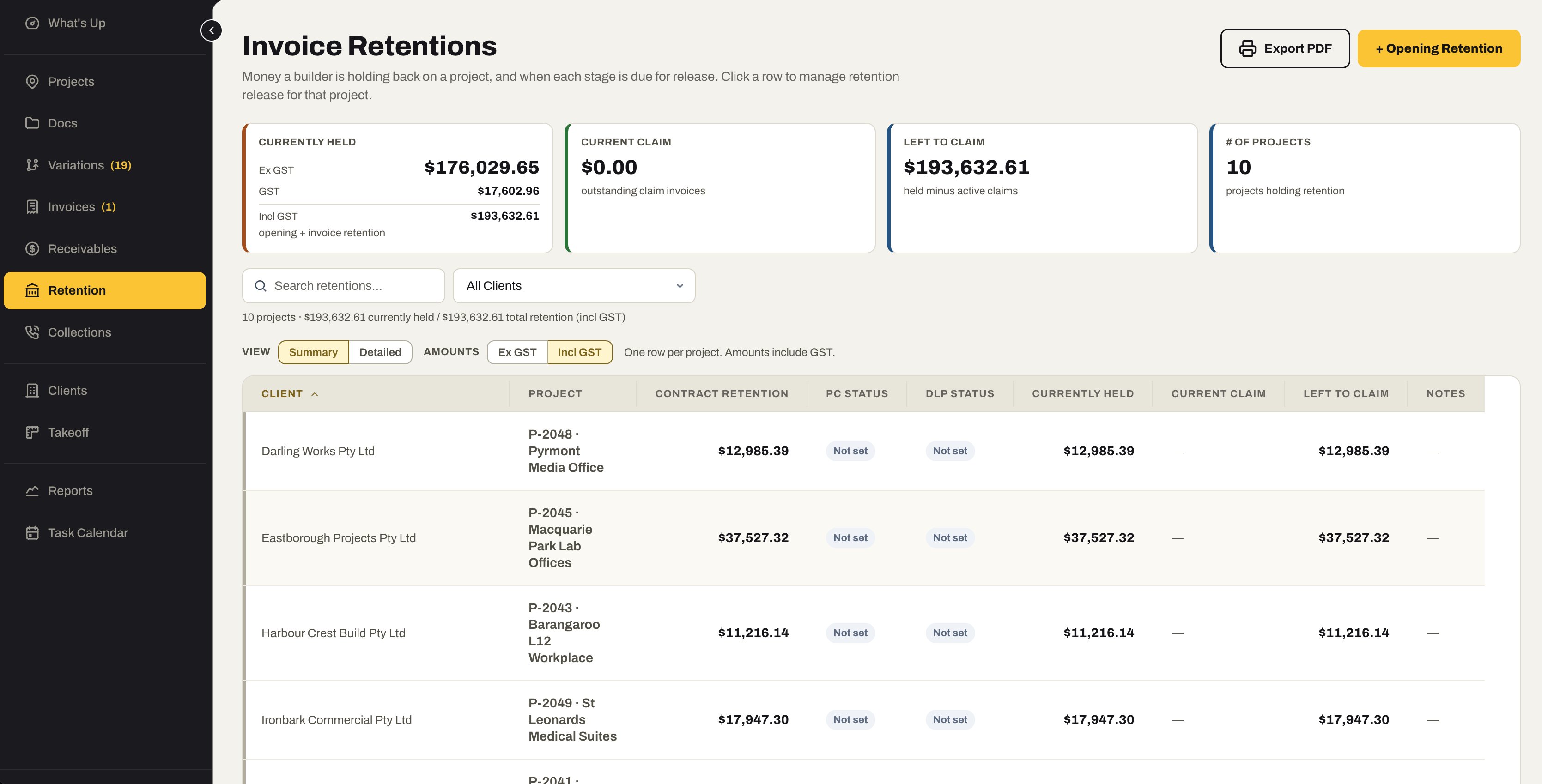
Retention is deducted from every payment and tracked per project against its practical completion and defects liability dates — so the release is claimed when it falls due, not remembered a year later.
- Retention withheld tracked from each payment, per project
- Contract retention, currently held and left to claim on one register
- Practical completion and defects liability dates with their status — due, released, not set
- Raise the retention claim invoice when a stage falls due
- Opening retention for jobs already under way when you start
07 / Collections
Chase what is owed, and know who pays.
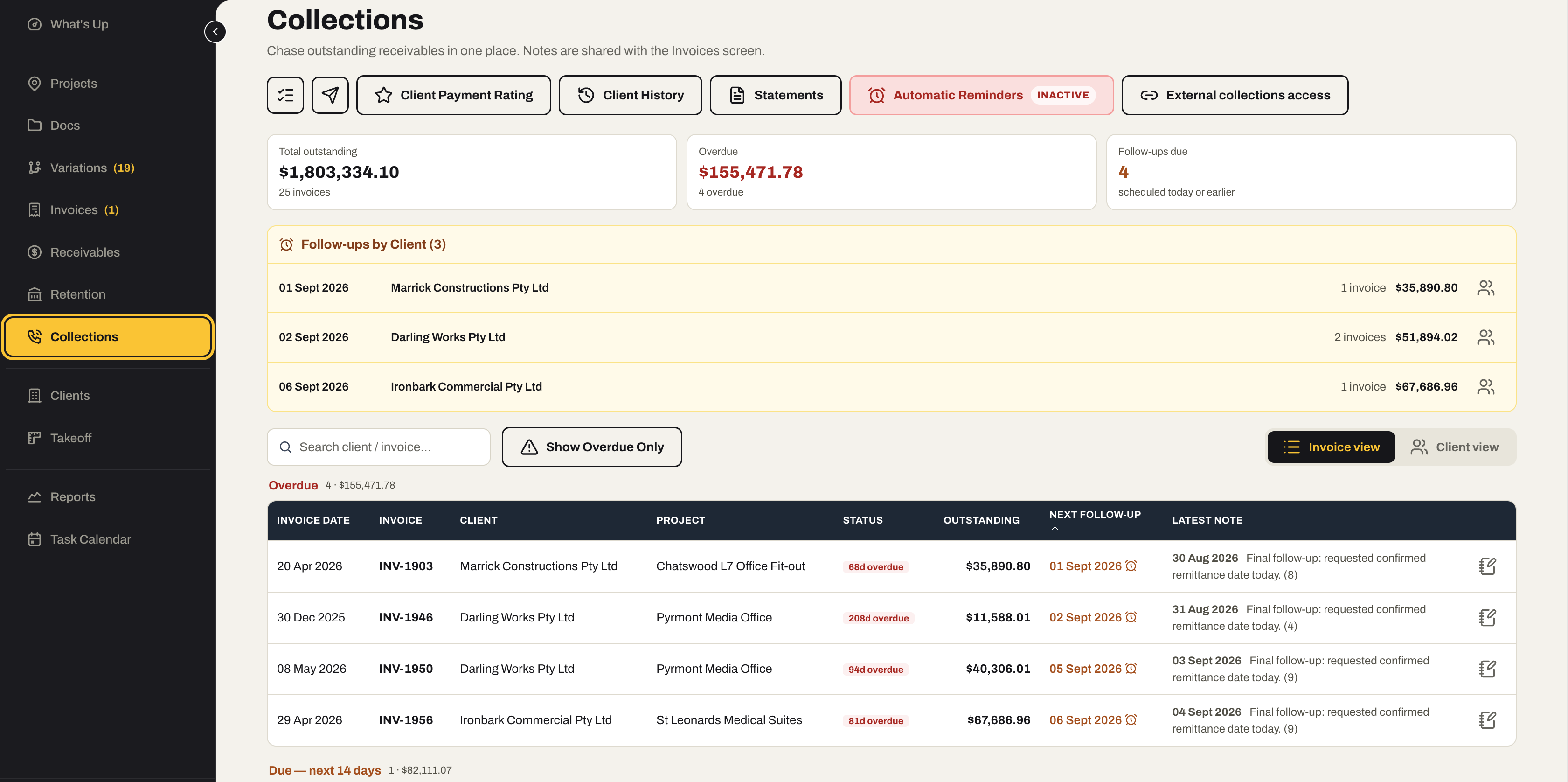
Every overdue invoice in one place, with the notes, the next follow-up and the reminders that go out automatically — and a payment rating on every client, built from how they have actually paid.
- Overdue invoices by client, with days overdue, outstanding balance and the latest note
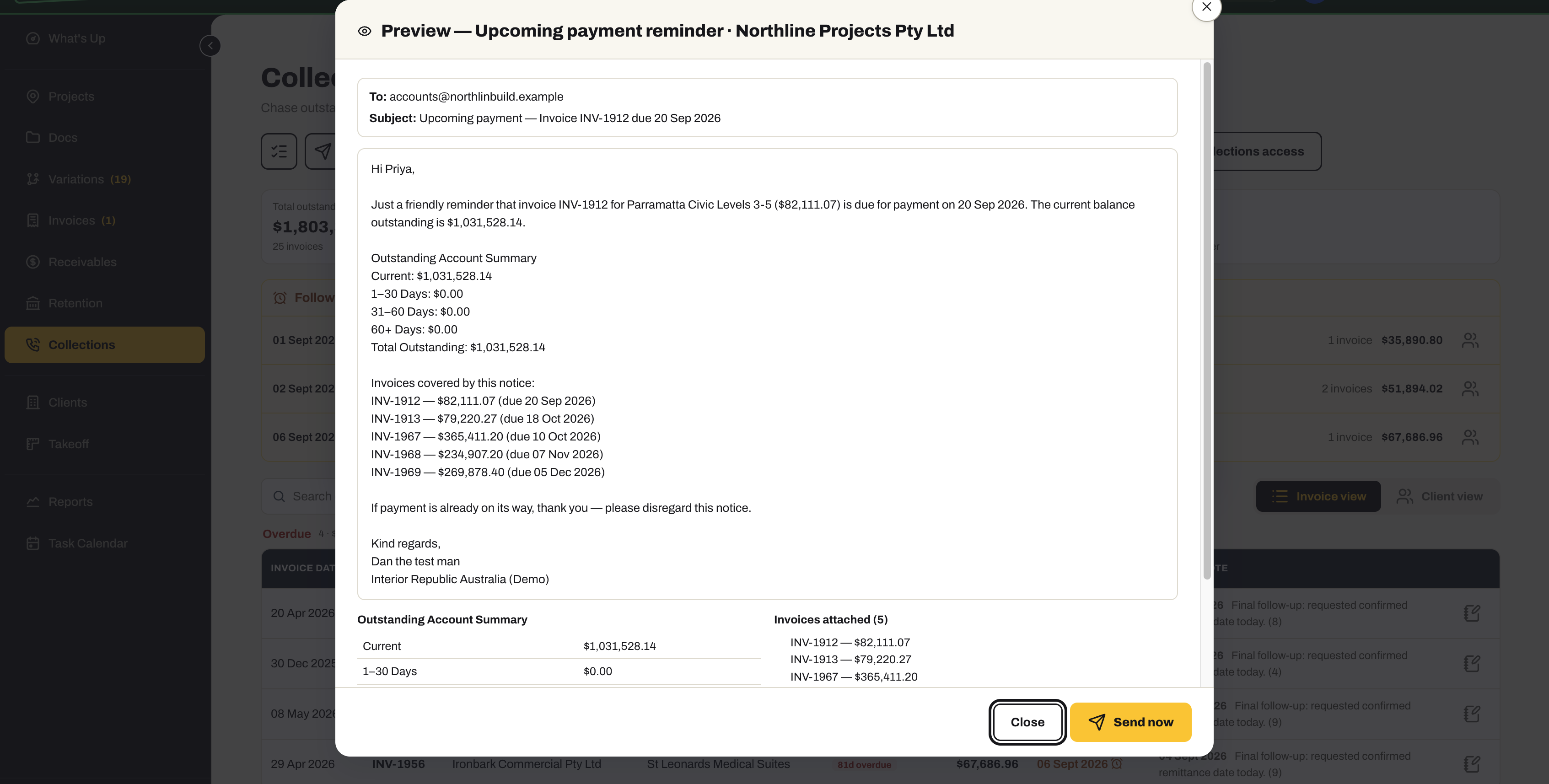
- Automatic reminders — an upcoming-payment notice with the account summary and the invoices it covers, sent on schedule once switched on
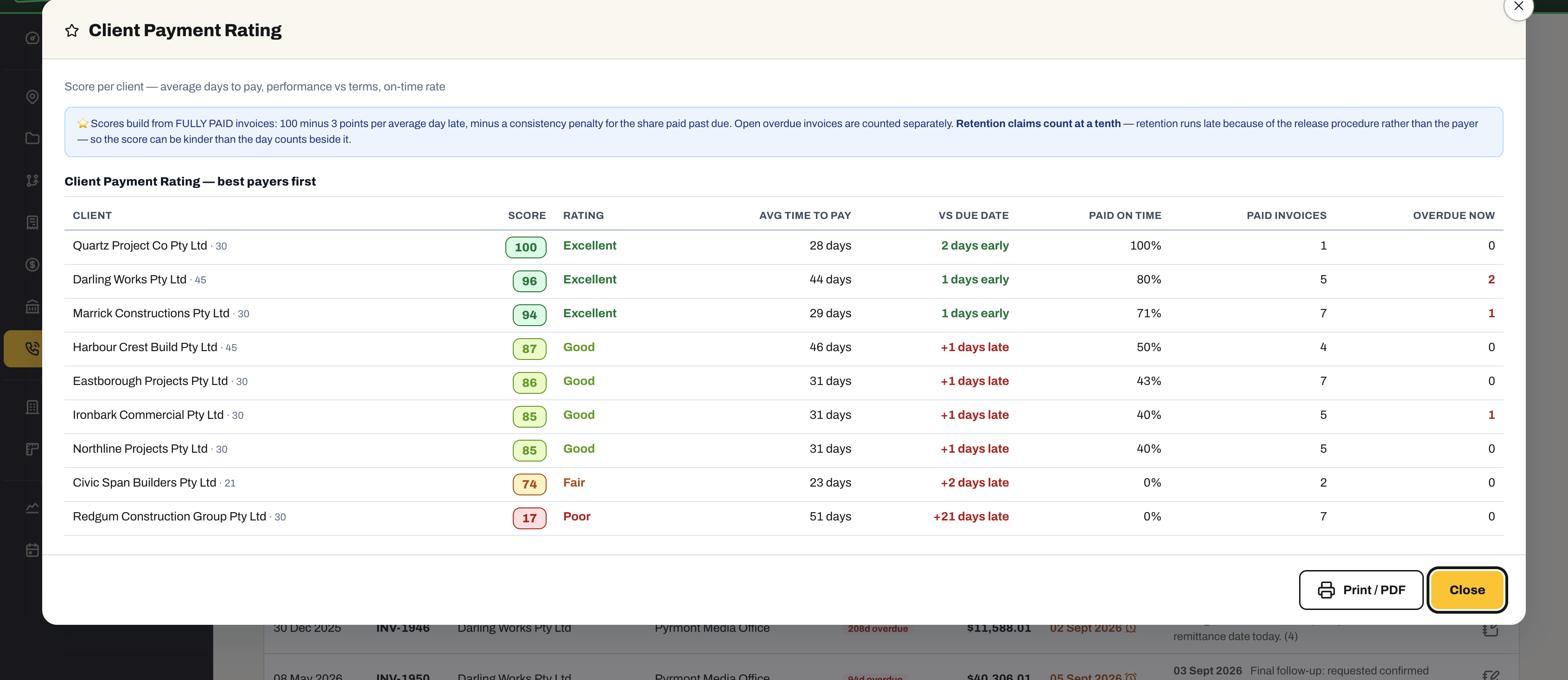
- Client Payment Rating — a score out of 100 from how each client actually pays: average days to pay, against terms, and the share paid on time
- Client History — every invoice, payment and chase against a client
- External collections access, for the account that has to be escalated
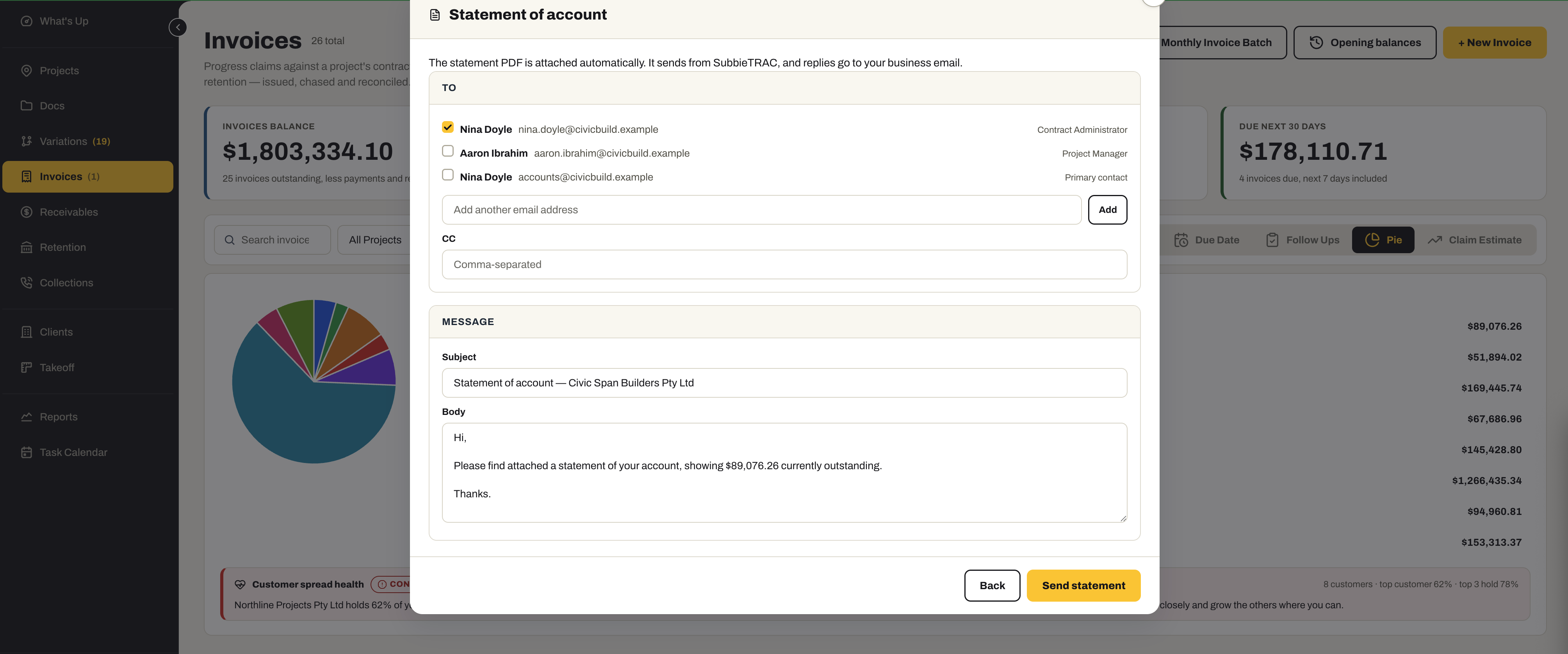
08 / Statements & email
Send it from SubbieTRAC. Replies come to you.
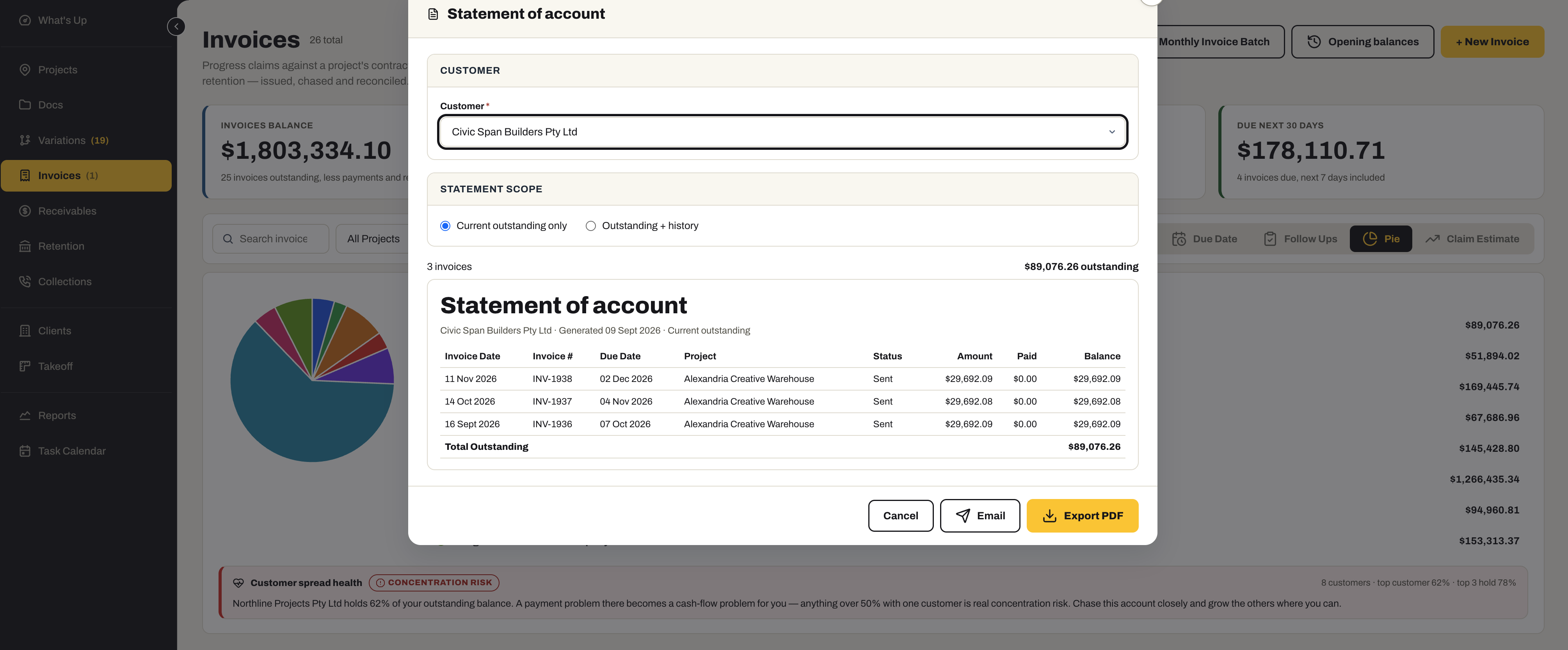
Statements of account, invoices, variations and reminders go out from inside the system — the PDF attached, the client’s contacts already listed, and every reply landing in your own business inbox.
- A statement of account per client — current outstanding only, or outstanding with history — as a PDF or straight to email
- Pick who it goes to from the client’s own contacts — contract administrator, project manager, accounts — and copy anyone else
- Sent from SubbieTRAC, with replies going to your business email
- Subject and body prefilled and editable, so the wording is yours
- The same send for invoices, variation statements and reminders — nothing exported and re-attached by hand
Also for Contracts Admin
The dashboard and the reports have pages of their own.
- What's UpThe Contracts Admin dashboardThe morning screen for this module — the numbers that matter, and every tile a click from the register behind it. See the Contracts Admin row
- ReportsEleven reports, sent on a scheduleFilter in place, then export or print to PDF — for the Monday meeting, the bank, or the question of why last quarter went the way it did. See the Contracts Admin row
Ready to get paid for everything you built?
Bring your contracts, claims and retention into one system — and let the reminders do the chasing.
No credit card required. We’ll set up your account and send your login details.