
What’s Up
One screen a morning. Every part of the business.
Every SubbieTRAC module opens on its What’s Up dashboard — the numbers that matter for that part of the business, and every tile a click from the register behind it.
A dashboard for every module
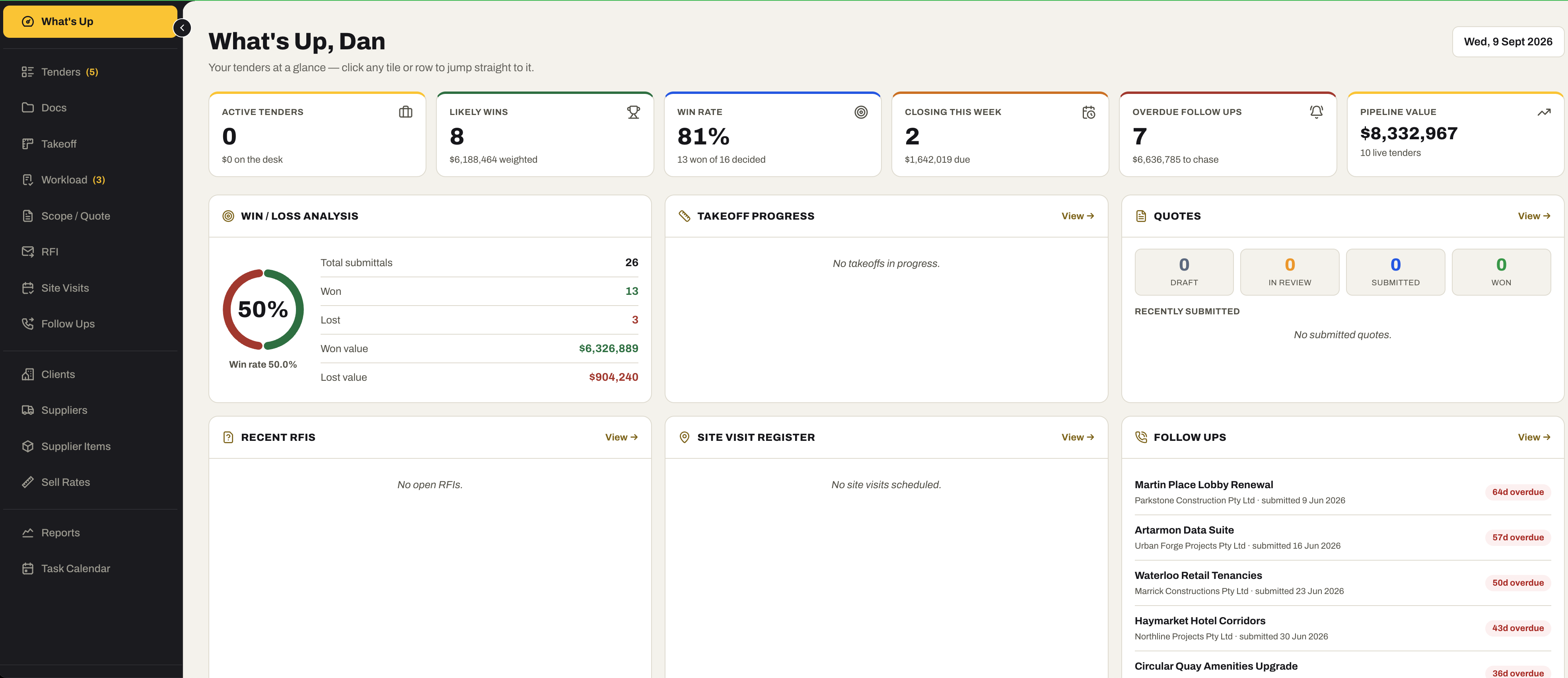
01 / Tenders
The estimating desk, at a glance.
Active tenders, likely wins, win rate, what closes this week, overdue follow-ups and the value of the pipeline — with the analysis underneath, and every tile a click from the register behind it.
- Active tenders, likely wins (weighted by odds), win rate, closing this week, overdue follow-ups and pipeline value
- Win / loss analysis — submittals, won and lost, and the value of each
- Takeoff progress and quotes by status — draft, in review, submitted, won
- Recent RFIs, the site visit register and the follow-ups that are overdue
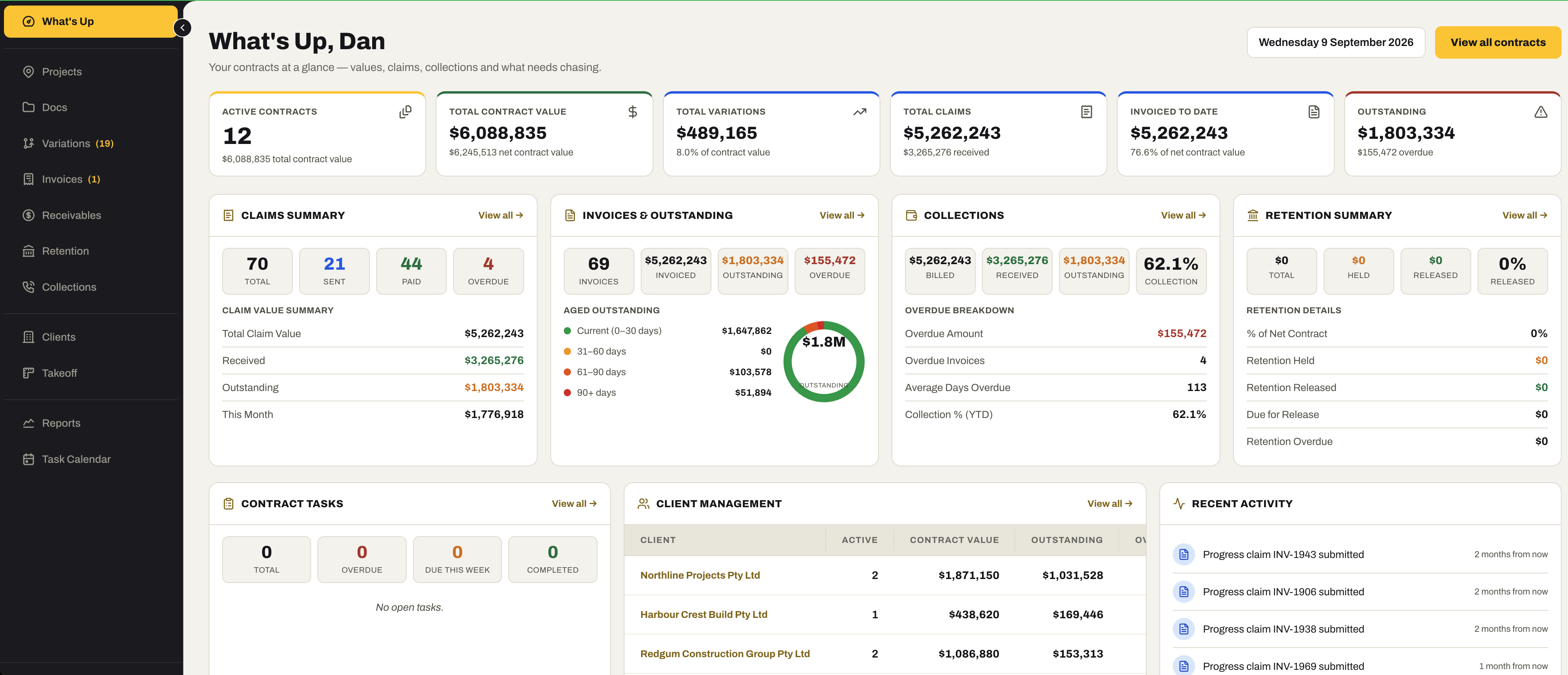
02 / Contracts Admin
Every contract, and the money against it.
Active contracts, contract value, variations, claims, invoiced to date and what is outstanding — then claims, aged invoices, collections and retention broken down, and the tasks and clients underneath.
- Active contracts, total and net contract value, total variations, total claims, invoiced to date and outstanding
- Claims summary — total, sent, paid and overdue, with the claim value summary
- Invoices and outstanding, aged into current, 31–60, 61–90 and 90+ days
- Collections — billed, received, outstanding, collection percentage, average days overdue
- Retention summary, contract tasks, client management and recent activity
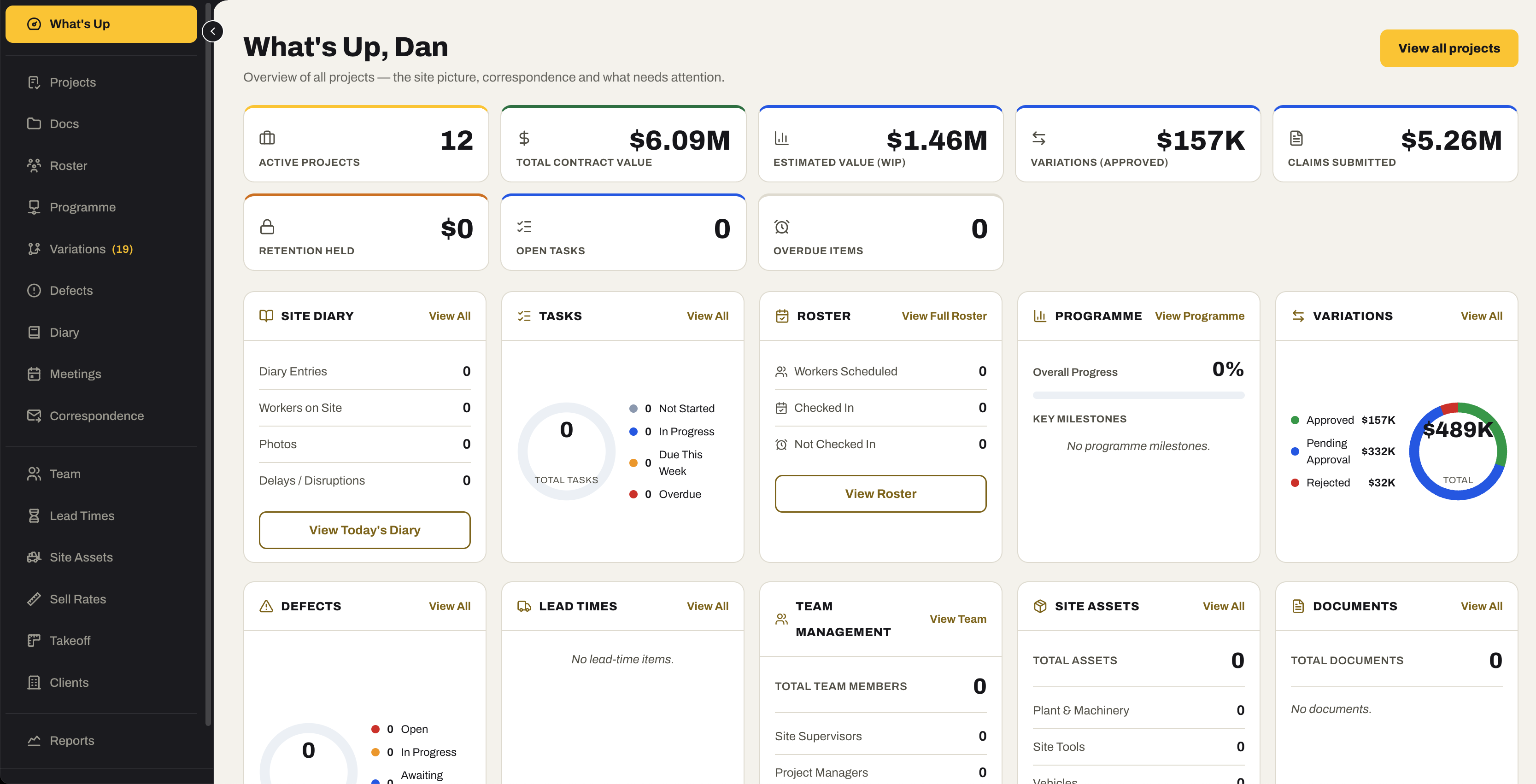
03 / Project Management
The site picture, every morning.
Active projects, contract value, work in progress, approved variations, claims, retention, open tasks and overdue items — with the diary, roster, programme and variations underneath.
- Active projects, total contract value and the estimated value of work in progress
- Approved variations, claims submitted and retention held
- Open tasks and overdue items, so the day starts with what matters
- Site diary, tasks, roster, programme, variations, defects, lead times, team, site assets and documents cards
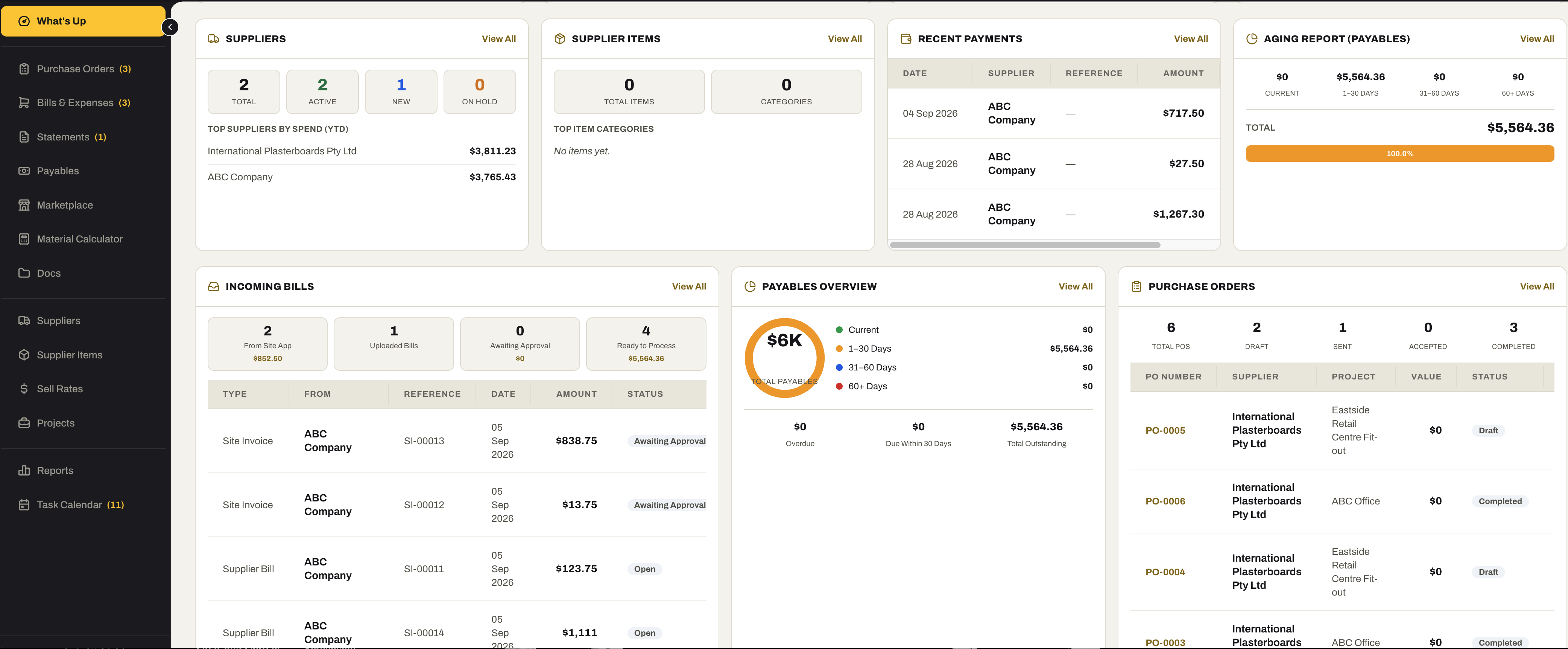
04 / Purchasing
What is owed, what is on order, what needs paying.
Suppliers and what you spend with them, the bills coming in from site and from suppliers, payables aged, and the purchase orders in flight — on one screen.
- Suppliers — total, active, new and on hold — with the top suppliers by spend
- Supplier items and their categories; recent payments; the payables aging report
- Incoming bills — from the Site app, uploaded, awaiting approval and ready to process
- Payables overview, aged into current, 1–30, 31–60 and 60+ days, with what is overdue
- Purchase orders — draft, sent, accepted and completed — with the latest listed
05 / Accounting
Where the business stands, today.
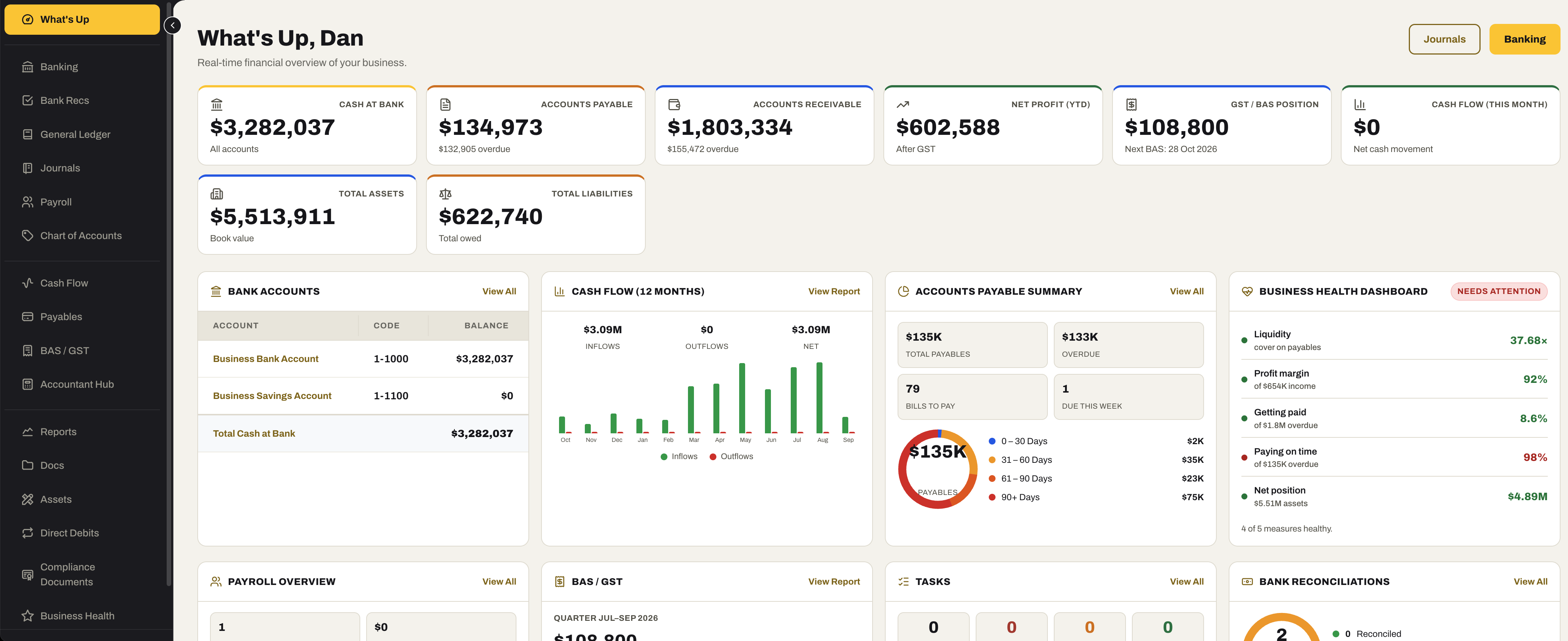
Cash at bank, what is owed and what you owe, profit, the next BAS and this month’s cash flow — with the twelve-month cash-flow chart and the Business Health read beside them.
- Cash at bank, accounts payable, accounts receivable, net profit year to date, GST / BAS position with the next BAS date, and cash flow this month
- Total assets and total liabilities
- Bank accounts and the twelve-month cash-flow chart
- Accounts payable summary, aged, with what is due this week
- The Business Health dashboard — liquidity, profit margin, getting paid, paying on time and net position — and whether it needs attention
- Payroll overview, BAS / GST for the quarter, tasks and bank reconciliations underneath
Ready to see your own numbers on it?
Start the 30-day free trial — we set the account up, and the dashboards fill as the work goes in.
No credit card required. We’ll set up your account and send your login details.