
Project Management
Keep every job moving. From the office and the site.
Every project’s programme, roster, meetings, diary, variations and assets in one place — and the same record on the phones of the people doing the work.
Everything in Project Management
01 / Project details
The whole job, on one record.
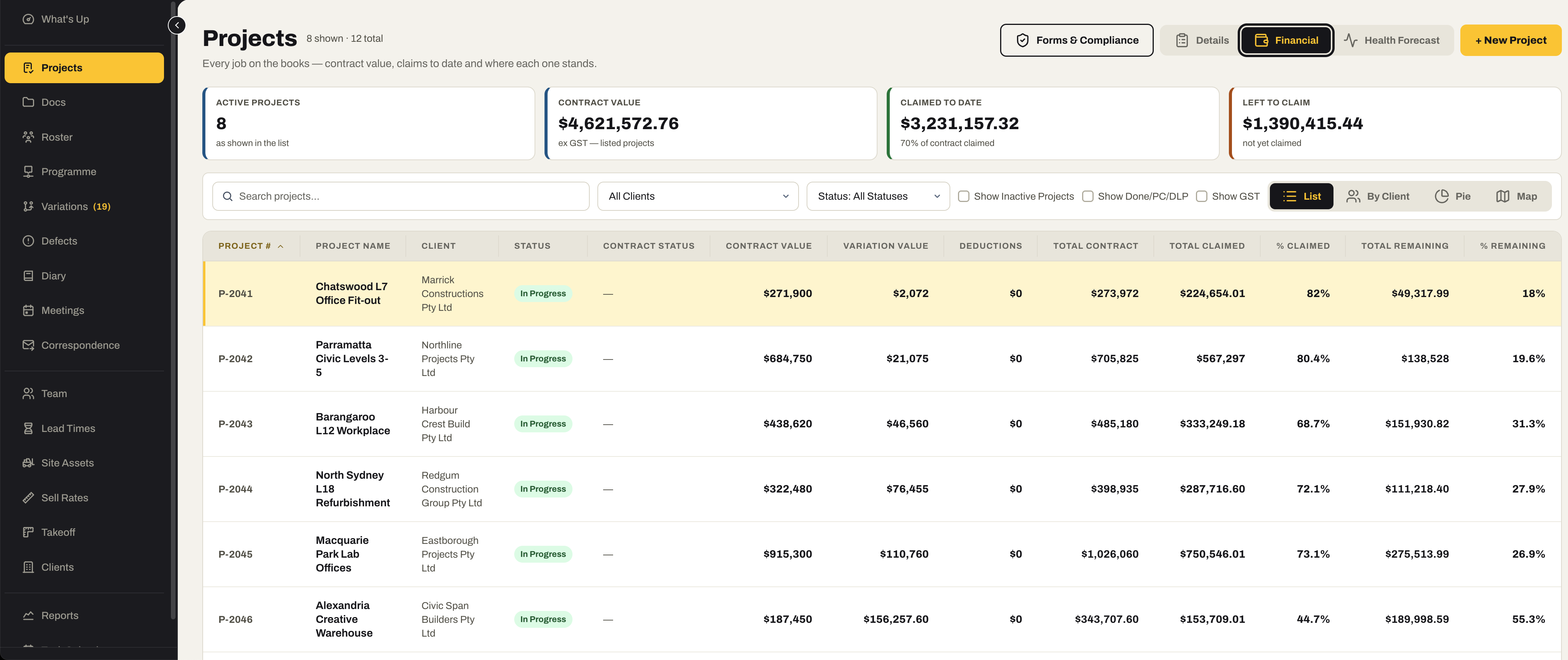
Each project carries its summary, contract documents, financial position and profit and loss — with the forms, correspondence and lead times that keep the site moving.
- Summary, status, client, key dates and the team on the job
- Contract documents, drawings and the programme filed against the project
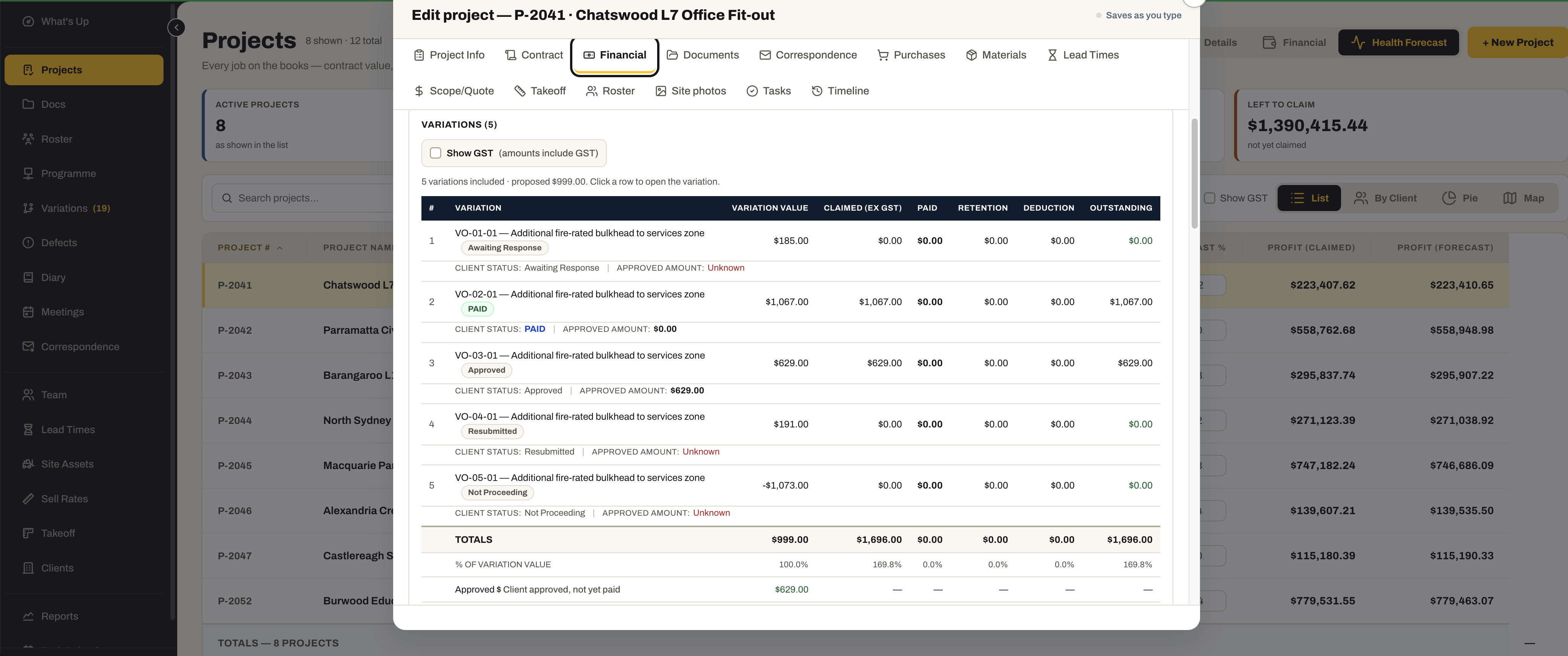
- Financial position — contract value, variations, claimed, paid and retention
- Profit and loss per project
- Automated company forms — SWMS and compliance documents — for the job
- Correspondence and lead times managed against the project
- Fourteen tabs on one record — project info, contract, financial, documents, correspondence, purchases, materials, lead times, scope/quote, takeoff, roster, site photos, tasks and timeline
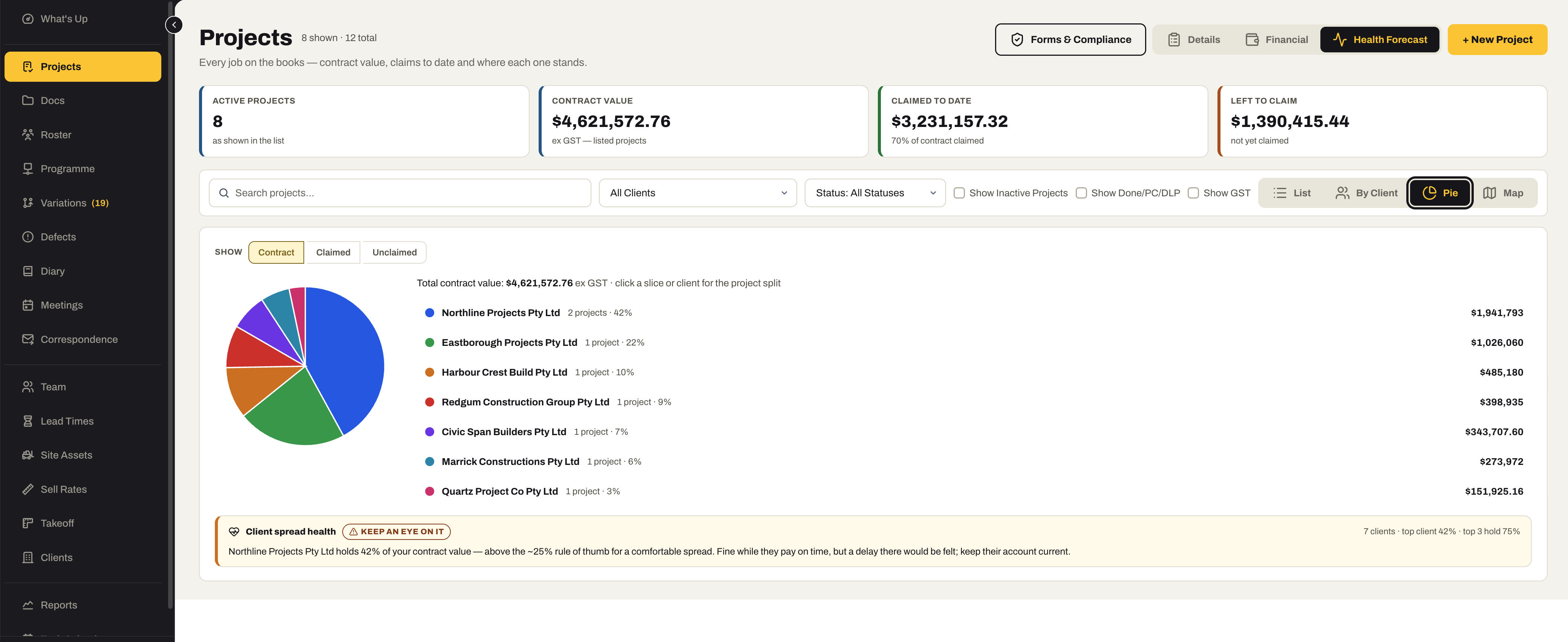
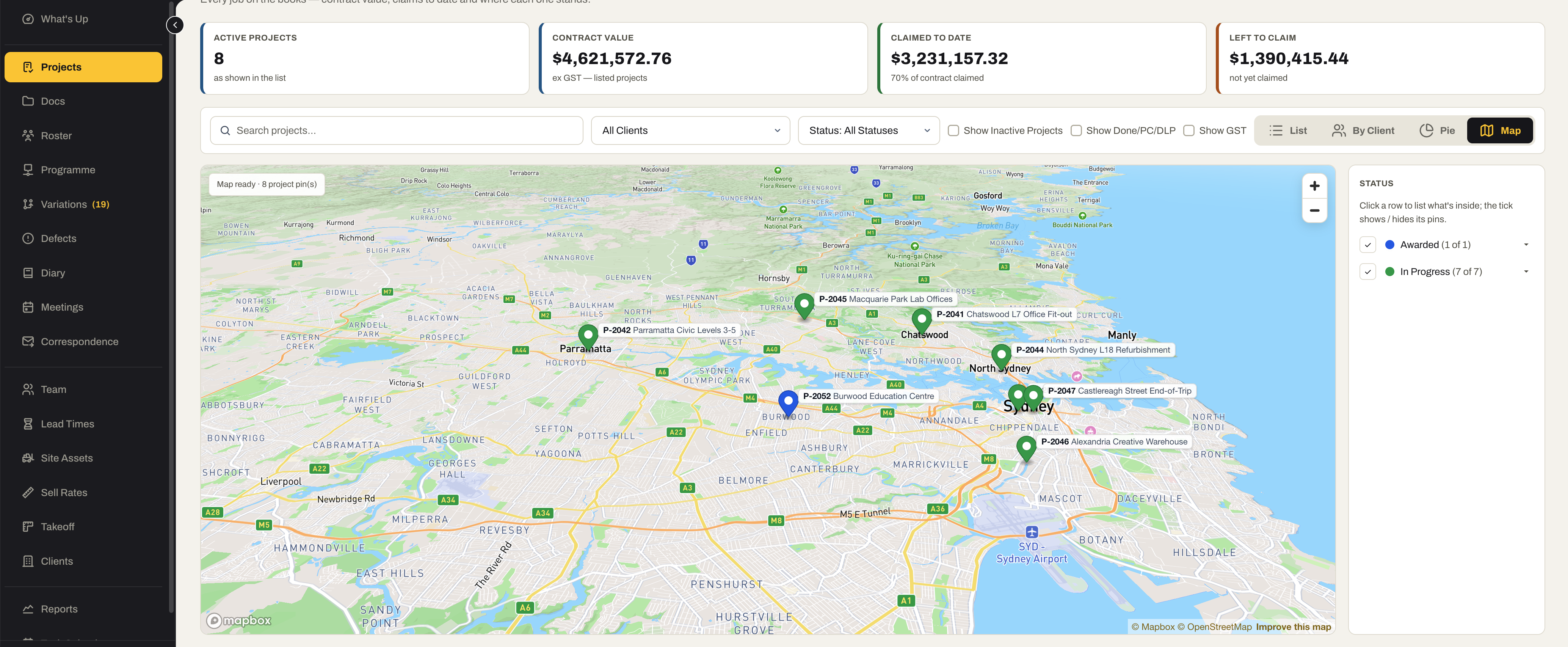
- The register as a list, by client, as a pie or on a map, plus a Health Forecast view
02 / Document management
Every project document in the one system.
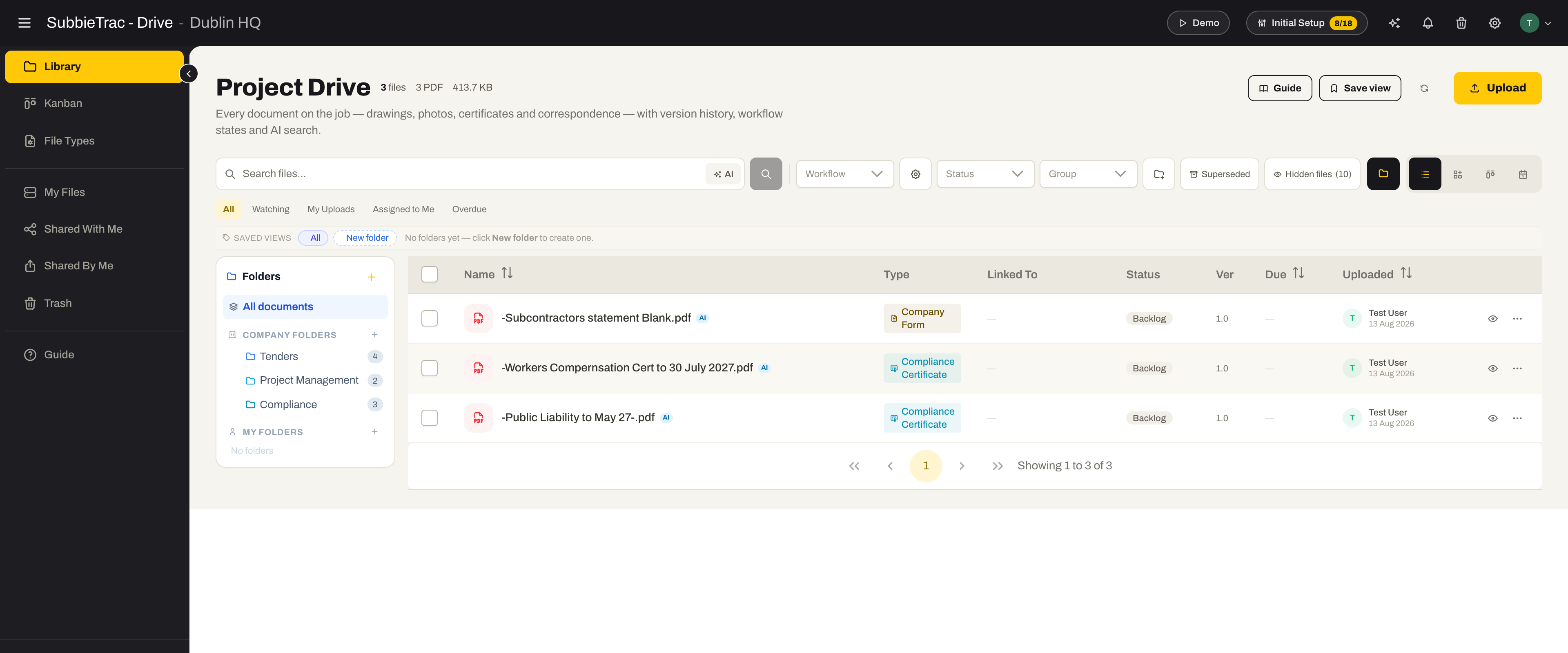
The same document library the rest of SubbieTRAC runs on, filed by project — drawings, certificates, site photos and correspondence, with versions and a folder for everything.
- All project documents inside SubbieTRAC, in a folder structure every new project starts with
- Drawings kept by revision, so the site works to the current set
- Site photos from the Site app land against the right project
- Share a set with the builder, a supplier or the site team without exporting it
- Compliance certificates on file, attached to the claim when it goes out
03 / Variations
Price the change. Chase the approval. Claim it.
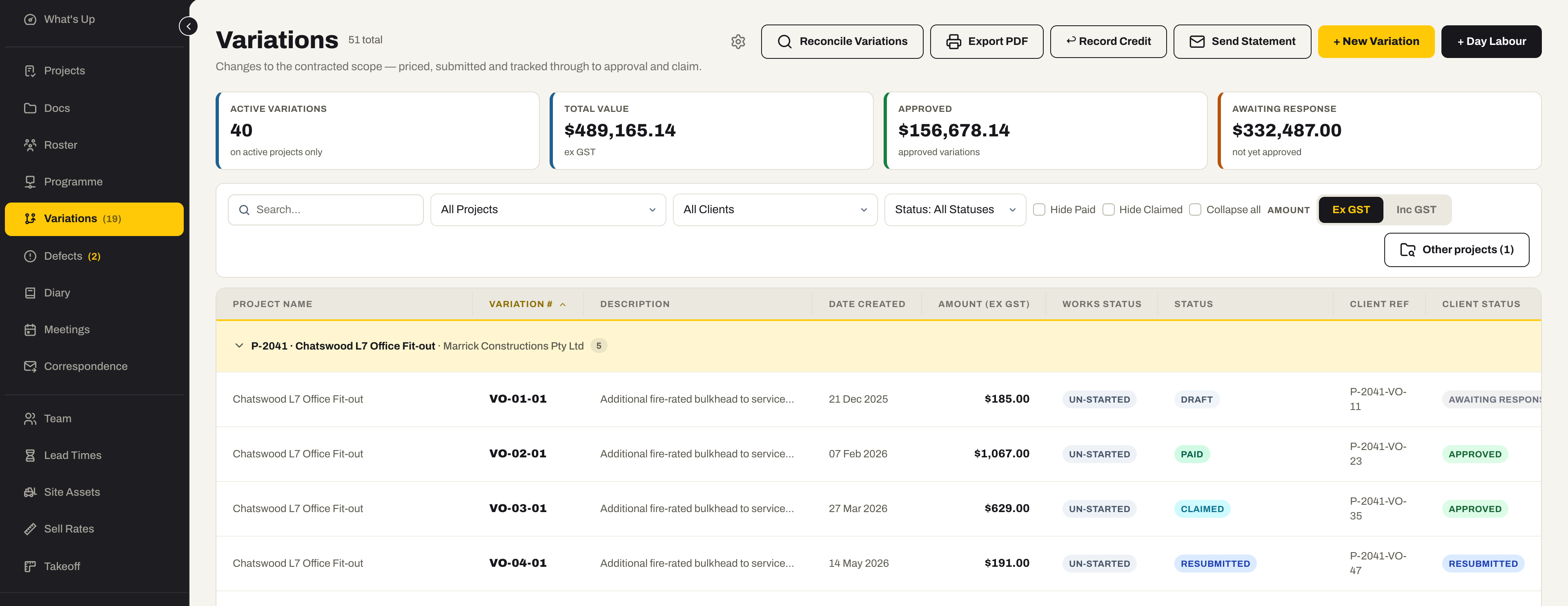
Variations managed per project and tracked by status from priced to approved to claimed — submitted by email from the system, and lodged from site by the people who found the change.
- Variations per project with works status, client status and approved value
- Status changes tracked — submitted, approved, rejected, on hold, claimed
- Submit a variation by email from inside the system, documents attached
- Site team access — view the project’s variations and lodge new ones from the phone
- Variation statements to the client — every variation, its status and value on one document
- Day labour sheets recorded on the phone and turned into priced variations
04 / Meetings
On site, online or at the toolbox — minuted once.
Site meetings, virtual meetings and toolbox talks scheduled and recorded against the project, with attendees, notes and the documents that were tabled.
- On-site, virtual and toolbox meetings, each its own type
- Attendees, agenda, notes and actions recorded against the project
- Documents tabled at the meeting filed with it
- A history of every meeting on the job, in one place
05 / Site diary
What happened on site, the day it happened.
A daily report per project — weather, who was on site, what was done, what held things up — entered from the office or from the phone, with the photos to prove it.
- Daily diary entries per project, with weather, labour and progress
- Entries and photos from the Site app, timestamped on the day
- Delays and disruptions recorded when they happen, not reconstructed later
- A per-project diary dashboard with the last entry date, so a gap shows
06 / Programme
Work to the builder’s programme. Plan your own.
Import the client’s or builder’s programme, tick the items your team is carrying out, and build your own work schedule and short-term lookahead from it — with delays and lead times tracked against the same lines.
- Client and builder programmes imported read-only — from an MS Project export
- Our Work Schedule and Our Short Term Lookahead, built from the items you own
- Delays tracked per programme, with the delay notice raised as correspondence against the project
- Lead times tied to programme lines, so a late delivery is seen before it lands
- Programme dates beside the roster, so labour is planned against the programme rather than from memory
07 / Roster
Who is where, tomorrow — on their phone tonight.
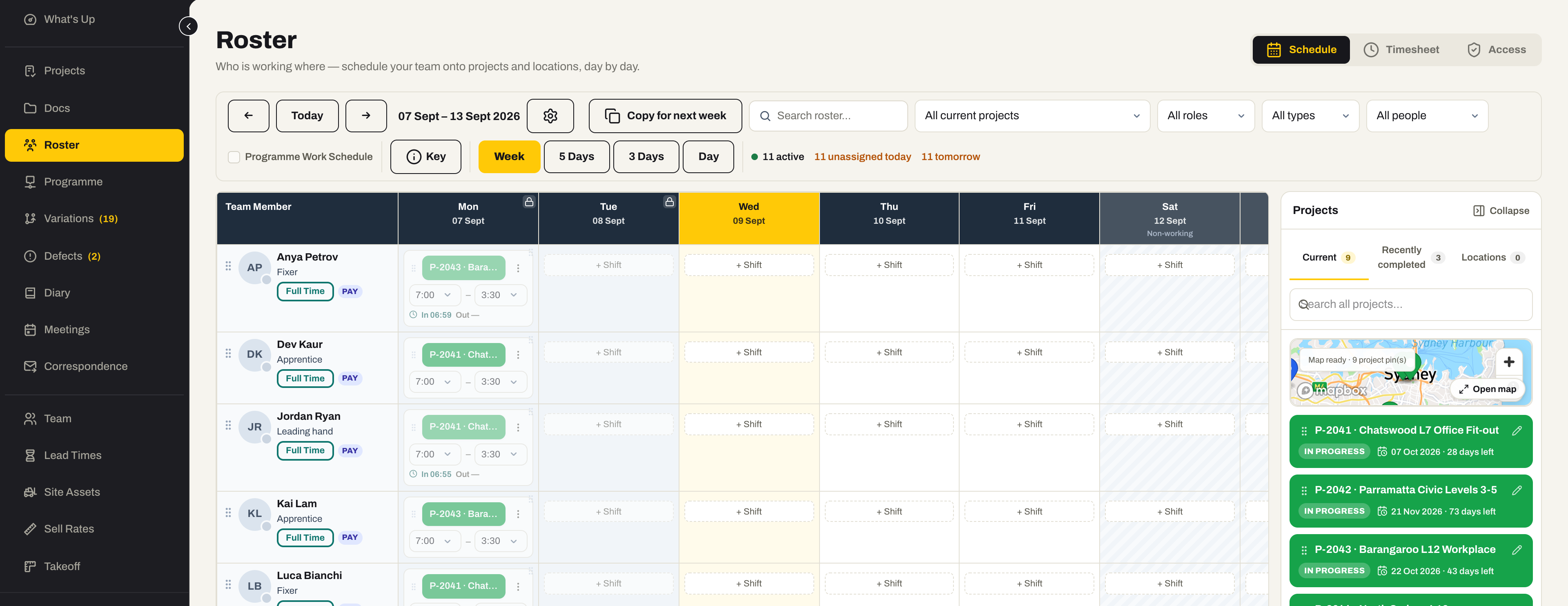
Schedule your own people and your subcontractors onto projects day by day, drag and drop, and every change reaches the person’s phone the moment it is made.
- Internal staff and external teams on one roster — full time, casual, subcontractor
- Roster to each person’s Site app — live, with a notification the moment a shift changes
- Drag a project onto a day, a day onto another person, or copy the whole week forward
- External teams invoice through the Site app, and the bill lands pre-filled from their confirmed timesheet
- Timesheets, clock-in and clock-out from the same roster the office plans on
08 / Team
Everyone on the job, and what they are allowed to do.
Internal staff and external teams in one register, with the access each person has to the Site app and the licences they hold — kept current by the people who hold them.
- Internal and external team members managed in one place
- Site app access per person and per section, with a financial on/off switch
- Licences and tickets per person, with expiry — uploaded by the worker from their phone
- Team licence compliance as a report
- Timesheet history per person
09 / Site assets
Know where every tool is, and who has it.
Plant, tools and equipment tracked with their custody — which site, which person, since when — so nothing walks off a job unnoticed.
- A register of plant, tools and equipment, with status and site-readiness
- Custody — who has each asset and where it is, as a log rather than a guess
- Sign assets in and out from the Site app; the office sees the same register
- Under-maintenance and on-site counts at a glance
- The same register the Accounting asset register reads — one record, both jobs
Also for Project Management
The dashboard and the reports have pages of their own.
- What's UpThe Project Management dashboardThe morning screen for this module — the numbers that matter, and every tile a click from the register behind it. See the Project Management row
- ReportsSix reportsFilter in place, then export or print to PDF — for the Monday meeting, the bank, or the question of why last quarter went the way it did. See the Project Management row
Ready to run every job from one place?
Programme, roster, diary and variations for the office — and the same record on your team’s phones.
No credit card required. We’ll set up your account and send your login details.