
Scheduling
Get it to site. On the right day, on the right truck.
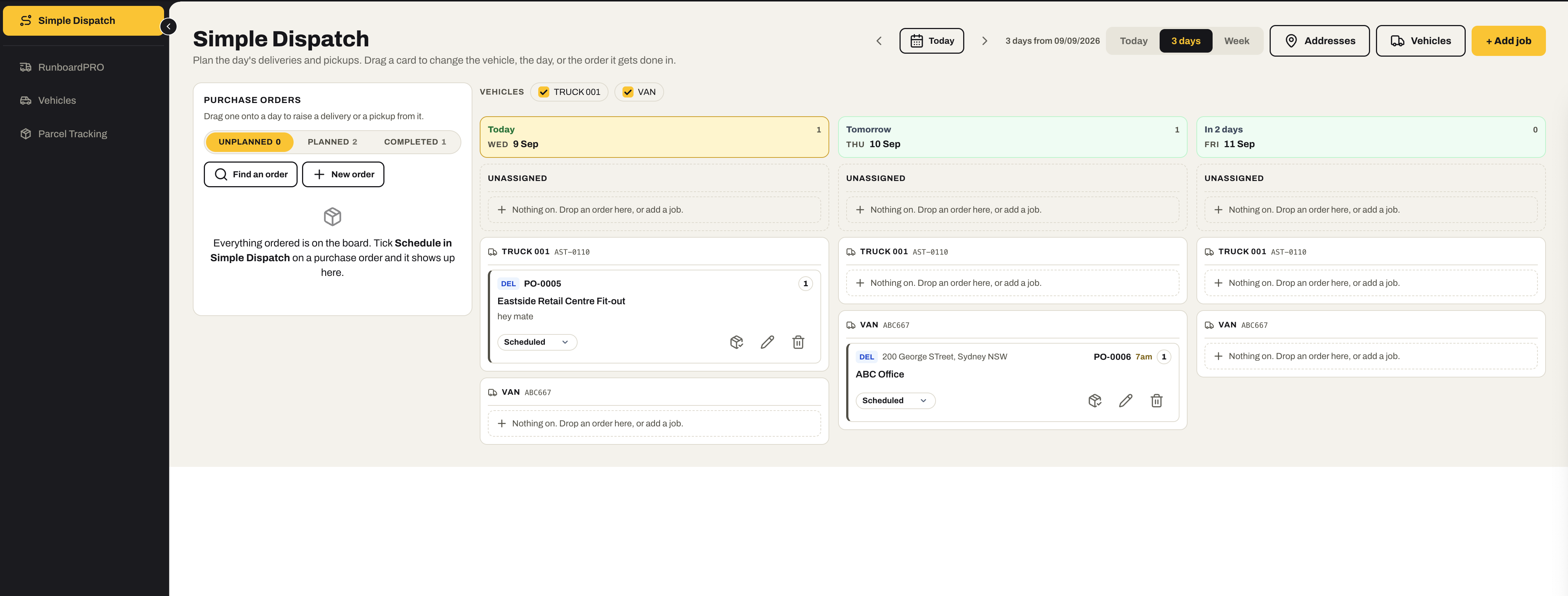
Simple Dispatch turns purchase orders into deliveries and pickups on a board of days and trucks — dragged into place, tracked to the site, with the drive time already known. Vehicles and parcels live beside it.
Everything in Scheduling
01 / Deliveries & pickups from purchase orders
The order is the job.
Tick “Schedule in Simple Dispatch” on a purchase order and it appears on the board’s rail. Drag it onto a day and a truck and it becomes a delivery or a pickup — carrying the order’s lines, supplier, project and needed-by date with it.
- A Purchase Orders rail — unplanned, planned and completed — beside the board; find an order or raise a new one from there
- Drag an order onto a day to raise the delivery or pickup; the supplier, project and reference fill in from the order
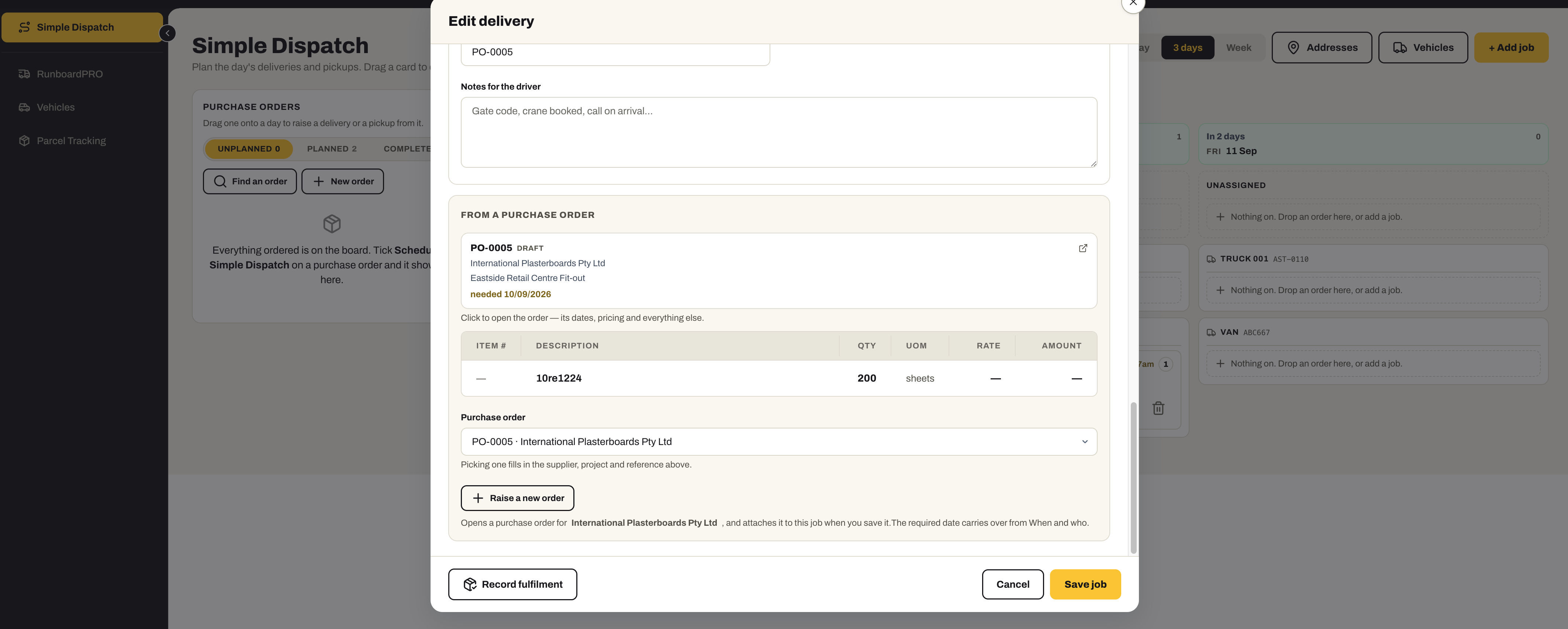
- The order’s lines on the job — item, quantity, unit — so the driver knows what is being moved
- Raise a new purchase order from inside the job when the order does not exist yet; the required date carries over from the run
- Notes for the driver — gate code, crane booked, call on arrival — kept apart from what is being delivered
- Record fulfilment against the job when it lands
02 / Directions & time
How far, how long, from your door.
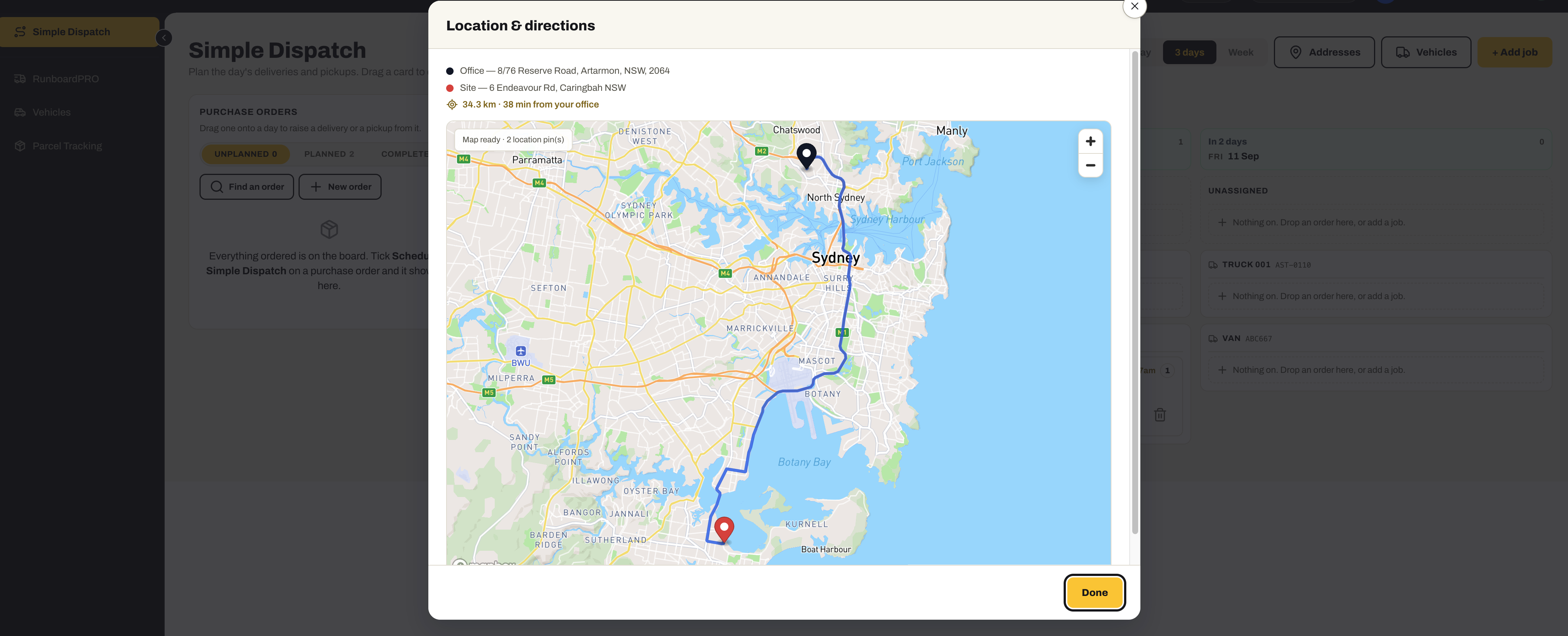
Every job carries its site on a map with the route from your office — the distance and the minutes — so a day of runs is planned against how long the driving actually takes.
- Office to site on a map, with the route, the kilometres and the minutes
- Site addresses remembered — pick one from the address book, or type it and it is remembered for next time
- Gate codes, site contacts and site instructions kept per address, so nobody types them twice
- A pickup and the delivery it feeds move as one — the truck calls at the supplier and then the site
03 / Vehicles
The fleet, as the assets they are.
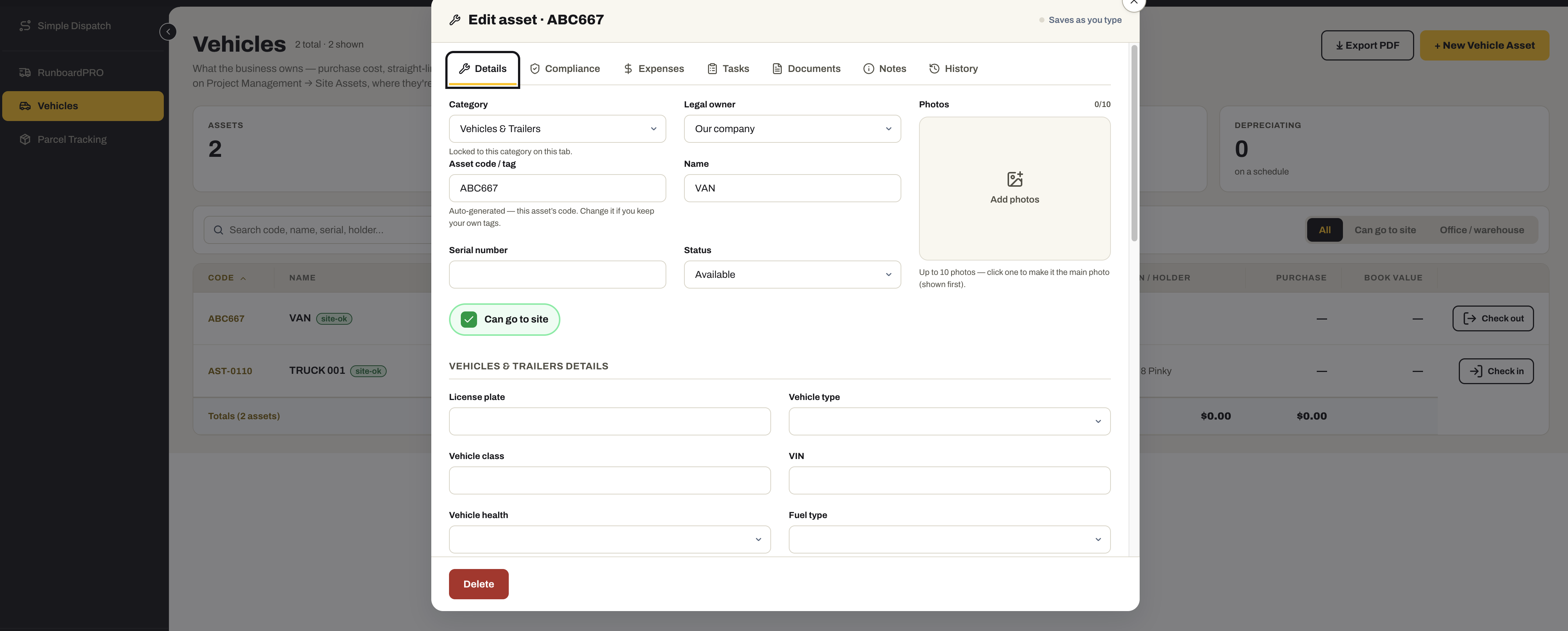
Trucks, vans and trailers are asset records — bought, depreciated, insured and serviced — and the same record the dispatch board puts jobs on.
- Each vehicle with its licence plate, type, class, VIN, fuel type and health
- Compliance, expenses, tasks, documents, notes and history on the one record
- Purchase cost and depreciation, because the same record is the fixed asset
- Can go to site — checked in and out like any other site asset, with who holds it
- The vehicles the board offers as lanes, so a truck exists in one place
04 / Parcels
Where is that thing?
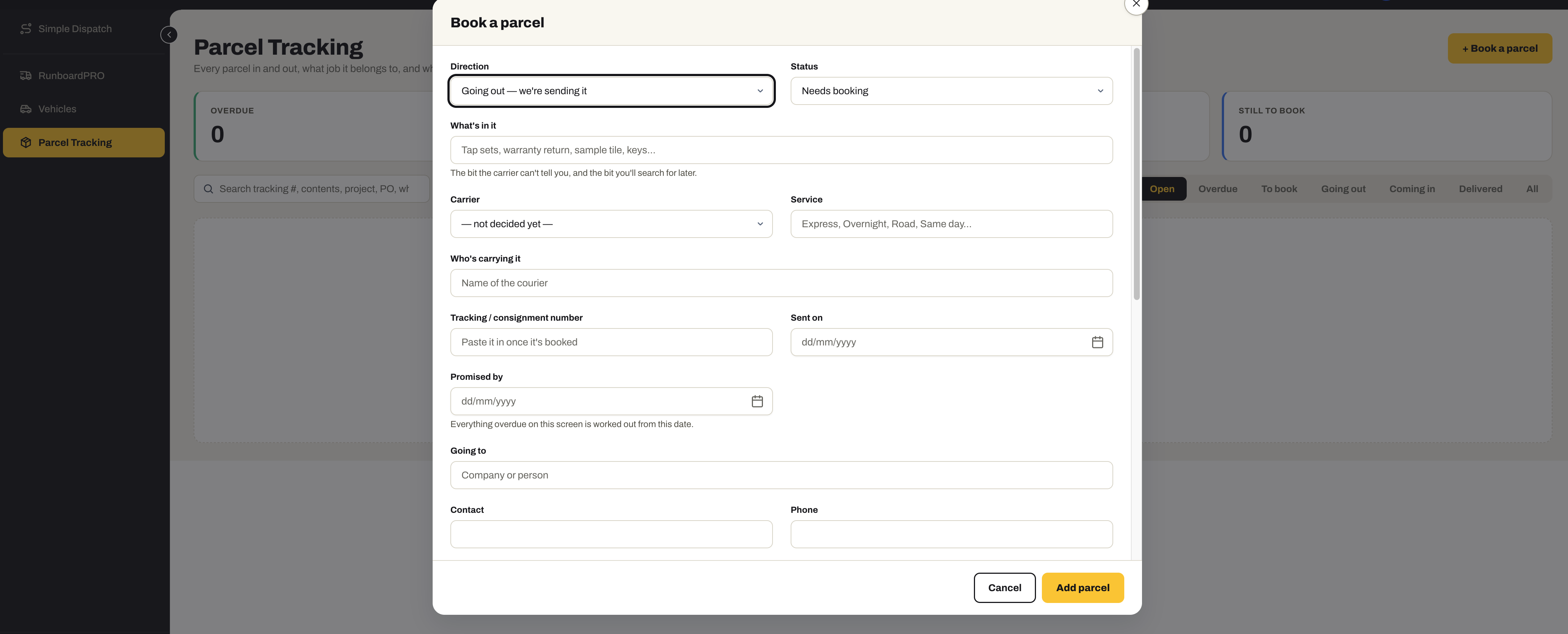
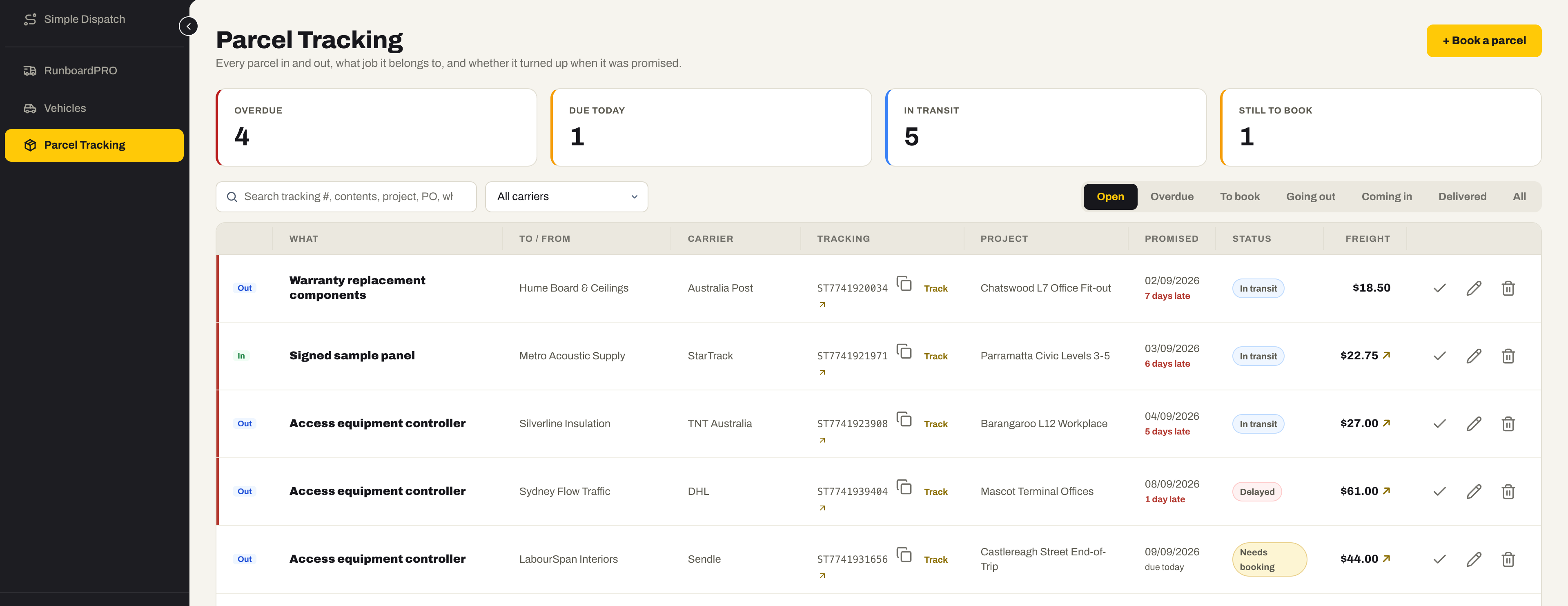
Every parcel in and out — what is in it, who is carrying it, which job it belongs to and when it was promised — so the answer is a register, not somebody’s inbox.
- Going out or coming in, with a status from needs booking to delivered
- What is in it — the bit the carrier cannot tell you, and the bit you will search for later
- Carrier, service and who is carrying it; paste the tracking number once it is booked
- Promised by — everything overdue on the screen is worked out from that date
- Which job it belongs to, the freight cost, and whether it is on-charged
- Open, overdue, to book, going out, coming in, delivered — and one click to the carrier’s own tracking page
Ready to know where every load is?
Start the 30-day free trial — tick an order for dispatch, drag it onto a truck, and follow it to site.
No credit card required. We’ll set up your account and send your login details.