
Reports
Every module reports. Filter, export, print.
Each part of SubbieTRAC carries its own set of reports — on the pipeline, the contracts, the projects and the books — filtered in place and exported or printed to PDF.
Reports by module
01 / Tenders
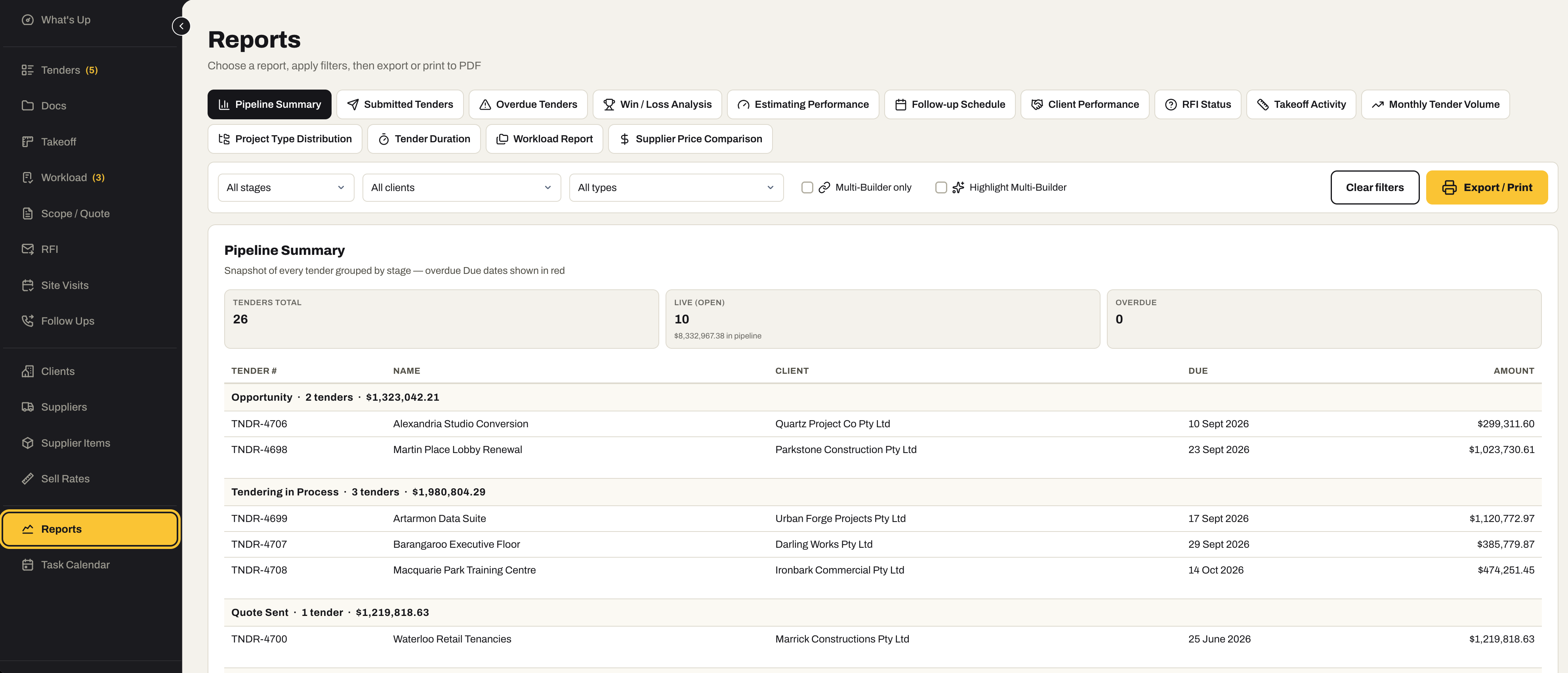
Fourteen reports on the pipeline.
Everything the pipeline knows, as a report you can filter by stage, client and type, then export or print to PDF — for the Monday meeting, the bank, or the question of why last quarter went the way it did.
- Pipeline Summary, Submitted Tenders and Overdue Tenders
- Win / Loss Analysis, Estimating Performance and Client Performance
- Follow-up Schedule, RFI Status and Takeoff Activity
- Monthly Tender Volume, Project Type Distribution and Tender Duration
- Workload Report and Supplier Price Comparison
- Filter by stage, client and type — multi-builder tenders on their own — then export or print
02 / Contracts Admin
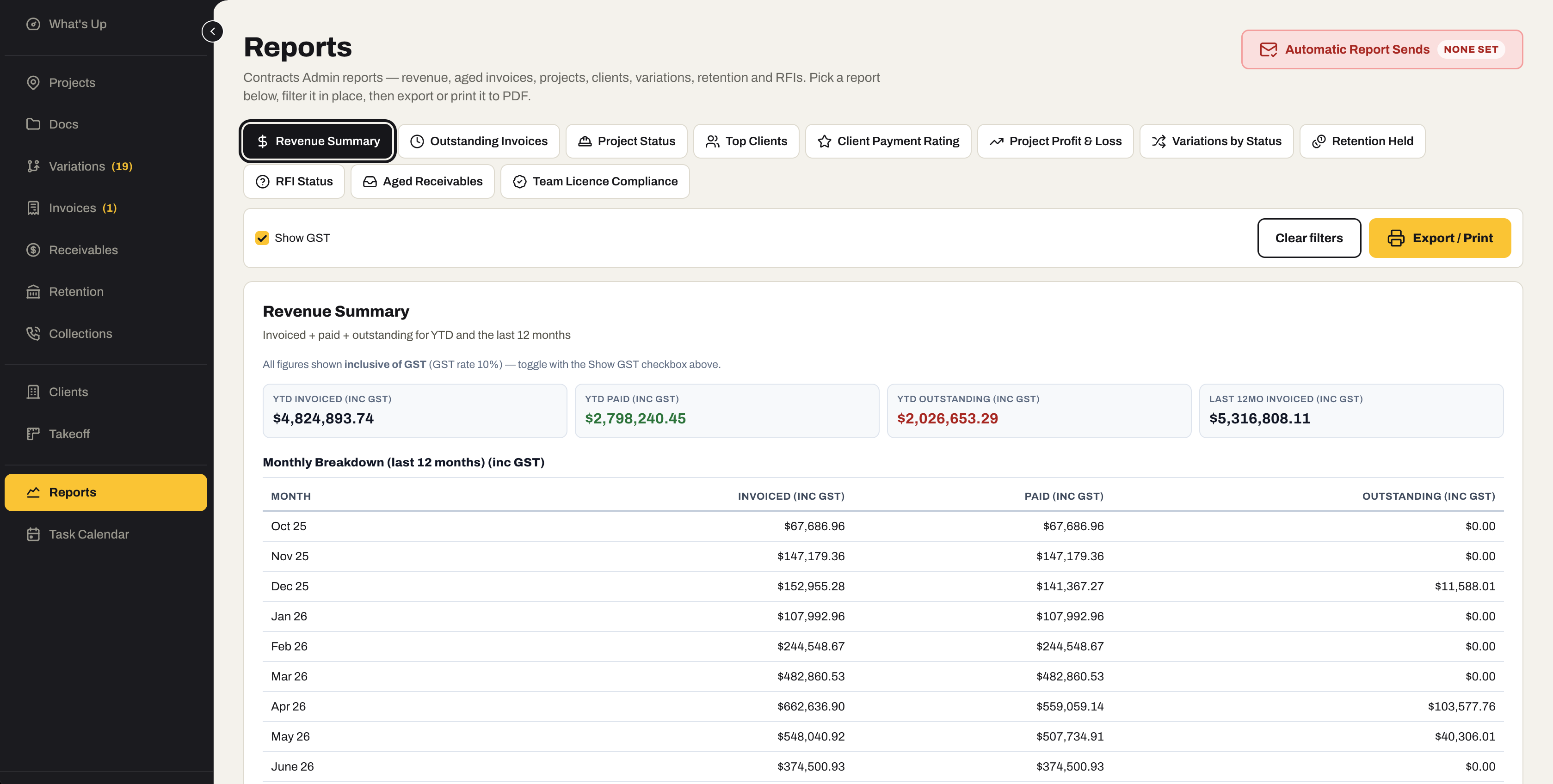
Revenue, debt, retention — eleven ways.
Revenue, aged invoices, projects, clients, variations, retention and RFIs, each with GST shown or hidden, exported or printed — and sent automatically on a schedule when someone should see it every month.
- Revenue Summary and Outstanding Invoices
- Project Status, Top Clients and Client Payment Rating
- Project Profit & Loss and Variations by Status
- Retention Held, RFI Status and Aged Receivables
- Team Licence Compliance
- Show or hide GST, export or print
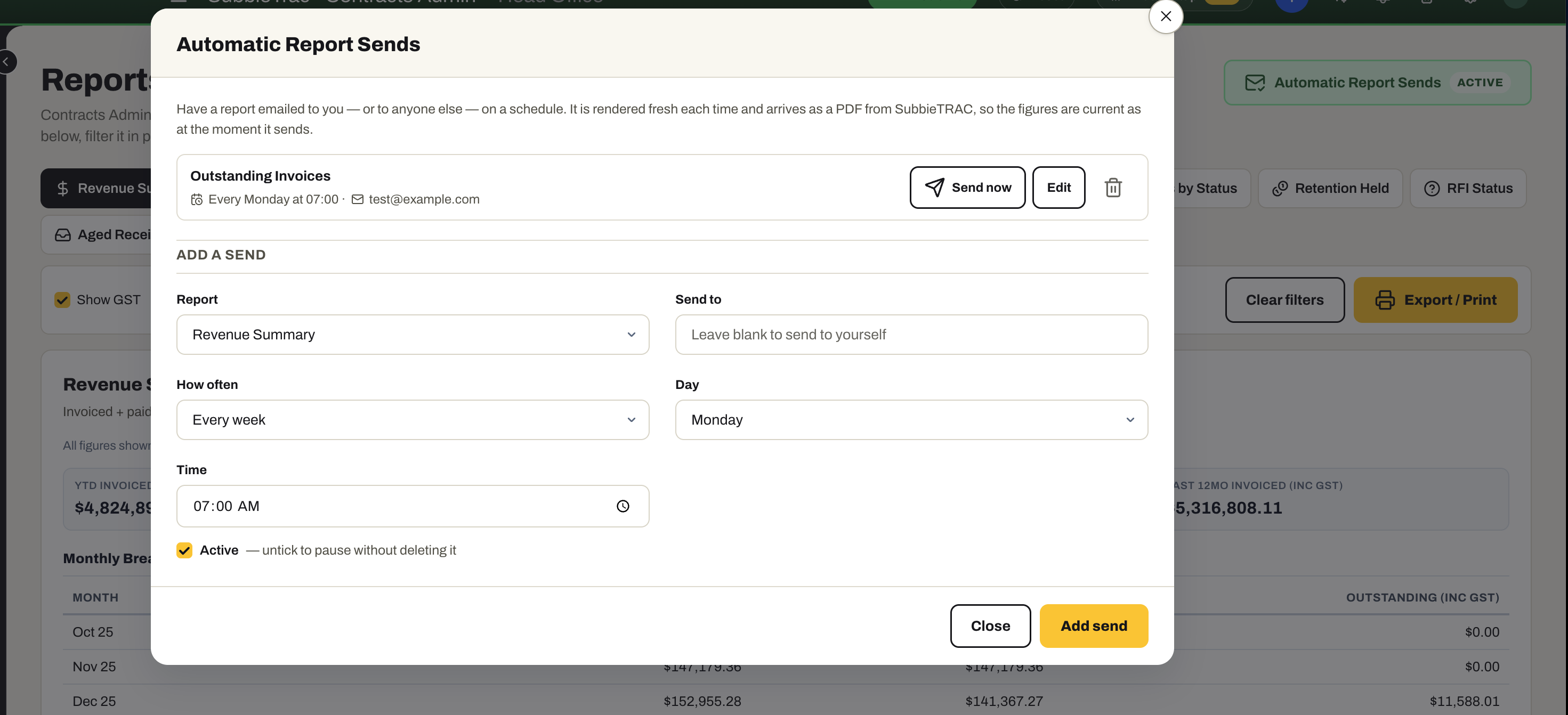
- Automatic Report Sends — have any report emailed to you or to anyone else on a schedule, rendered fresh as a PDF each time it goes
03 / Project Management
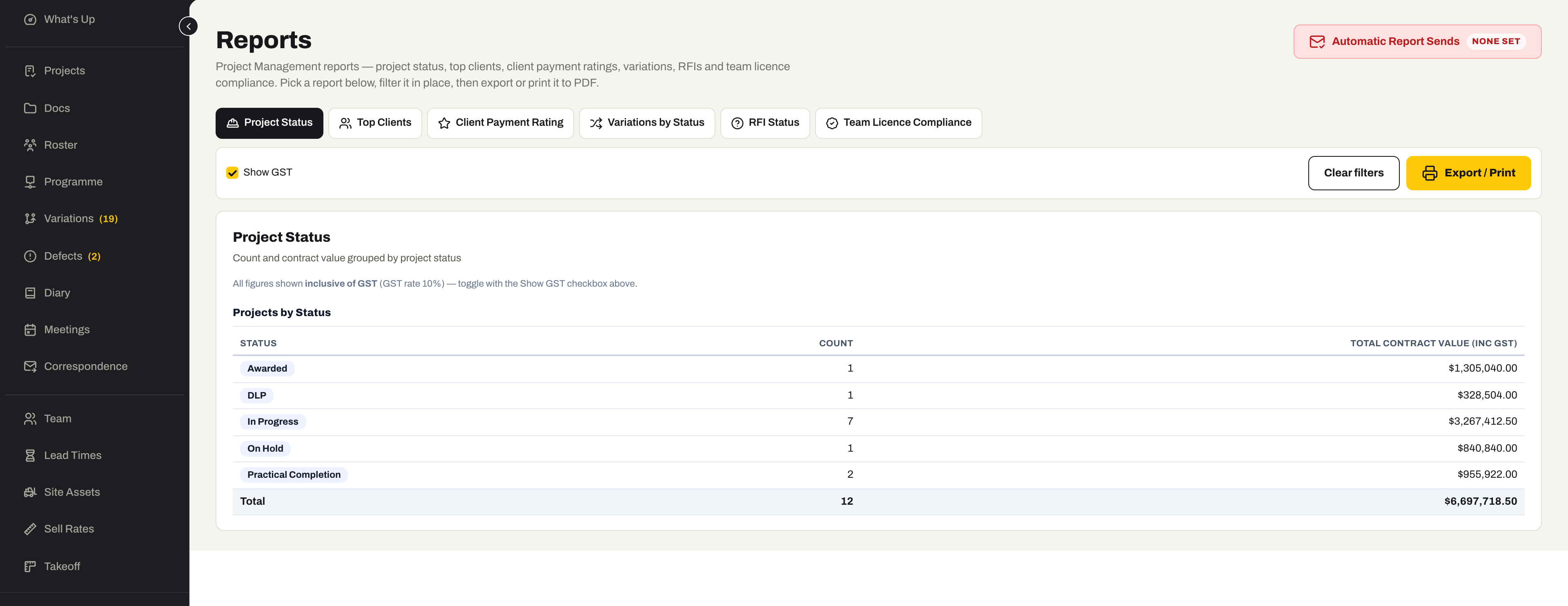
Six reports on the jobs and the team.
Project status, clients, variations, RFIs and licence compliance — pick a report, filter it in place, export or print it to PDF, or schedule it to send.
- Project Status and Variations by Status
- Top Clients and Client Payment Rating
- RFI Status
- Team Licence Compliance
- Show or hide GST, export or print, and Automatic Report Sends
04 / Purchasing
Who you owe, and what each job has cost.
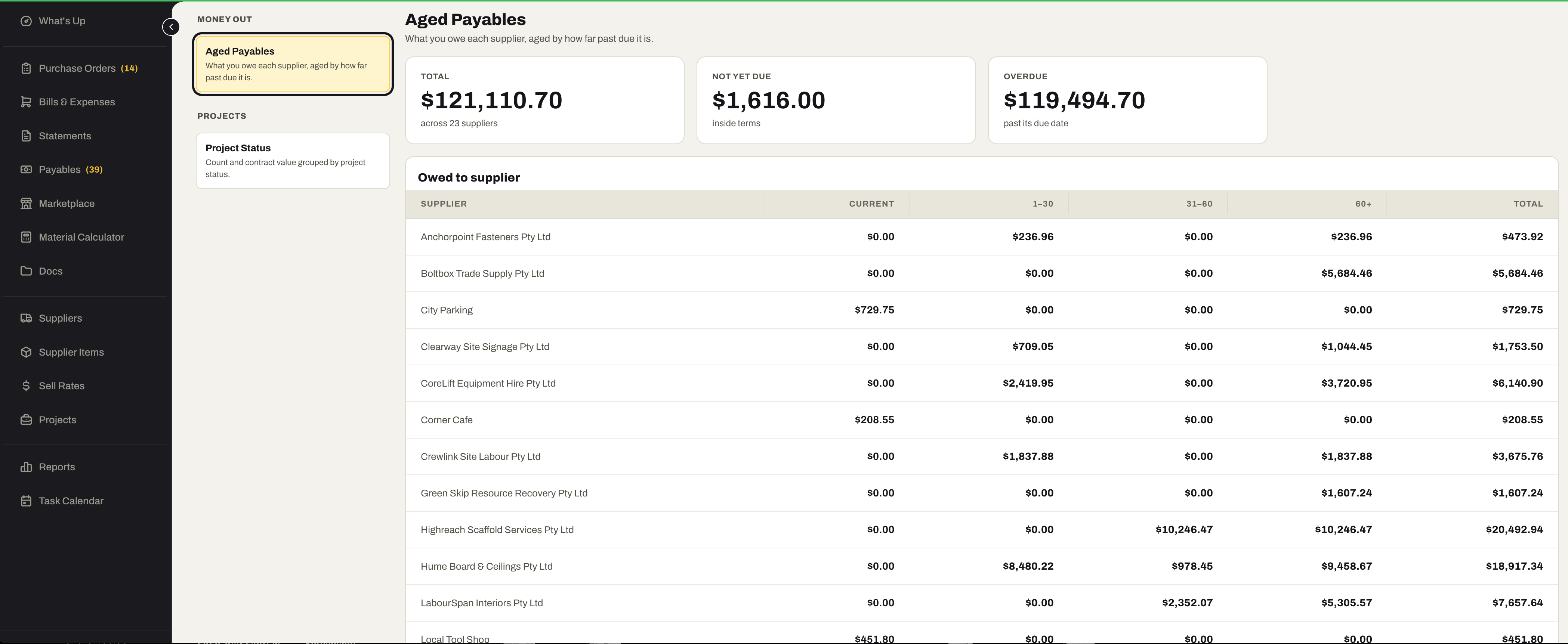
Two reports off the payables spine — what is owed to each supplier, aged, and where every project stands — on the same report engine as Accounting, exported or printed the same way.
- Aged Payables — what you owe each supplier, aged by how far past due
- Project Status — count and value of purchasing by project status
- Filter in place, then export or print to PDF
05 / Accounting
The financial statements, read live from the ledger.
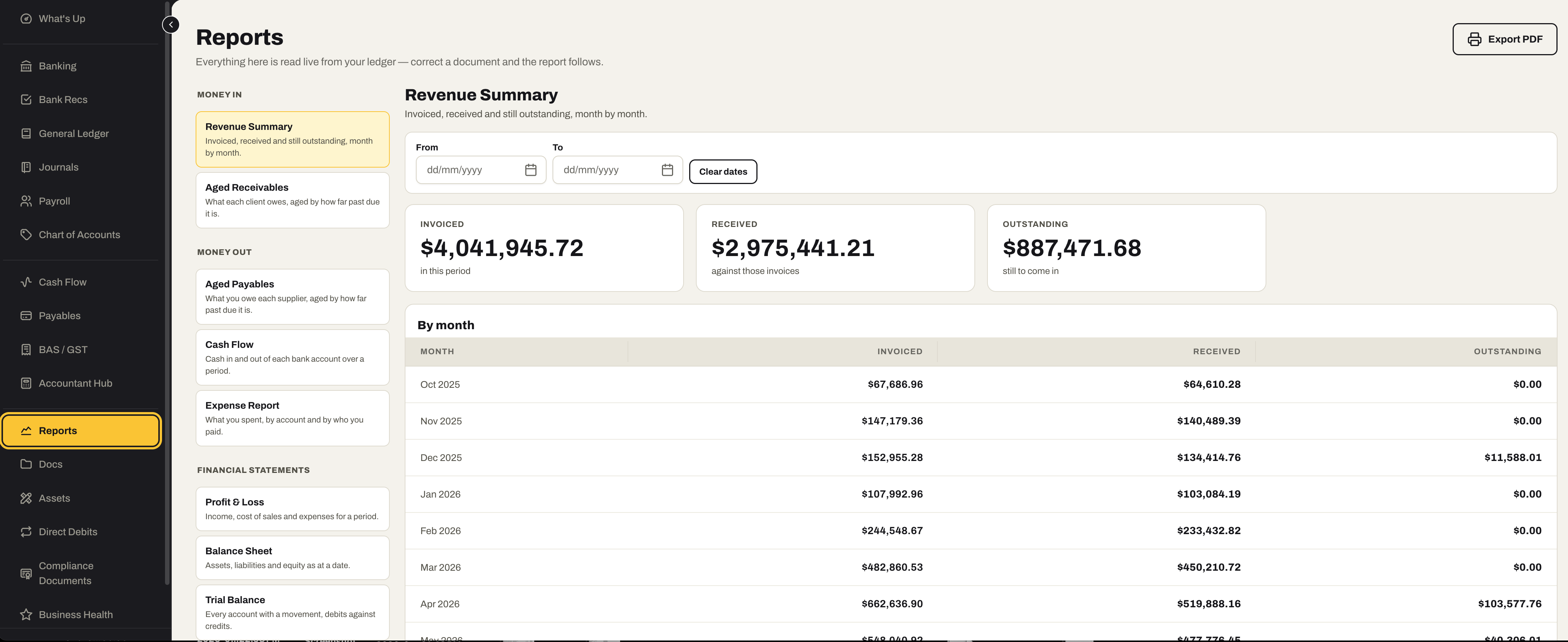
Money in, money out and the financial statements, every figure read live from the ledger — correct a document and the report follows.
- Money in — Revenue Summary and Aged Receivables
- Money out — Aged Payables, Cash Flow and the Expense Report
- Financial statements — Profit & Loss, Balance Sheet and Trial Balance
- Date-ranged, and exported to PDF
- Read live from the ledger, so a corrected invoice or bill is already in the report
Ready to run the numbers on your own work?
Start the 30-day free trial — the full system, every module and every report, no card.
No credit card required. We’ll set up your account and send your login details.