
Takeoff & Quotes
Your quote builds while you take off.
Measure drawings, capture quantities and build accurate quotes without switching between disconnected systems.
01 / The old way
Stop switching between disconnected tools.
Many subcontractors measure drawings in one system, build quotes in spreadsheets and manage supplier pricing somewhere else.
The usual way
- Drawings
- Takeoff
- Spreadsheet
- Quote
Quantities get re-typed at least once, and the spreadsheet in the middle is where the version confusion starts.
With SubbieTRAC
- Drawing
- Takeoff
- Quote
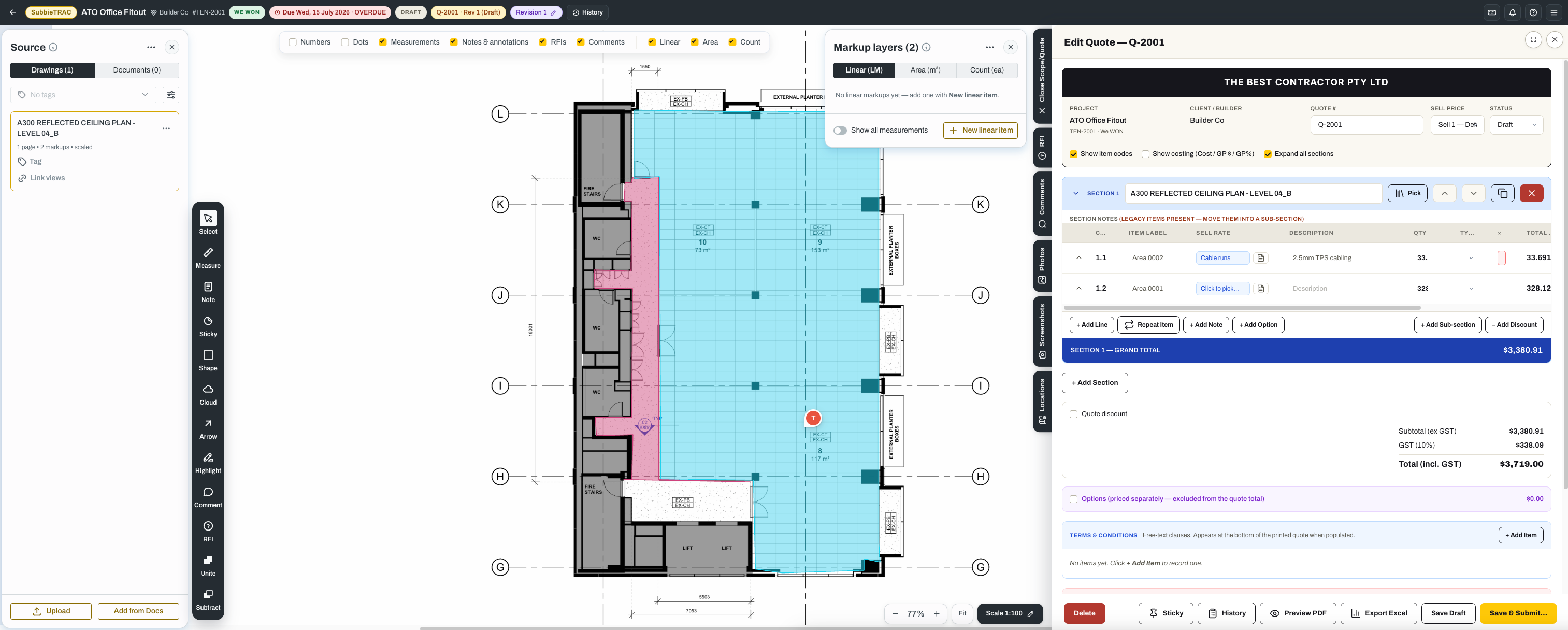
The measurement and the priced line are the same record, so there is nothing to transcribe between them.
02 / Measure
Measure once. Use the information everywhere.
Capture quantities directly from drawings and use the same information to build your quote.
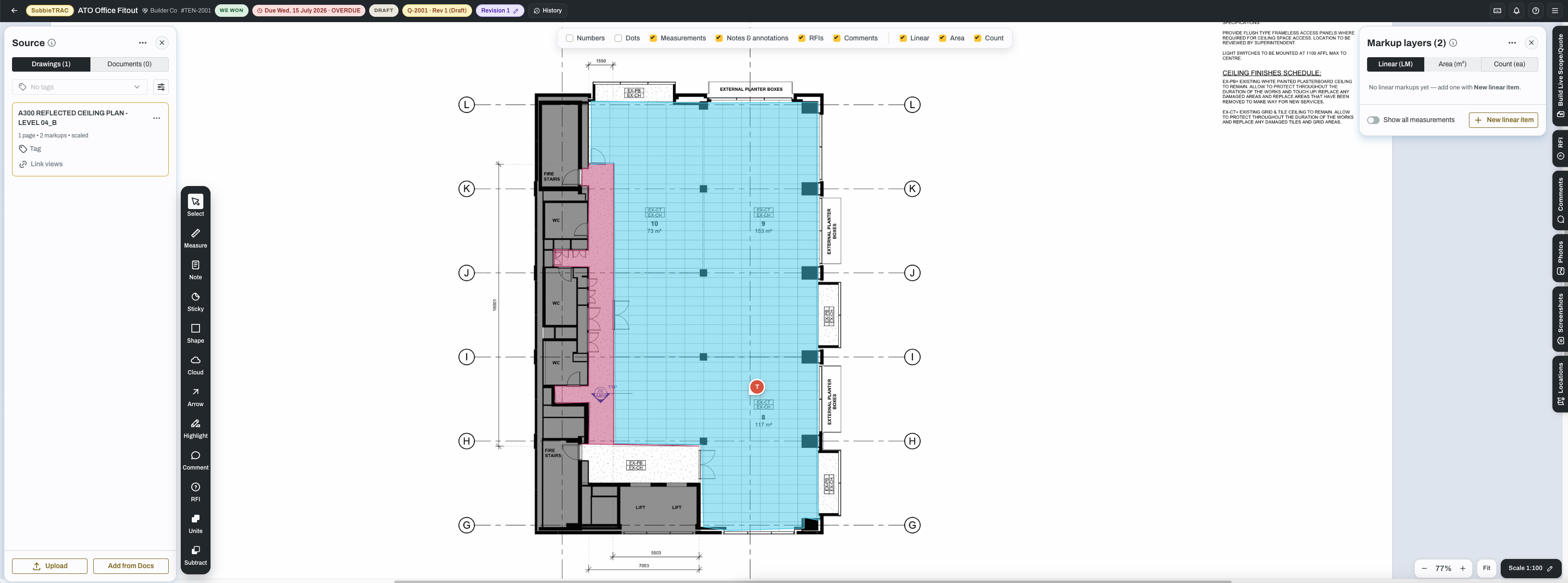
- Markups taken straight off the drawing — linear, area and count, to scale
- Quantities that carry into the quote instead of being re-typed
- Markup layers kept against the drawing revision they belong to
- Notes, RFIs and comments pinned to the spot on the drawing
- The takeoff saved, so you can reopen it and pick up where you left off
03 / Quote builder
From quantities to quote in seconds.
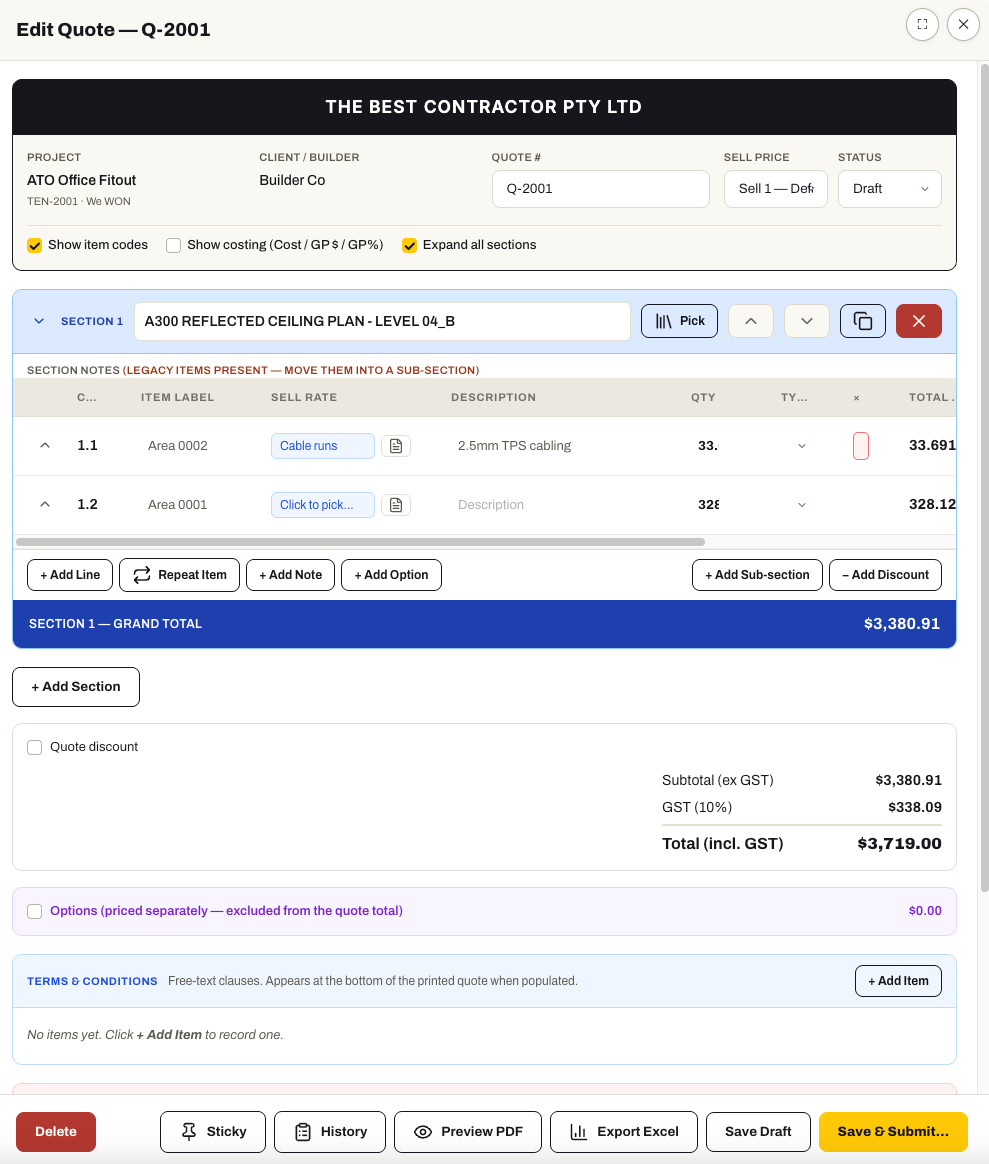
Your quantities flow directly into your quote, helping you price faster and reduce manual errors.
- Quote lines carrying the item, its Sell Rate, its quantity and its total
- Sections with their own grand totals, for a quote that reads the way you bid
- Options priced separately and excluded from the quote total
- Discounts at line or quote level
- Terms and conditions on the printed quote
- Out to PDF or Excel when it is ready to go
04 / Pricing control
Build quotes using your real pricing.
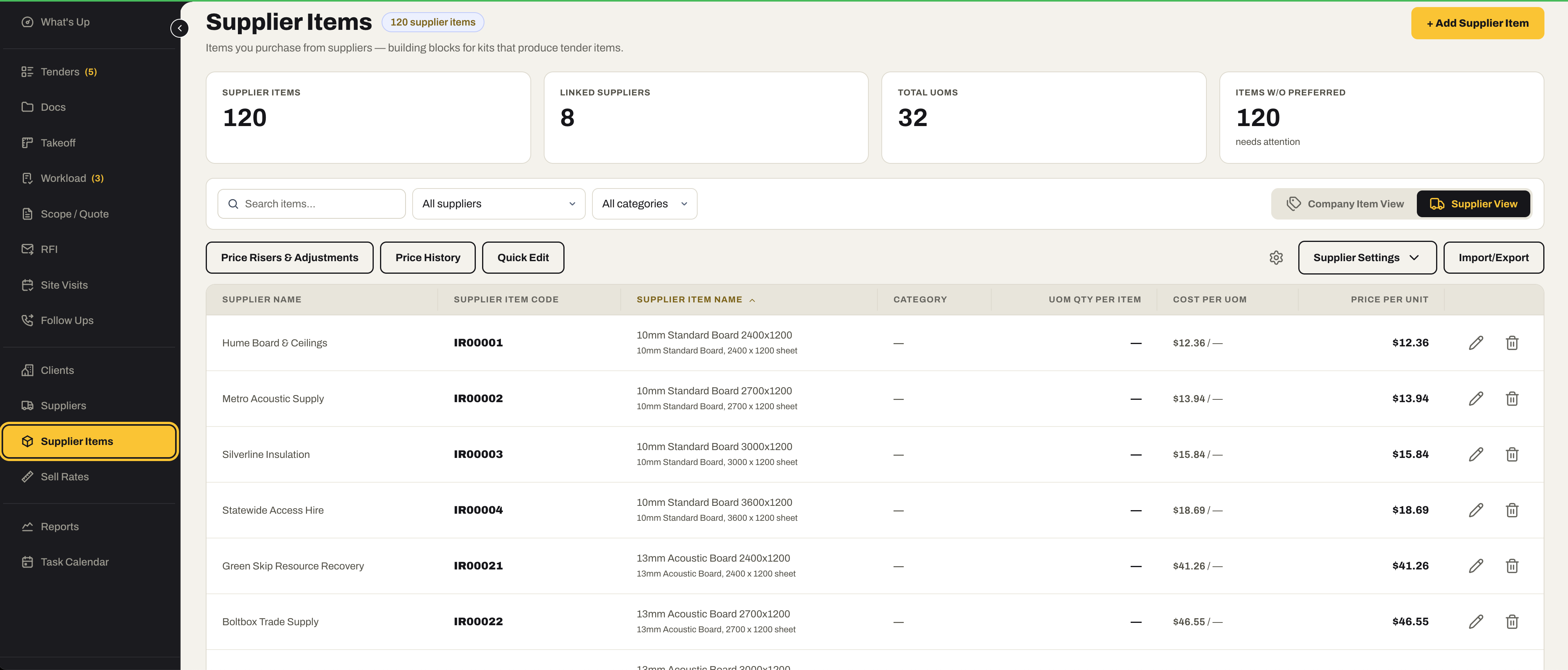
Keep your labour, materials and supplier pricing organised so every quote reflects your business.
- Sell Rates you set, applied per quote line
- Labour rates and material pricing held separately, priced together
- Supplier Items carrying the price you actually buy at
- Price history on a Supplier Item, so a rise is visible rather than absorbed
- A reusable library of your own items and kits to price from
Ready to quote smarter?
Connect your takeoff and quoting workflow with the rest of your subcontracting business.
No credit card required. We’ll set up your account and send your login details.