
The SubbieTRAC platform
The operating system built for commercial subcontractors.
From finding work to delivering projects and understanding your numbers, SubbieTRAC connects every workflow a commercial subcontracting business runs — in one place.
One connected workflow
Everything connected. Nothing disconnected.
Most subcontractors run their business across spreadsheets, emails and disconnected systems. SubbieTRAC brings every workflow together.
Tenders
Win it.
Takeoff & Quotes
Measure it.
Contracts Admin
Control it.
Project Management
Run it.
Purchasing
Buy it.
Scheduling
Move it.
Accounting
Know it.
File & Doc Storage
File it.
Site App
Take it on site.
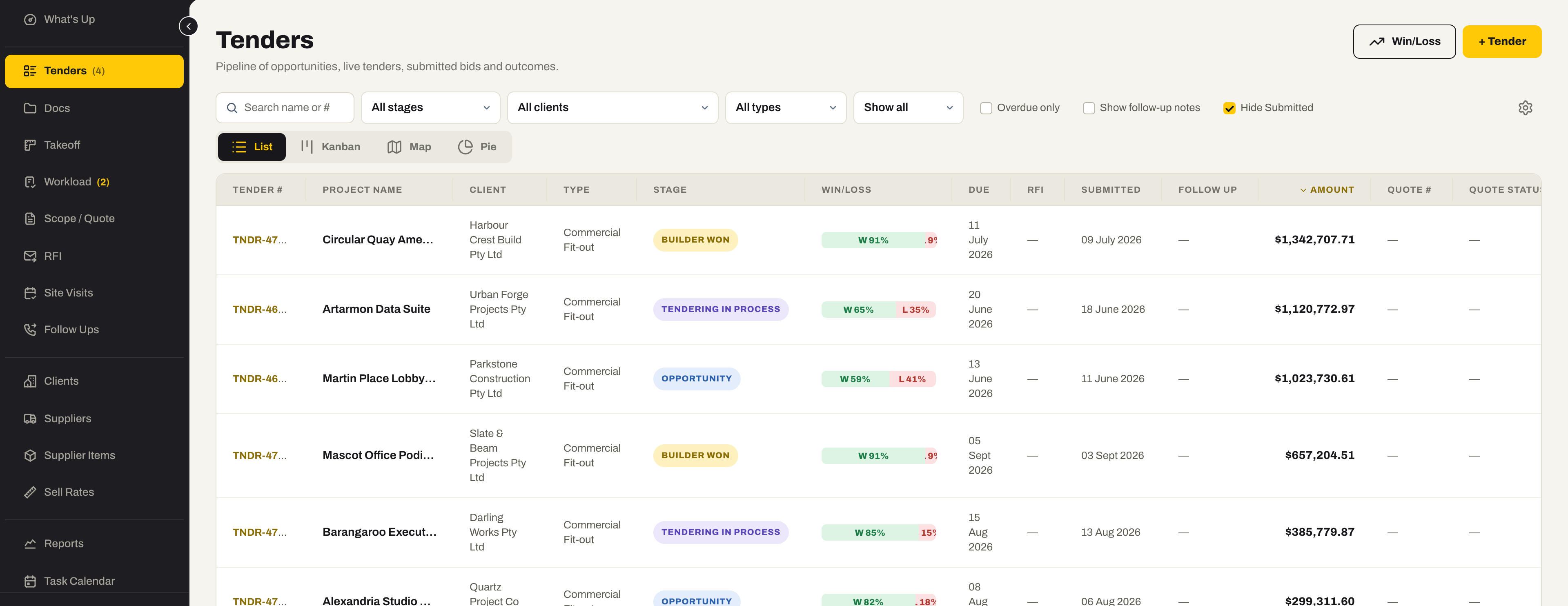
01 / Tenders
Find opportunities. Win more work.
Every invitation, every deadline and every decision in one register, so nothing sits forgotten in an inbox.
- A pipeline of opportunities, live tenders and submitted bids
- Client, stage, value, due date and probability on every tender
- Workload — see what your estimators have on before you say yes
- Win and loss recorded against the work you chased
- Site visits, RFIs and correspondence held against the tender they belong to
02 / Takeoff & Quotes
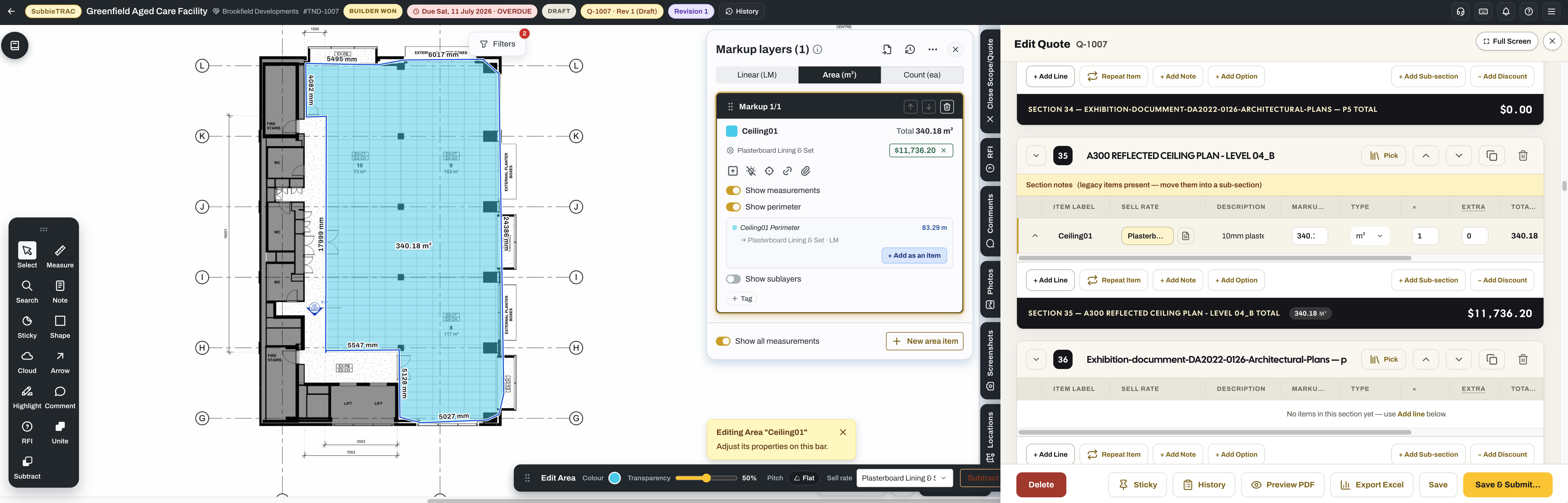
Turn drawings into profitable quotes.
Measure the drawing and the quote builds as you go — the same screen, at the same time.
- Linear, area and count measurement taken straight off the drawing, to scale
- Markups kept against the drawing revision they were taken from
- Quote lines priced as you measure, in sections with running totals
- Sell Rates and Supplier Items feeding the price, in tiers you set
- Options, exclusions and terms on the quote; PDF or Excel out
- Submitting freezes the quote and the takeoff behind it, as a version
03 / Contracts Admin
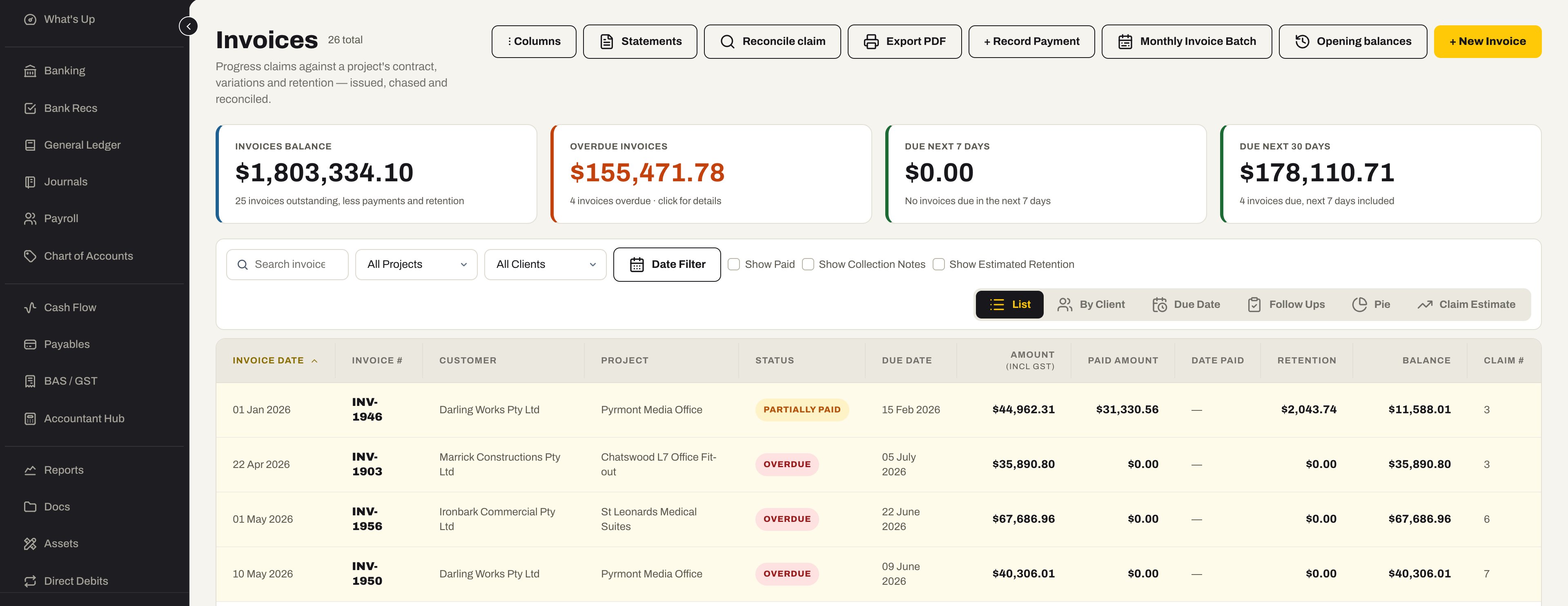
Control every commitment.
Know what was agreed, what has changed, what has been claimed and what is still owed.
- Contract value, claimed to date and left to claim on every project
- Variations priced and tracked by status — on hold and credits included
- Progress claims, invoices and recurring invoices raised against the contract
- Retention held with PC and DLP dates, and claimed when it falls due
- Opening balances — bring a job in mid-flight with its history intact
- A profit and loss per project, and collections on what is overdue
04 / Project Management
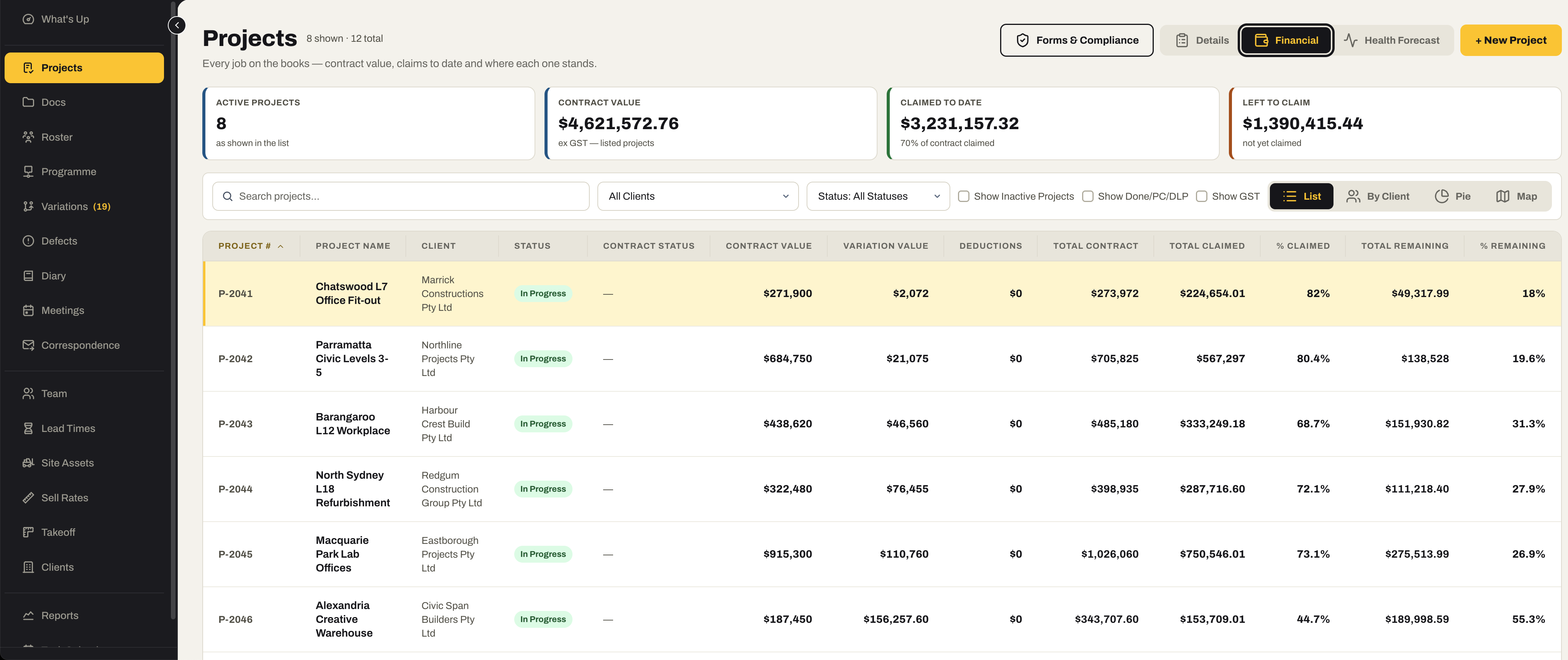
Keep every job moving.
One place the office and the site both look, so everyone knows what happens next.
- Project status and progress in one register
- Programme — import the builder’s MS Project export and work to it
- Workforce roster on a weekly grid, and lead times across every job
- Tasks and team coordination
- Site diary, meetings and defects recorded against the job
- Drawings, documents and site photos held against the job
05 / Purchasing
Buy smarter. Track everything.
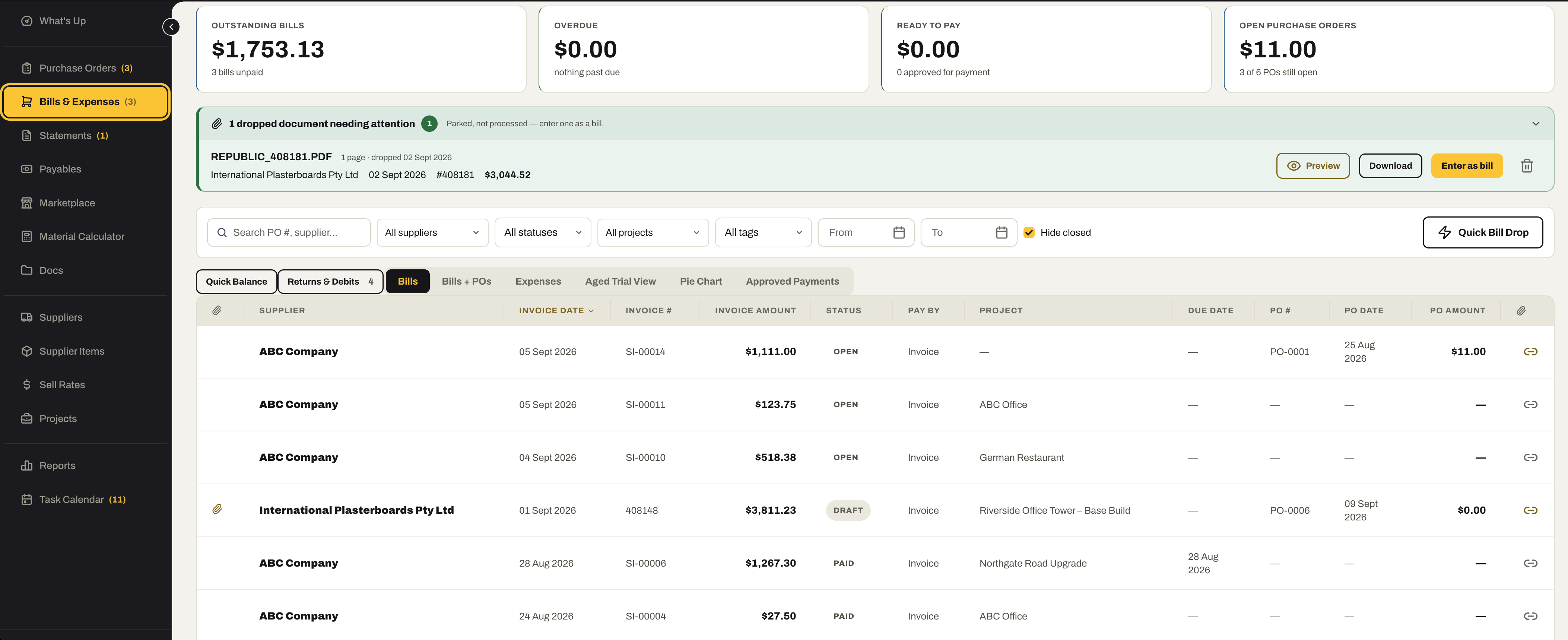
Drop the supplier’s invoice in. SubbieTRAC reads it into the bill, you check it and save — and every order sits against the job it belongs to.
- Drop supplier invoices as they arrive; they are read in the background and duplicates flagged
- Bills and expenses split across accounts, with the coding done
- Payment runs, credits and returns; supplier statements reconciled
- Purchase orders raised against the project and supplier they belong to
- Supplier Items carrying your buy price and your Sell Rates, imported in bulk
06 / Scheduling
From purchase order to site, tracked.
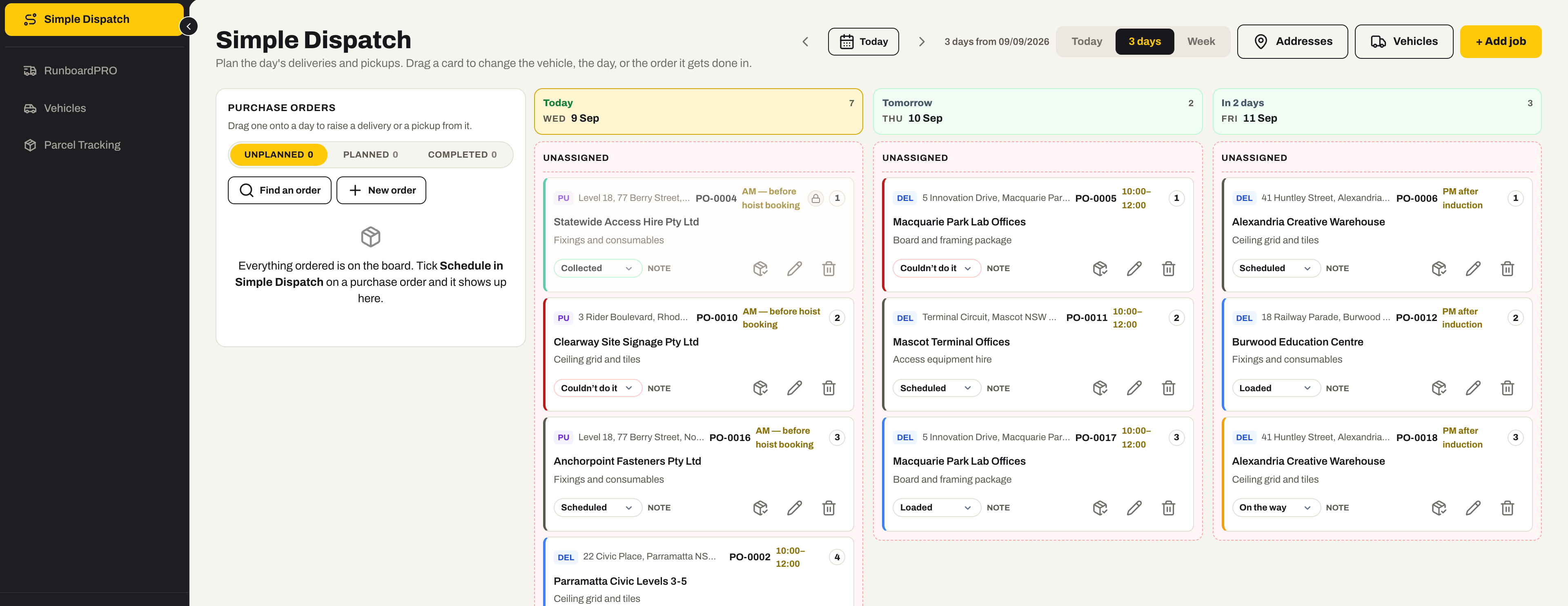
Dispatch management first: every purchase order becomes a delivery or a pickup on the board, planned onto a day and a vehicle, and followed from loaded to delivered. Vehicles and parcels sit beside it.
- A dispatch board by day and vehicle — drag a card to change the truck, the day, or the order it gets done in
- Purchase orders added straight to a delivery or a pickup, or scheduled onto the board from inside the order itself
- A delivery that collects on the way — the pickup and its drop planned as one movement, and moved together
- Every job tracked: Scheduled, Loaded, On the way, Delivered or Collected, and the ones that could not be done
- Gate codes, site contacts and site instructions remembered per address, so nobody types them twice
- Vehicle management — the fleet register, the same asset record Accounting already holds
- Parcel management — every consignment in and out, what job it belongs to, when it was promised, the freight cost, and one click to the carrier’s tracking page
07 / Accounting
Know where your business stands.
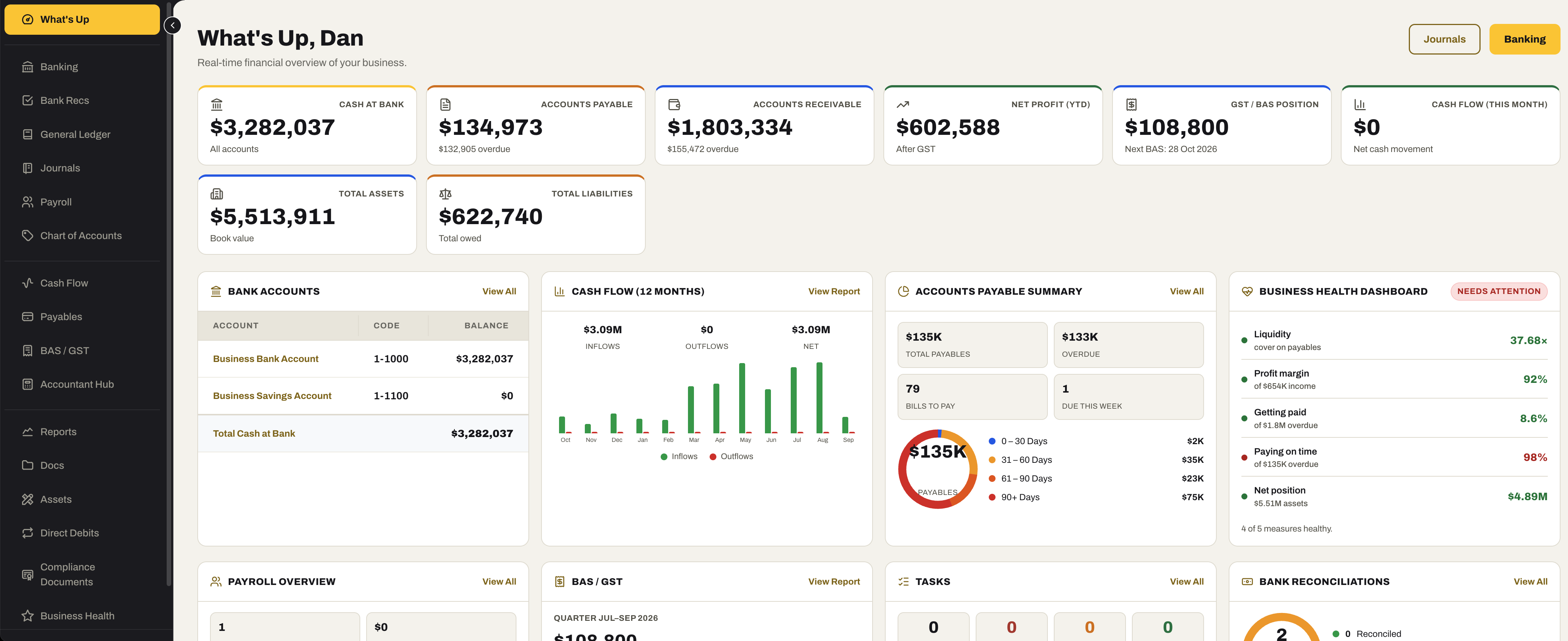
Not an accounting package — the books fall out of the work, and SubbieTRAC turns them into a weekly cash-flow forecast, an early-warning read on business health, and the figures your accountant needs.
- A cash-flow forecast — every invoice coming in and bill going out, and the bank balance at the end of each week
- Business Health — an early warning across cash, clients, projects and people; never accounting or insolvency advice
- Direct debits and compliance documents kept current, so neither is a surprise
- Bank recs against the statement, and an asset register that is also the site asset register
- An Accountant Hub — BAS labels and a ledger pack in the shape your accountant keys in or checks against
08 / File & Doc Storage
Every document, filed once.
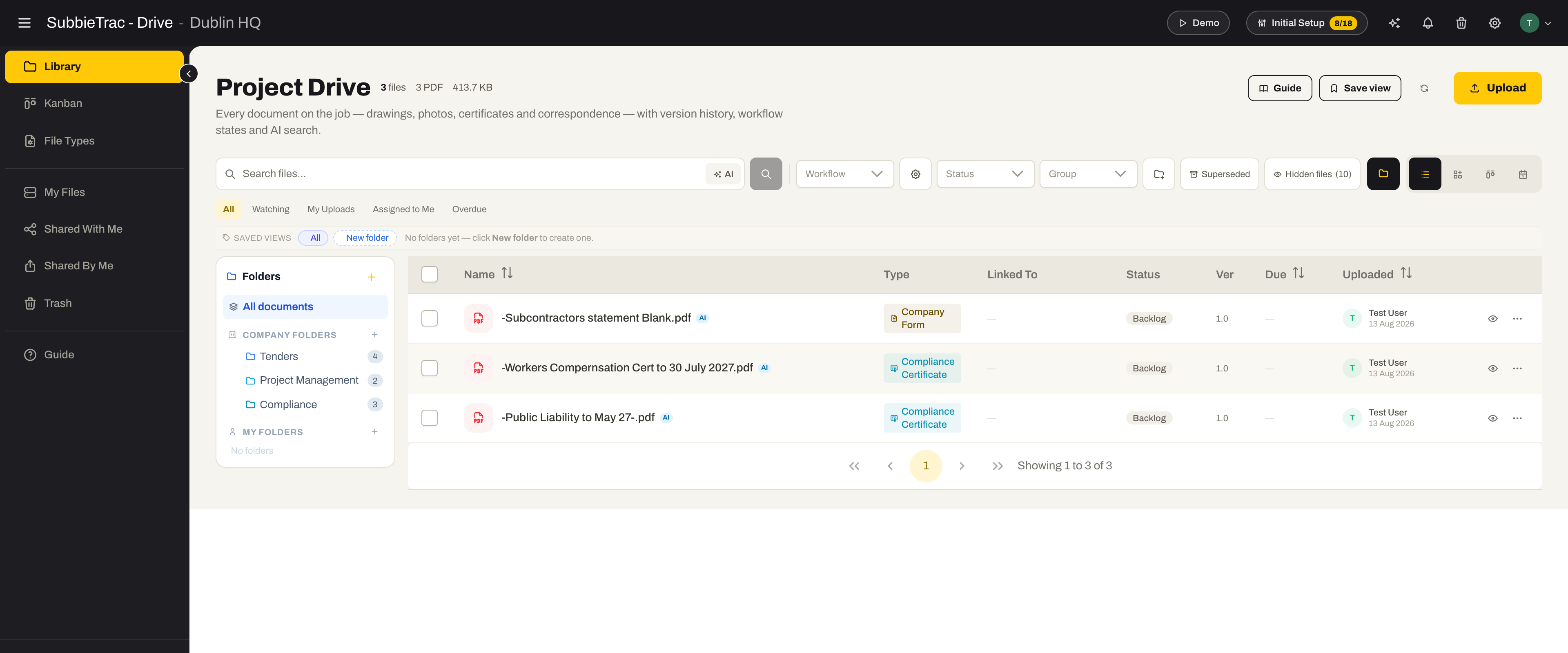
One library across tenders and projects, with the structure already decided — so a document is filed where the next person will look for it.
- A default folder structure every new tender and project starts with
- File types with their own numbering and workflow
- Send documents straight from the docs screen, as a transmittal
- Insurance and compliance certificates attached to invoices from what is already on file
- Documents indexed on what they say, not just what they are called
09 / Site App
Take it on site.
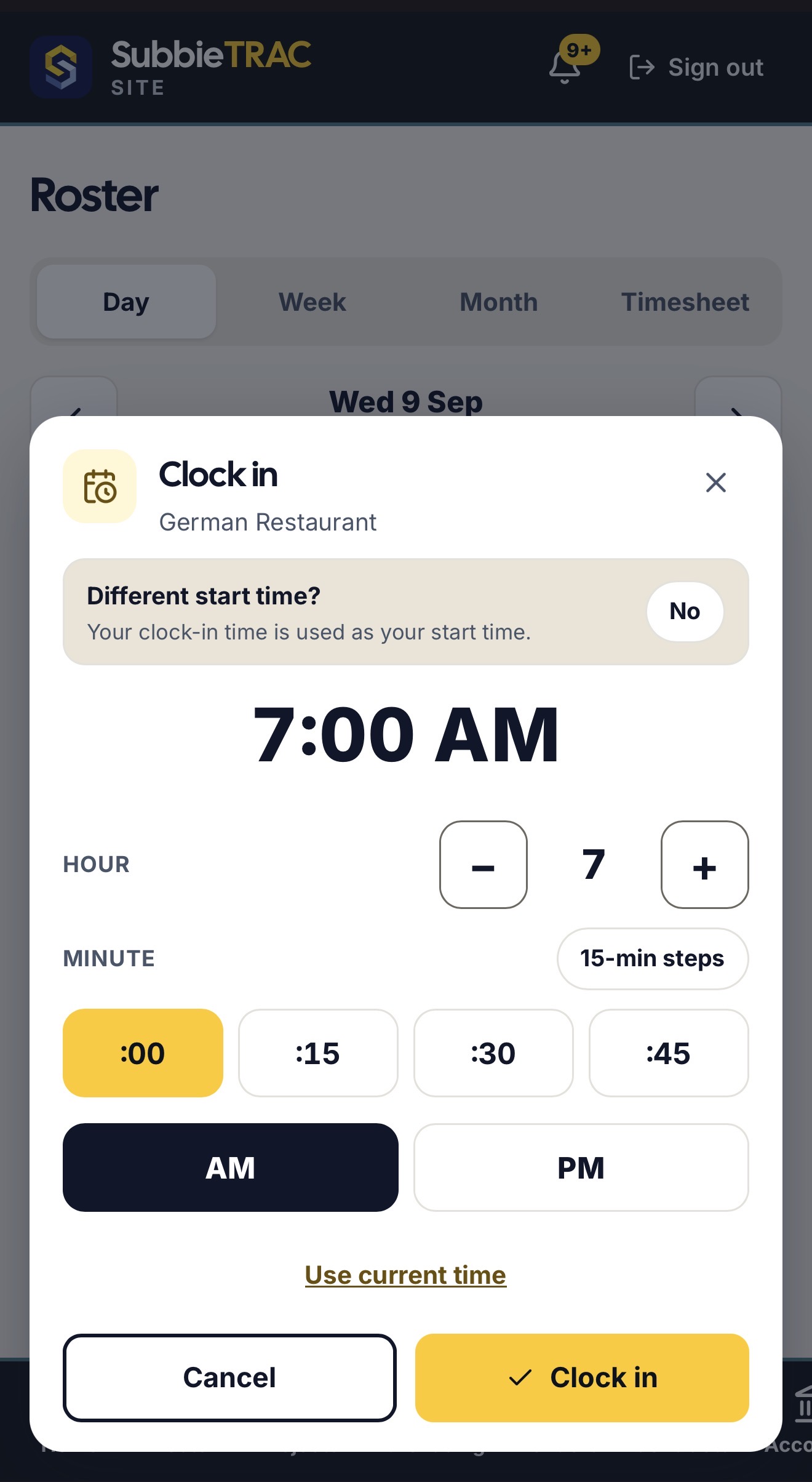
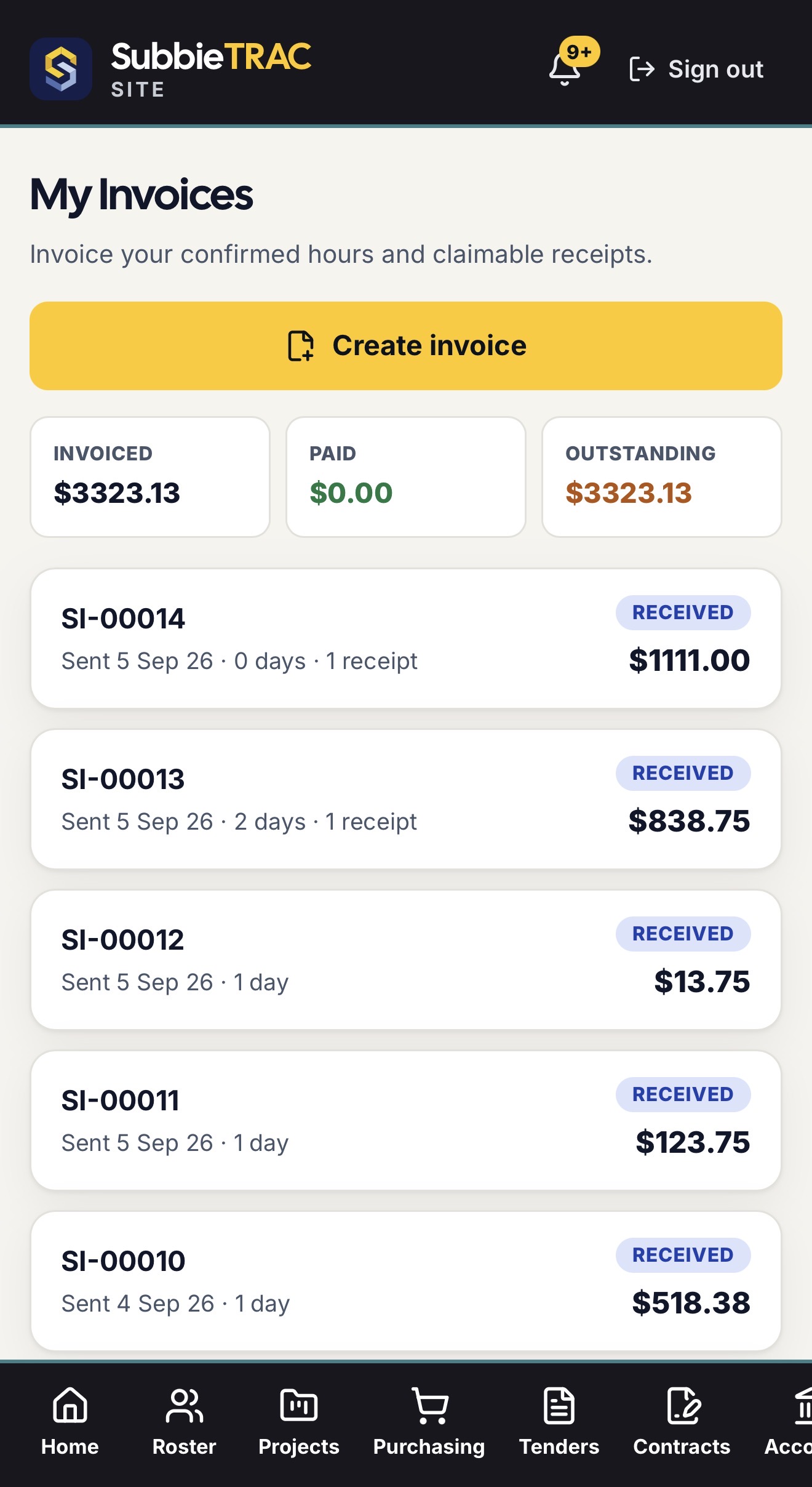
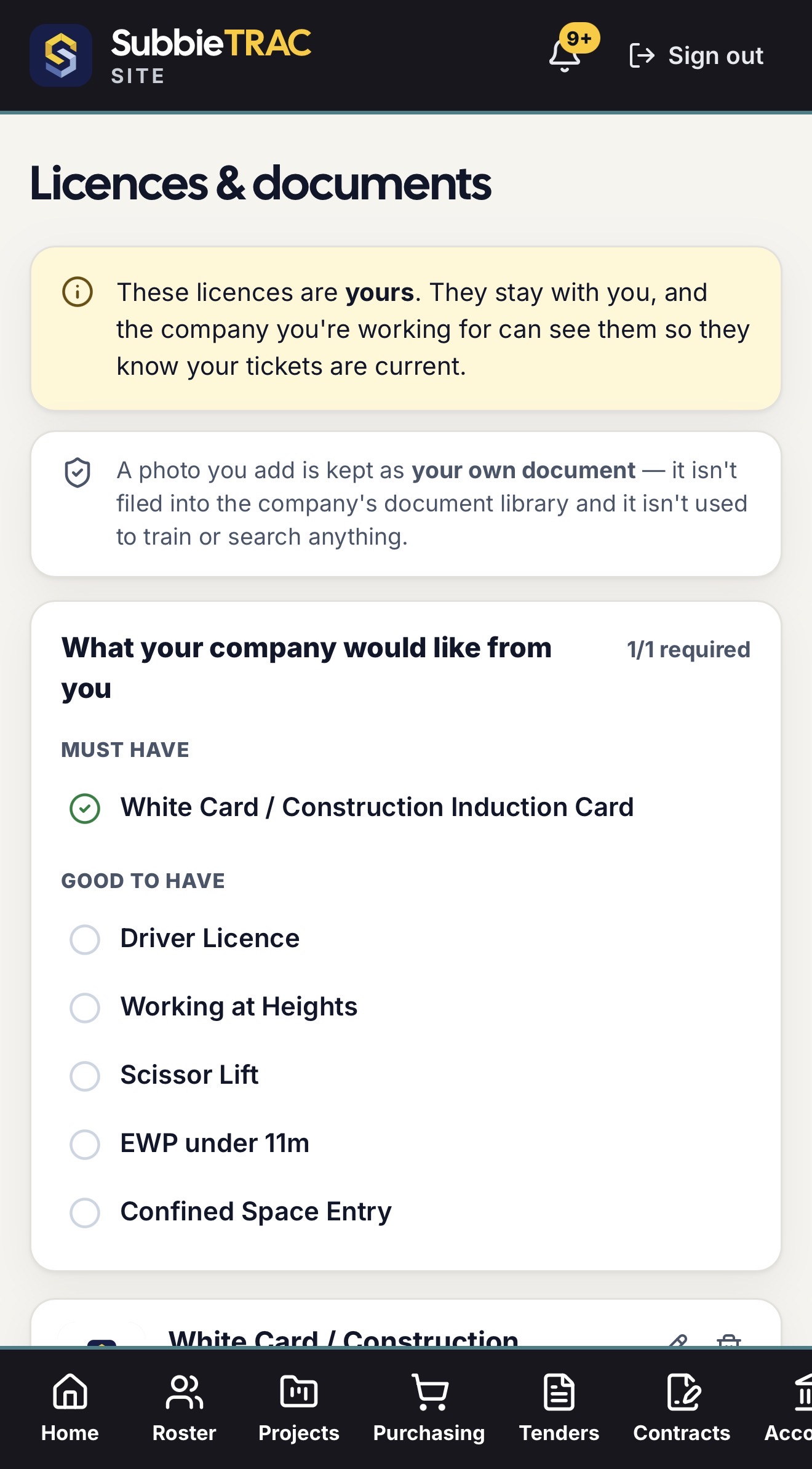
SubbieTRAC Site runs on the phone — installable, no app store — so the people on site work in the same system as the office.
- Each worker’s own roster, with clock-in and clock-out, updated live
- Trade licences and tickets uploaded by the worker, visible to the office
- Invoices built from confirmed timesheets and receipts, sent from the phone
- Day labour sheets that become priced variations
- Permissions per role, with a financial on/off switch
Ready to connect your business?
Replace disconnected tools with one operating system built for commercial subcontractors.
No credit card required. We’ll set up your account and send your login details.