
File & Doc Storage
Every document, filed once.
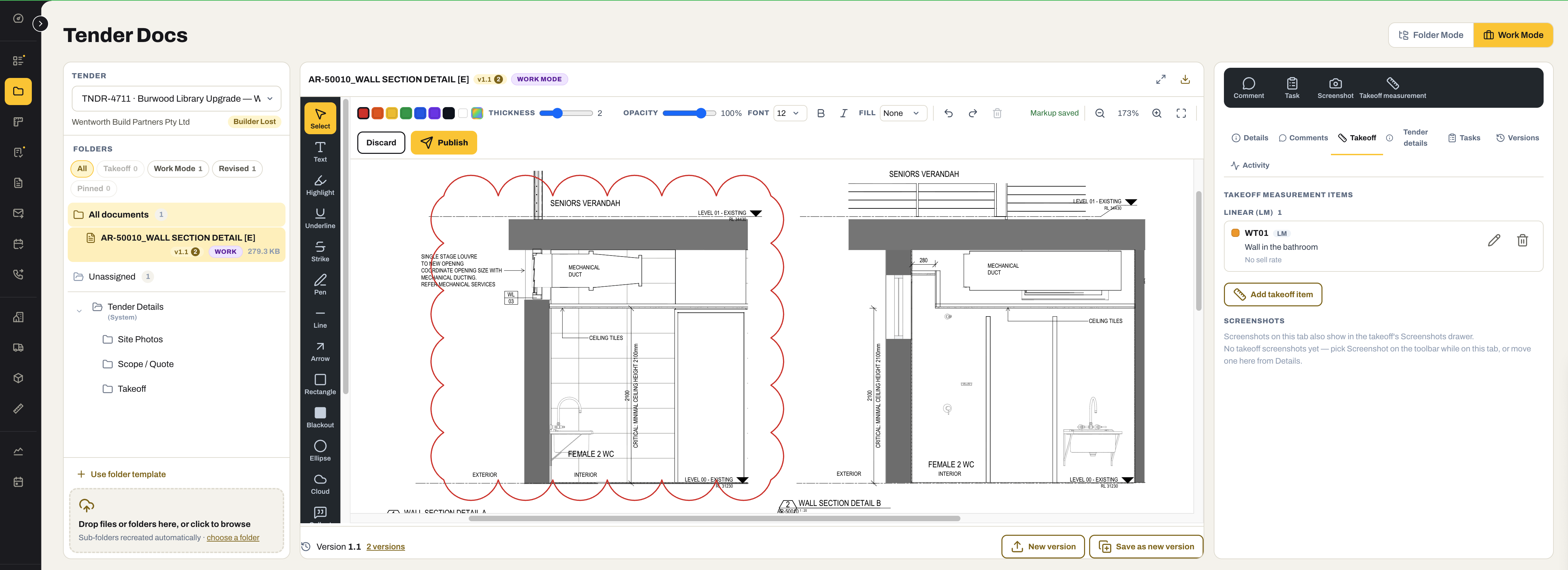
One library across tenders, projects and compliance, with the structure already decided — a folder for each, a type for each, versions kept, and a search that reads what the document says. So it is filed where the next person will look for it.
Everything in File & Doc Storage
01 / One library
Filed once. Found by anyone.
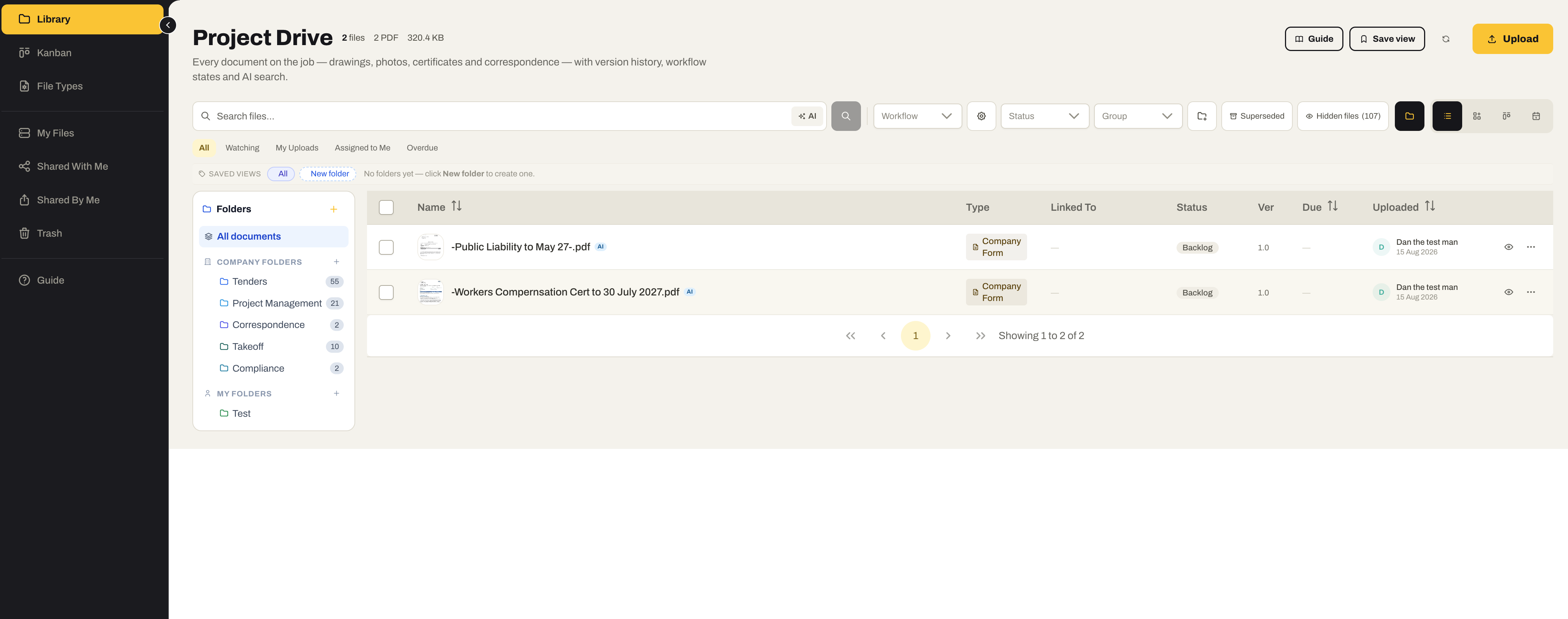
Every document the business holds — tenders, projects, correspondence, takeoffs, compliance — in one library with a folder for each, a type for each, and a search that reads what is inside.
- Company folders per module — Tenders, Project Management, Correspondence, Takeoff, Compliance — with your own folders beside them
- File types with their own numbering, workflow states and allowed formats, so a certificate and a drawing are filed differently without anyone deciding
- Version history on every file; superseded versions kept and hidden, not lost
- Watching, my uploads, assigned to me and overdue — the library as a to-do list
- Saved views, and a Kanban of documents by workflow state
- AI search — documents indexed on what they say, not just what they are called
02 / Project Docs
Every project’s documents, where the project is.
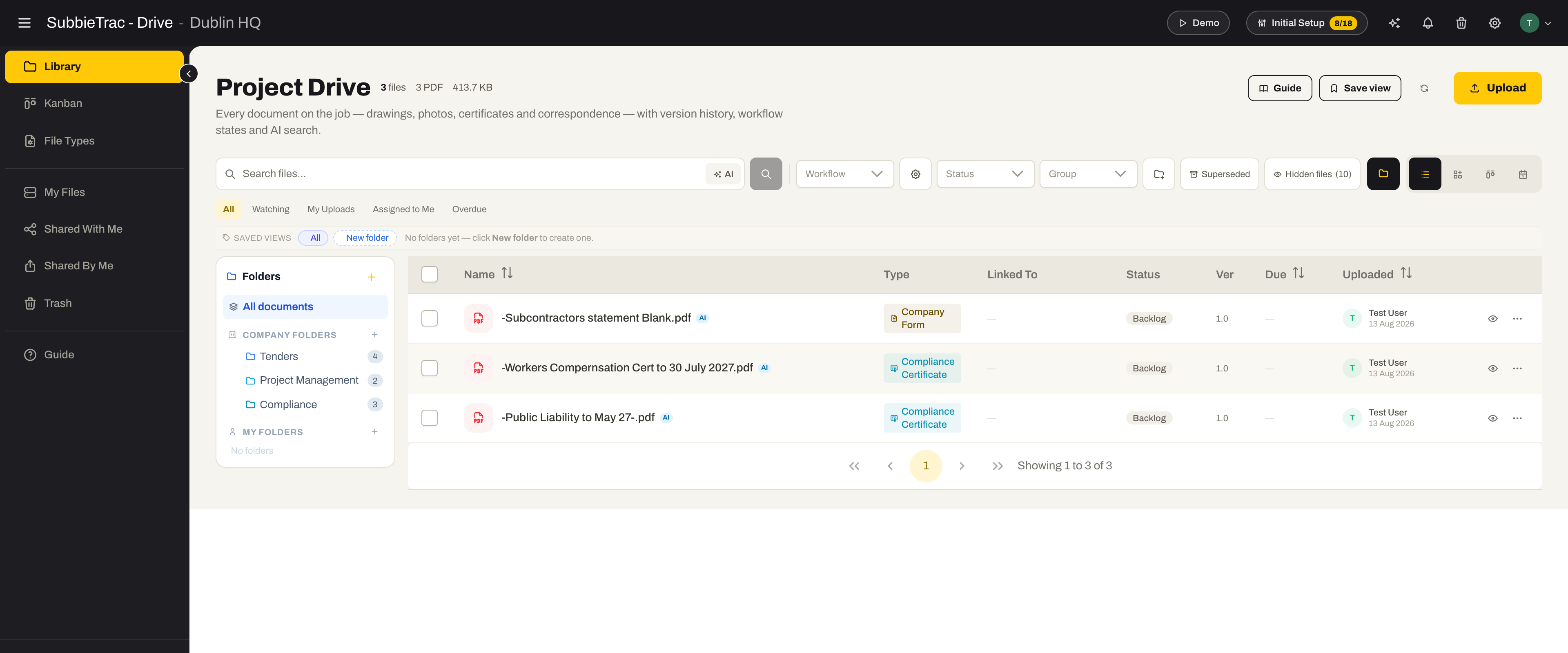
Drawings, contracts, specs and site photos organised into each project’s folders — browsed by project, previewed in place, and sent from the same screen.
- Projects grouped by status down the side; pick one and its folders open
- A default folder structure every new project starts with — sub-folders recreated automatically when you drop a folder in
- Site photos from the Site app land in the project with their version and size, thumbnails and a preview
- Folder Mode to browse, Work Mode to work one project at a time with a wide preview
- Send documents — pick the files, a client contact or any email, a subject and a message — without downloading anything first
03 / Markup, versions & sign
Mark it up where it matters. Publish it as a version.
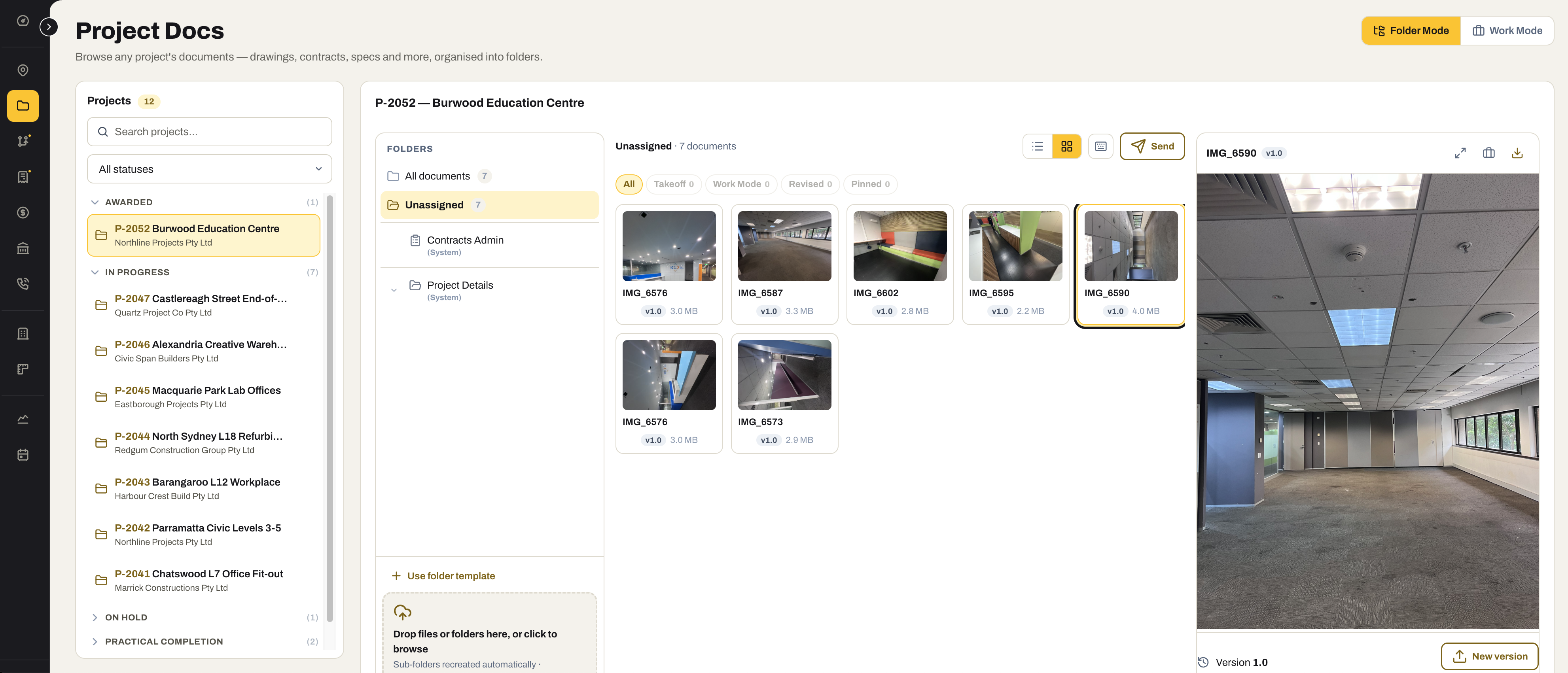
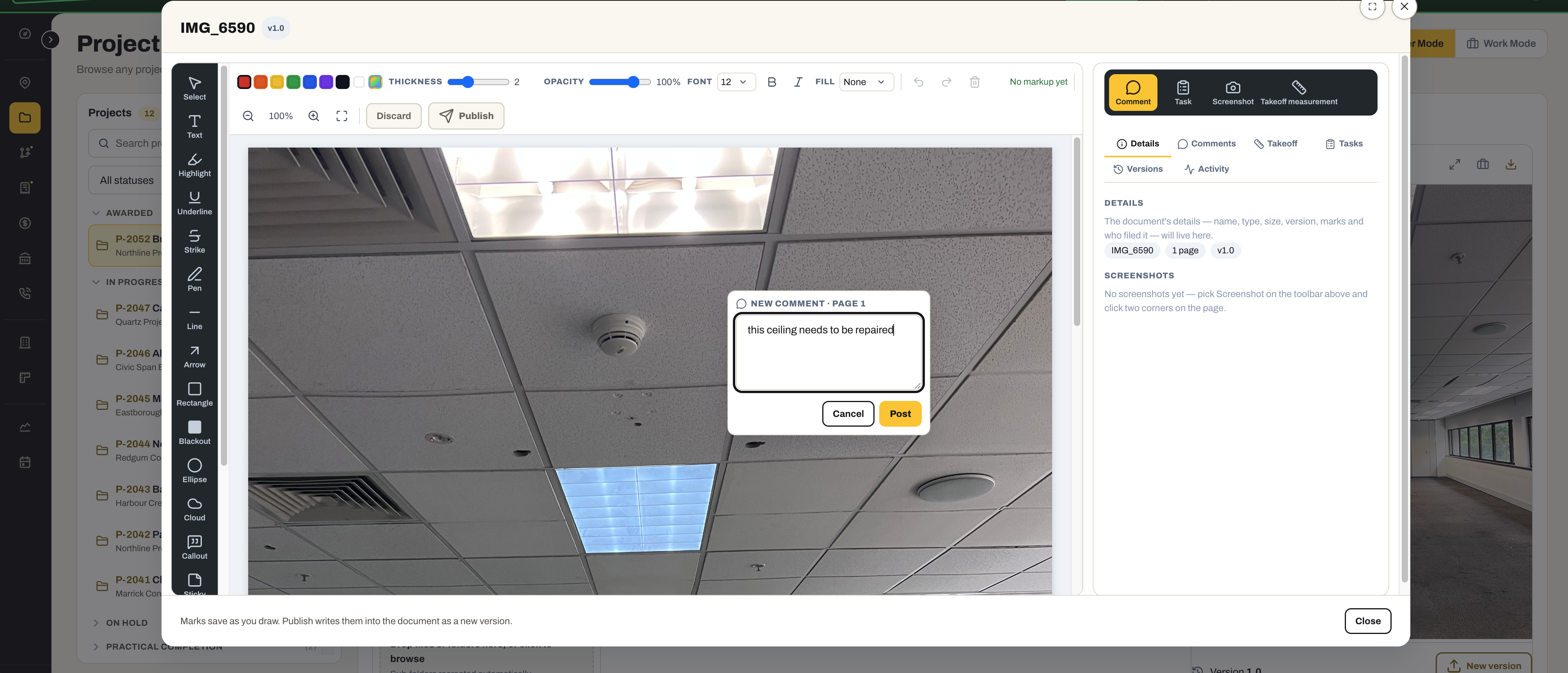
Cloud a detail on a drawing, comment on a photo, sign a page with the pen — marks save as you draw, and publishing writes them into the document as a new version, with the old one kept.
- Text, highlight, underline, strike, pen, line, arrow, rectangle, blackout, ellipse, cloud, callout and sticky — in colour, at your thickness
- Sign a page with the pen tool and publish it, so the signed copy is a version of the document, not a scan in an email
- Marks save as you draw; Publish writes them into the document as a new version and the history keeps every one
- Comments, tasks and screenshots against the document, and a takeoff measurement taken straight off the drawing
- Works on drawings and PDFs and on photos alike

Ready to find the current set first time?
Start the 30-day free trial — your tender and project folders are set up the day the account is.
No credit card required. We’ll set up your account and send your login details.